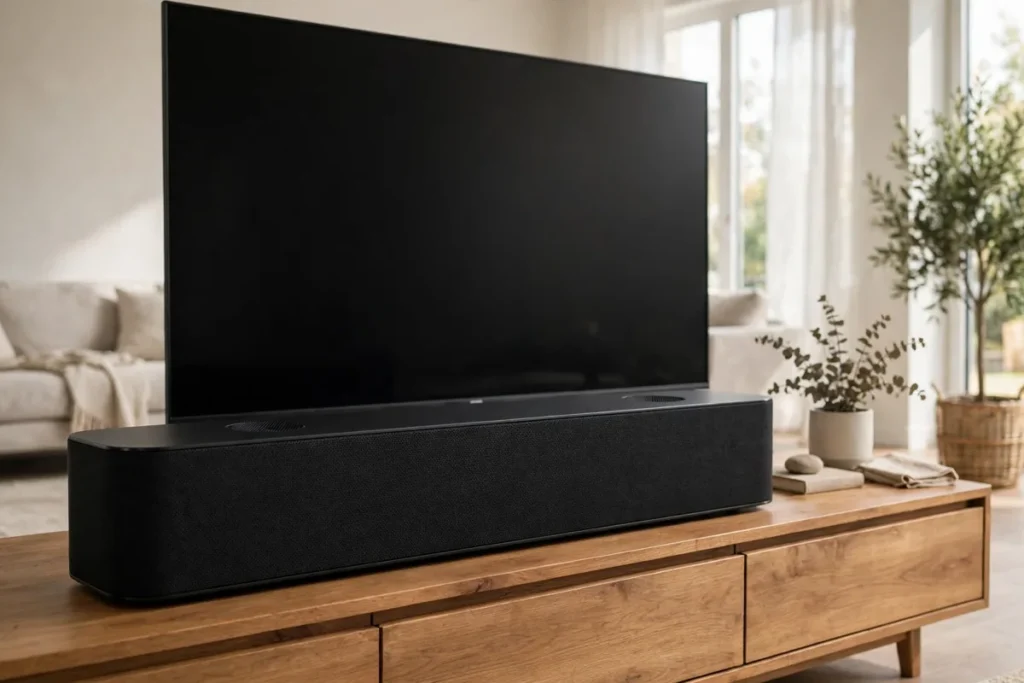
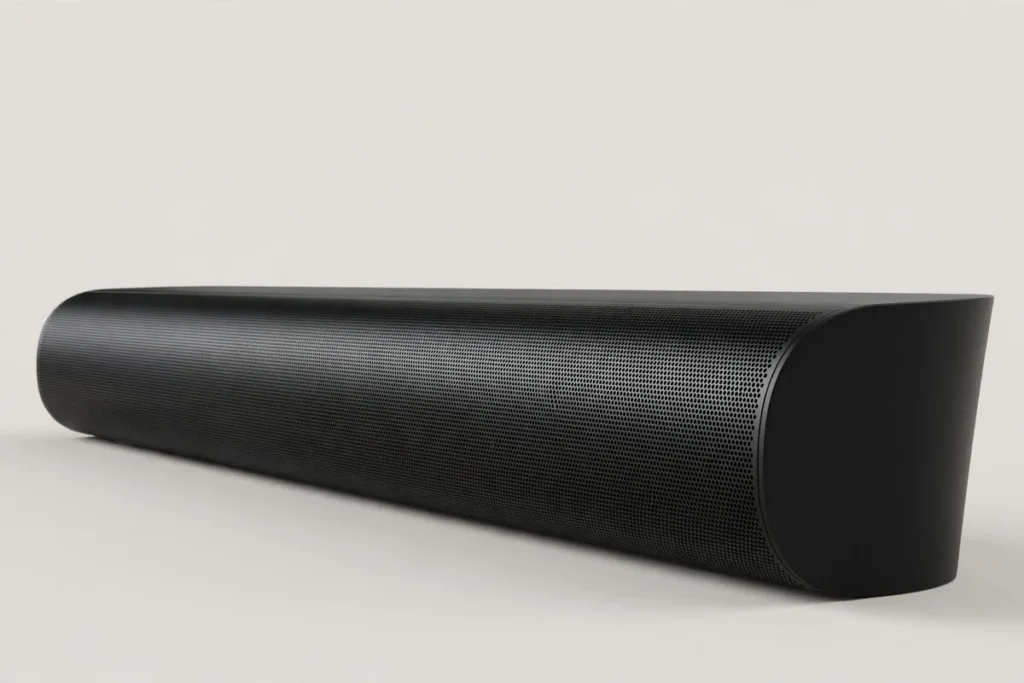
The best computer speakers fix the one job laptop and monitor speakers cannot do: sound that holds together at arm’s length, all day. A desk is a near-field listening position, roughly a metre from the drivers, and it rewards different things than a living room does. Seven picks cover the desk properly, from KEF’s wireless LSX II at the hi-fi end to a USB-C pair that runs off a single cable, with studio monitors, value bookshelf speakers and two 2.1 systems between them.
This is a research-based roundup. The verdicts come from manufacturer specifications, input sets, driver sizes and published test coverage, not from hands-on listening in our room. Desk space, connection type and whether a subwoofer can fit under the desk decide most real purchases, so those facts lead each pick, and each pick names the desk it does not suit.
Best overall: KEF LSX II: a Uni-Q driver array and full wireless streaming make this a genuine hi-fi system that happens to sit on a desk. Check Price on Amazon
Best compact premium: Audioengine A2 GEN3 Wireless: the tiny footprint the A2 line is known for, updated with Bluetooth 5.4 and aptX Adaptive for phone and laptop use. Check Price on Amazon
Best for content creation: Edifier MR4: true near-field studio monitors with balanced inputs and a flatter response, so mixes and edits translate properly. Check Price on Amazon
Best value all-rounders: Edifier R1280DBs: Bluetooth, optical and dual analog inputs plus a subwoofer line out make this the most flexible budget bookshelf pair for a desk. Check Price on Amazon
Best minimalist desk setup: Creative Pebble Pro: a single USB-C cable carries audio and power from the computer, and the angled drivers aim sound up at the listener. Check Price on Amazon
Best with a subwoofer: Logitech Z407: a down-firing subwoofer supplies the low end small desk speakers miss, with a wireless dial for volume and playback. Check Price on Amazon
Best for games and movies: Klipsch ProMedia 2.1 THX: THX-certified horn-loaded satellites and a dedicated subwoofer deliver the punchiest, most cinema-like sound in this class. Check Price on Amazon
What a desk asks of speakers
Near-field listening changes the priorities. At a desk you hear driver integration and balance more than raw power, because the speakers sit close and usually point at your ears from either side of a monitor. Small cabinets integrate better at that distance; big living-room speakers can sound disjointed up close. Inputs matter just as much: a laptop, a work PC, a phone and a games console may all want in, so USB audio, Bluetooth and a spare analog input are worth more than a few extra watts.
The other fork is entertainment tuning versus a flat response. Entertainment speakers flatter music and games with lifted bass and treble. Studio monitors tell the truth, which is what editing and mixing need. Our guide to the best speakers covers the wider home-audio picture, and the best stereo speakers roundup picks up where desk-sized options run out of scale.
The best computer speakers, pick by pick

Why you: KEF’s Uni-Q driver array and full wireless streaming make this a genuine hi-fi system that happens to sit on a desk.
Trade-off: It costs many times more than typical PC speakers and wants stand or desk space to breathe.
The LSX II is the ceiling of this category. Each cabinet carries KEF’s Uni-Q array, with the tweeter set into the centre of the midrange driver so both voices come from one point, which is exactly what near-field listening rewards. Around that core sits a full streaming system: AirPlay 2, Chromecast, Spotify Connect and Roon, plus HDMI ARC for a TV and USB-C for the computer itself.
Two things rule it out for many desks. It needs room to breathe, ideally on stands or a deep desk rather than squeezed beside a monitor, and it sits in a different budget class from every other pick here. Treat it as the hi-fi system for a desk that doubles as your main listening seat, and it earns its place at the top.

Why you: The current A2 generation keeps the tiny footprint the line is known for and adds modern Bluetooth 5.4 with aptX Adaptive for phone and laptop use.
Trade-off: Small cabinets mean limited bass without adding Audioengine’s matching subwoofer.
The A2 has been the default small-desk upgrade for years because it respects the constraint that matters most: space. The cabinets are small enough to flank a laptop on a narrow desk, and this generation modernises the wireless side with Bluetooth 5.4 and aptX Adaptive, so a phone connects in high quality while the computer stays wired through the analog input.
Physics still applies. A cabinet this small cannot move much air at low frequencies, so bass is tidy rather than deep, and Audioengine sells a matching subwoofer for owners who later find the limit. As a compact, good-looking desk pair that asks for nothing but a power socket, it remains the one to beat.
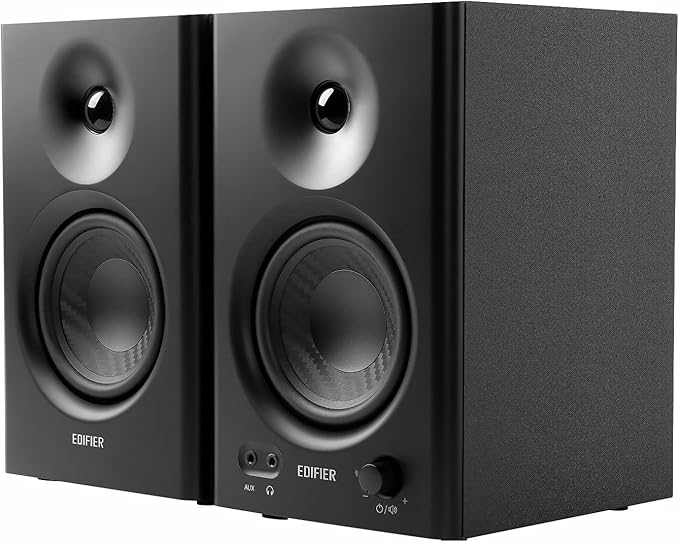
Why you: These are true near-field studio monitors with balanced inputs and a flatter response, so mixes and edits translate better than on entertainment-tuned speakers.
Trade-off: There is no Bluetooth and no remote, since they are built as work monitors.
The MR4 is a studio monitor wearing no disguise. A 4-inch woofer in each cabinet, a silk dome tweeter and a response tuned flat rather than flattering, so what you hear while editing a video or mixing a track is close to what other systems will play back. Balanced TRS inputs let it connect to audio interfaces without the hum that unbalanced cables can pick up, and a second, brighter monitor mode exists for casual listening.
That work-first design cuts the comforts. No Bluetooth, no remote control, and the front panel carries the volume dial and a headphone socket instead. Our explainer on 2-way vs 3-way speakers covers how monitor designs like this split the frequency range. For creators, the honesty is the feature.

Why you: Bluetooth, optical and dual analog inputs plus a subwoofer line out make this the most flexible budget bookshelf pair for a desk that also serves a TV or turntable.
Trade-off: The 42W output suits near-field listening rather than filling a large room.
If one pair of speakers has to serve a desk, a television and a turntable across a week, this is the pair. The input list is the longest in its class: Bluetooth for phones, optical for a TV or console, coaxial, and two RCA inputs for everything else, all switched from a small remote. A subwoofer line out leaves a growth path that most budget pairs close off.
The sound fits its station. Forty-two watts across a 4-inch woofer and 13mm tweeter per side is plenty at a desk and civilised in a small room, but nobody should expect it to run a party. As an all-purpose first upgrade from monitor speakers, the flexibility per pound of desk space is hard to argue with.

Why you: A single USB-C cable carries both audio and power from the computer, and the angled drivers point the sound up at the listener.
Trade-off: Output is modest and there is no subwoofer, so film and game bass is thin.
The Pebble Pro is the tidy-desk answer. One USB-C cable from the computer delivers both the audio signal and the power, so there is no wall adapter and no cable nest, and Bluetooth 5.3 plus an AUX input cover phones and anything older. The pebble-shaped cabinets tilt their drivers up at 45 degrees, which puts the sound on axis with a seated listener instead of firing it at the desk surface.
The output matches the footprint: fine for calls, videos and music at desk volume, thin when a film wants weight. RGB lighting rings and a Clear Dialog mode round out a package aimed at students, small desks and anyone whose main speaker problem is clutter rather than fidelity.
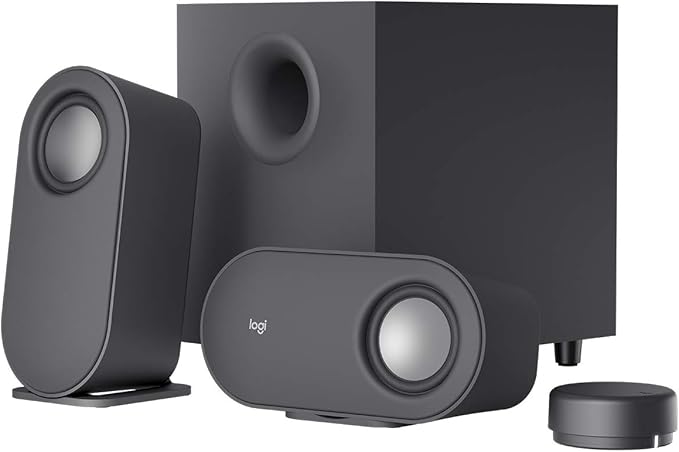
Why you: The down-firing subwoofer supplies the low end small desk speakers miss, and the wireless dial controls volume and playback without reaching for the speakers.
Trade-off: The subwoofer needs floor or desk space and a power outlet near the desk.
The Z407 splits the difference between compact pairs and full 2.1 rigs. Two small satellites handle the desk while a down-firing subwoofer, sized to live under it, covers the bass that satellites this size cannot produce. Eighty watts of total output gives games and films the weight the Pebble class lacks, and the inputs cover Bluetooth, USB and 3.5mm sources.
Its best feature might be the control dial: a wireless puck that sits by the keyboard and handles volume, play and pause, and source switching without reaching behind a monitor. The satellite speakers can stand upright or lie flat, which helps on crowded desks. The only real ask is a home for the subwoofer and a spare socket near it.

Why you: THX-certified horn-loaded satellites and a dedicated subwoofer deliver the punchiest, most cinema-like sound in this class.
Trade-off: It is a wired-only design with no Bluetooth and a dated control pod.
The ProMedia has outlived several generations of rivals by doing one thing very well: dynamics. Klipsch’s horn-loaded MicroTractrix tweeters give the satellites an efficiency and attack that games and films thrive on, and the 6.5-inch side-firing subwoofer supplies genuine low-end punch. THX certification sets a measurable bar for output and distortion that most desk systems never attempt.
It is proudly old-school in exchange. One 3.5mm analog input, no Bluetooth, no USB, and a wired control pod for volume and sub level. Owners route everything through the computer and accept the cable. For a gaming desk where sound quality outranks convenience, that bargain has kept this system on sale while smarter rivals came and went.
All seven picks compared
| Model | Format | Key inputs | Subwoofer | Best for | |
|---|---|---|---|---|---|
| KEF LSX II | Active wireless pair | HDMI ARC, USB-C, optical, streaming | Optional (KC62) | Best overall | Check Price |
| Audioengine A2 GEN3 Wireless | Compact powered pair | Bluetooth 5.4, analog | Optional (S6/S8) | Compact premium | Check Price |
| Edifier MR4 | Studio monitors | Balanced TRS, RCA, AUX | No | Content creation | Check Price |
| Edifier R1280DBs | Powered bookshelf pair | Bluetooth, optical, coaxial, dual RCA | Line out for one | Value all-rounders | Check Price |
| Creative Pebble Pro | 2.0 desktop pair | USB-C, Bluetooth 5.3, AUX | No | Minimalist desk setup | Check Price |
| Logitech Z407 | 2.1 system | Bluetooth, USB, 3.5mm | Included, down-firing | With a subwoofer | Check Price |
| Klipsch ProMedia 2.1 THX | 2.1 THX system | 3.5mm analog | Included, 6.5-inch | Games and movies | Check Price |
How to choose computer speakers
Count your sources before you count watts. A laptop-only desk can live happily with a USB-C pair like the Pebble Pro. A desk that also hosts a console, a turntable or a TV needs the input bench of the R1280DBs or the streaming stack of the LSX II. Bluetooth is the flexible middle ground: any pair here with it can take a phone without a cable swap.
Decide the bass question early, because it decides the format. If a subwoofer can live under the desk, the Z407 and ProMedia deliver low end that no compact pair can fake. If it cannot, choose a pair with a subwoofer output, the R1280DBs or the Audioengine, so the option stays open. Creators should skip the question entirely and take the flat response of the MR4 monitors.
Finally, measure the desk. The LSX II and R1280DBs need real estate and a little distance from the wall behind them. The A2 and Pebble Pro exist for desks where the monitor already fights for space. Angled or stand-mounted placement, tweeters near ear height, pays off more than any spec on this page.
Frequently asked questions
Are studio monitors good as computer speakers?
For work, they are the best option here. A flat monitor like the Edifier MR4 shows you what a mix or edit actually contains, with no bass lift hiding problems. For pure entertainment the same honesty can feel plain next to a tuned pair, which is why the MR4 adds a second, brighter mode for listening off the clock.
Do computer speakers need a subwoofer?
Only if the content demands it. Speech, calls and most music at a desk sit comfortably within what a decent pair covers. Games, films and electronic music reach below the range of small cabinets, and there a subwoofer changes the experience rather than decorating it. Two picks here include one, and two more can add one later.
USB or 3.5mm: which connection sounds better?
USB, in most setups. A USB connection takes the digital signal straight to the speaker’s own converter, bypassing the computer’s often noisy headphone output. A 3.5mm cable is only as clean as the socket feeding it. The practical gap varies by machine, but USB also powers pairs like the Pebble Pro, which removes a cable from the desk entirely.
Can I use normal bookshelf speakers with a PC?
Powered ones, yes, directly: the R1280DBs and LSX II both connect to a computer with no extra boxes. Passive bookshelf speakers need an amplifier between the PC and the speakers, which adds cost and desk clutter but opens up the whole hi-fi market. For a first desk upgrade, a powered pair is the simpler and usually cheaper route to the same desk.
How much power do desk speakers need?
Far less than living-room speakers, because you sit a metre away. Output figures across this page run from the Pebble Pro’s modest USB-powered output to the LSX II’s system power, and all seven are loud enough at a desk. Distortion at your listening volume matters more than the wattage headline: a clean 20 watts near-field beats a strained 80.

I am the founder of Sound Mavericks, where I provide the polite truth about audio equipment. I started this site because consumer electronics reviews are often too technical. Instead of using a silent lab, I test headphones, earbuds, and Bluetooth speakers in the real world – like on a noisy subway or in a busy coffee shop.
To stay independent, I buy my own review units (mostly from the United States) rather than accepting free gifts from brands. Once I finish testing a product, I sell it locally to our community. My goal is to help you understand sound quality, active noise cancellation (ANC), and battery life without the marketing hype.