Learning how to find lost airpods is mostly learning how to use three tools in the right order: the Find My map for the general area, Play Sound for the last few metres, and nearby guidance for the last few centimetres. This guide works through all three, for one bud, both buds or the whole case, then covers what to do when the map is all you have. The method is the same whether they slipped down a sofa or stayed on a train. Start with the map, and do not start by tearing the room apart.
Way one: the Find My map
On iPhone or iPad
Open the Find My app, tap Devices, and tap your AirPods. If they are connected or recently seen, the map shows where they are. If they are offline, it shows the last place they were detected, with a time attached. Treat that pin as the start of the search, not the answer. Engadget’s guide makes the same point: a gym, a friend’s house or a bus stop pin tells you where to go first, and the app refreshes once you are back in range.
If the pin is somewhere you are not, tap Get Directions and go there before doing anything else. AirPods do not move on their own. A pin that sits still is a place to search, and every minute spent searching the wrong building is wasted.
On a Mac, a watch or the web
The same account works everywhere. Find My on a Mac shows the same map and directions. An Apple Watch can show your devices from the Find Devices app, useful when your phone is the thing charging in another room. With no Apple device to hand, sign in at iCloud.com/find in a browser and pick your AirPods from All Devices. The web version is more limited, but the map and the last location are there, and that is the part you need first.
Way two: Play Sound
When the map says the AirPods are here but your eyes say otherwise, make them speak. Tap Play Sound in Find My and the buds play a rising chirp that gets louder over a few seconds. Then stop moving, stop talking, and listen. Sofas, bedding, coat pockets and the gap beside a car seat swallow both buds and sound, so work slowly through the room in silence between chirps.
Two conditions apply. The buds need charge, and they need to be out of a closed case or reachable. One model-specific gift helps here: on supported models the case itself can play a sound. Engadget notes that AirPods 4 with ANC, AirPods Pro 2 and AirPods Pro 3 cases can beep, which turns the commonest loss, the case in a bag, into a listening game you can win.
Way three: nearby guidance and the case beep
Supported models and iPhones add Precision Finding, the nearby guidance that points you the last stretch. Engadget describes how it works on the Pro models with the right chip pairing: the app shows a directional arrow, a distance estimate and haptic feedback that strengthens as you close in, behind the Find Nearby button. Use it standing still first, rotate slowly, then walk the arrow. It feels like a metal detector for one very small, very expensive object, and in a cluttered room it is the difference between the right cushion and every cushion.
Even without Precision Finding, the Bluetooth trick helps at close range. Walk the room slowly with the Find My screen open and watch the connection state. A bud that flips from last-seen to connected is within a few metres. Check the warm spots first: laundry baskets, gym bags, the pocket of yesterday’s jacket.
Finding one bud when the other is safe
AirPods separate. One falls, one stays, and the pair show as a split result. Put the found bud in the case and close it, so it stops hogging the connection, then select the missing left or right bud in Find My and refresh. Search for that bud alone with Play Sound, and mute the found side if the app offers the choice, so the only chirp in the room is the one you are hunting. Repeat the map check after the case trick, because the missing bud often reports a fresher location once its sibling is parked.
When they show as offline
Offline means the map is a memory. Work it properly: note the time on the pin, reconstruct where you were then, and search that place with your hands and eyes. SwitchingToMac’s guide to finding AirPods on the Find My network sets out the conditions honestly: offline location depends on the model supporting the network, the network having been on before the loss, and nearby Apple devices passing the location along. If the buds later come back within range of any Apple device, the location updates, so turn on the option to be notified when they are found and let the network work while you search the pin.
If the search fails, turn on Lost Mode. It lets you leave contact details for a finder. It does not make the buds louder or the map sharper, so it is the last step, not the first.
Set this up now, before the next loss
Five minutes of setup decides whether the next loss is a nuisance or a purchase. Turn on the Find My network in your iPhone’s Find My settings, turn on Send Last Location, and turn on Notify When Left Behind for your AirPods so your phone protests when you walk away from them at a cafe table. Consumer Reports recommends the same trio, plus precise location for the Find My app itself. Then keep the case charged often enough that Play Sound stays available, and give the case one home pocket so habit does half the remembering for you.
Newer models make this easier
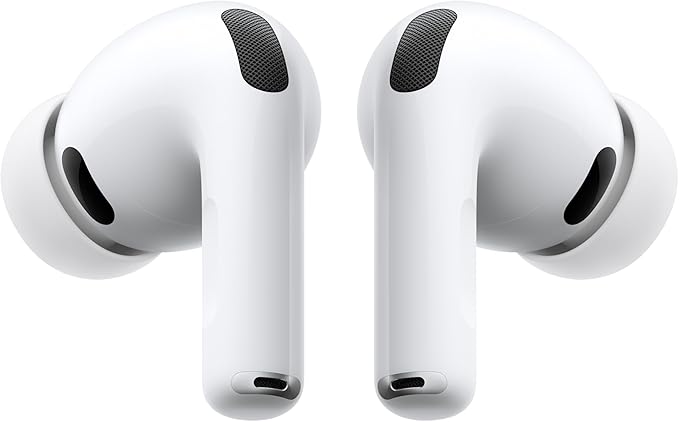
Findability is now a buying feature. The current models below carry the strongest Find My support in the range, including case speakers and nearby guidance, which is worth weighing if you are replacing a lost pair or choosing between generations. Our guide to which AirPods to buy compares the range on the rest of the features too.


If they are truly gone
Accept the map’s verdict once the last location is searched and Lost Mode is on. Apple sells single replacement buds and cases, and a single bud pairs with your existing case after a reset, so one lost bud is not a whole new set. If the whole set is gone, replace like for like only after checking the setup section above on the new pair, so the next loss starts from a stronger position. And run the AirPods case care basics before the new set goes into daily service, because a clean case charges reliably, and a charged case is a findable case.
Frequently asked questions
Can I find my AirPods if they are offline or out of battery?
You can see their last known location in Find My, which is often enough to narrow the search to a building or a room. Playing a sound and nearby guidance need charge and a connection, so a dead or offline bud can be located on the map but not made to beep until it reconnects or is charged.
How do I find just one lost AirPod?
Open the AirPods in Find My and choose the left or right bud. Put the found bud back in the case so it stops dominating the connection, refresh, and search for the missing one on its own. Engadget’s guide describes the same one-at-a-time approach, including muting the found side while the missing side plays its sound.
Can the AirPods case itself make a sound?
On supported models, yes. Engadget notes the case can play a sound on models such as AirPods 4 with ANC, AirPods Pro 2 and AirPods Pro 3, which turns a lost-case search from a map hunt into a listening hunt. Older cases cannot beep, so the buds or the map have to do the work.
What does Lost Mode do for AirPods?
Lost Mode lets you leave a message and contact details that appear to someone who finds and tries to use or charge your AirPods. It does not track harder or ring louder. It is the step to take once you have searched the last known location and accepted they are not nearby.
How do I stop losing my AirPods in the first place?
Turn on Notify When Left Behind in Find My, keep the Find My network on, and give the case one home: the same pocket, the same bag compartment, every time. Separation alerts catch the cafe-table mistake, which is how most AirPods are actually lost.

I am the founder of Sound Mavericks, where I provide the polite truth about audio equipment. I started this site because consumer electronics reviews are often too technical. Instead of using a silent lab, I test headphones, earbuds, and Bluetooth speakers in the real world – like on a noisy subway or in a busy coffee shop.
To stay independent, I buy my own review units (mostly from the United States) rather than accepting free gifts from brands. Once I finish testing a product, I sell it locally to our community. My goal is to help you understand sound quality, active noise cancellation (ANC), and battery life without the marketing hype.