Learning how to connect airpods to android takes about a minute, because underneath the Apple polish these are ordinary Bluetooth earbuds. The pairing trick differs by model: older cases have a setup button on the back, the newest cases hide the control in a double-tap on the front. This guide walks through both, then covers the part most guides rush: what still works on Android, what does not, and the small fixes when a pair refuses to appear.
Before you start
Put both earbuds in the case and give the case some charge. A flat case is the most common reason pairing fails silently. If the AirPods are paired with an iPhone nearby, turn that phone’s Bluetooth off for two minutes, or the buds may keep choosing it. Then open your Android Bluetooth menu first, so the phone is already scanning when the AirPods enter pairing mode.
Step by step: pairing any AirPods model
Models with a setup button
Android Authority’s guide gives the standard route for AirPods 1, 2 and 3 and all AirPods Pro models with a case button: open the lid with the earbuds inside, hold the setup button on the back of the case until the status light flashes white, then open Settings, Connected Devices, Pair new device on the phone and tap your AirPods in the list. Confirm the pairing prompt and the buds move to your saved devices as connected.
Models with no button: the double-tap case
AirPods 4, AirPods 5 and AirPods Pro 3 removed the back button. With the lid open and the buds inside, double-tap the front of the case until the status light flashes white. That is pairing mode. The step feels odd the first time and is easy to mistime; tap firmly, twice, on the front face rather than the lid. Then select the AirPods on the phone as above.
AirPods Max
For the over-ear model, press and hold the noise control button for about five seconds until the status light flashes white, then pair from the same Bluetooth list. There is no case involved, which makes the Max the simplest of the family to move between devices.
What you keep on Android
Music, podcasts and calls all work, and call quality stays strong because the microphones live in the buds. Noise cancelling and transparency on the Pro and ANC models work too, switched with the usual stem press. Volume and playback controls on the stems work. In short, everything the hardware does by itself survives the move.
What Apple leaves behind
Android Police lists the losses plainly: no battery level display as standard, and no automatic device switching. Add ear detection settings, customisable controls, spatial audio and firmware updates, which only happen through an Apple device. The feed record for the Pro 3 in our scoring carries the same warning in one line: best features only work inside the Apple ecosystem, and Android users lose a lot. Our do AirPods work with Google Pixel guide covers the Pixel-specific version of this list.
Workarounds worth installing
Two gaps have decent fixes. A battery app such as CAPod restores the pop-up battery card when you open the case. Assistant apps can map a stem action to Google Assistant. Neither restores switching or updates, so keep a friend’s iPhone or an old iPad in mind for the occasional firmware day. Our which AirPods to buy guide shows what each model gives up, model by model.
If the AirPods will not appear
Close the case for thirty seconds, open it and start pairing mode again. On the phone, forget any old AirPods entry in the Bluetooth list first. If they still hide, reset them: hold the setup button for about fifteen seconds until the light flashes amber, then white, or use the triple double-tap on the newer cases, and pair from scratch. Android Authority lists that reset as the last-ditch fix, and in practice it clears almost every stuck pairing. General pairing help lives in our how to pair Bluetooth earbuds guide.
Getting the best sound once paired
Android gives you two levers the pairing guides rarely mention. First, check the active codec in the Bluetooth device page: AirPods speak AAC and SBC, and most Android phones handle their AAC well, so leave the codec on its default rather than forcing anything in developer options. Second, use your music app’s own equaliser. There is no Apple settings panel on Android, so the EQ inside Spotify, YouTube Music or your player of choice is where bass and treble adjustments now live.
Volume that seems too quiet
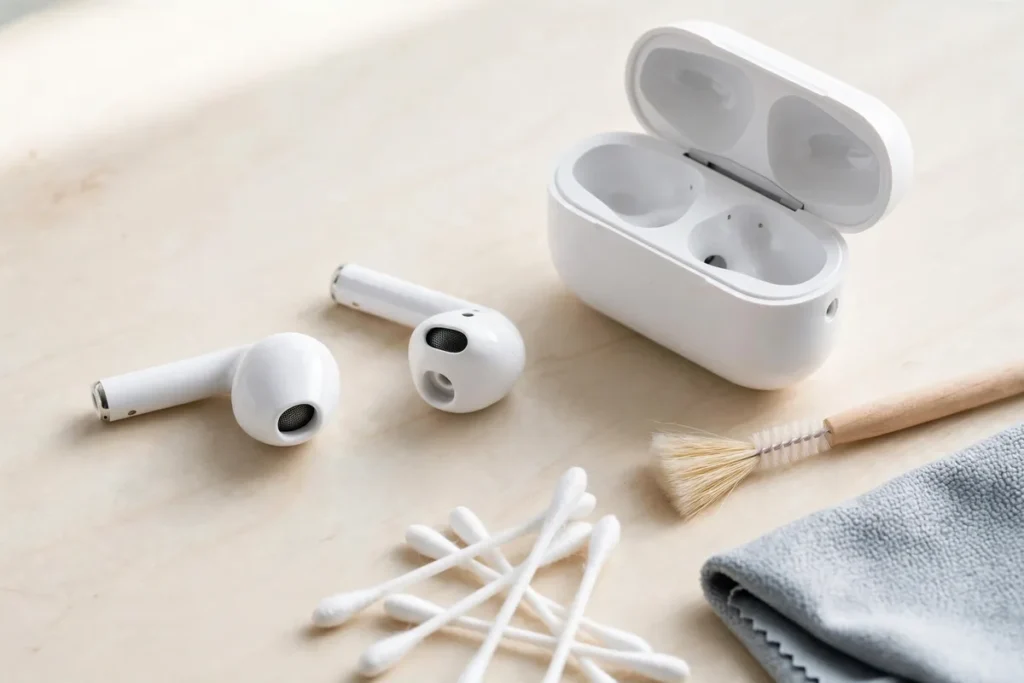
A classic first-day complaint is low maximum volume after pairing. Open the Bluetooth device settings for the AirPods and look for the absolute volume toggle, then disconnect and reconnect once. Android and the buds occasionally negotiate mismatched volume scales on the first connection, and a fresh pair-up after toggling the setting settles it. If one bud is quieter than the other, clean the mesh before you blame the connection; wax build-up is the usual cause and it survives every reset.
The three current models, scored
All three current picks in our scoring pair with Android the same way. They differ in fit and in how much of the Apple layer you are paying for but not using.
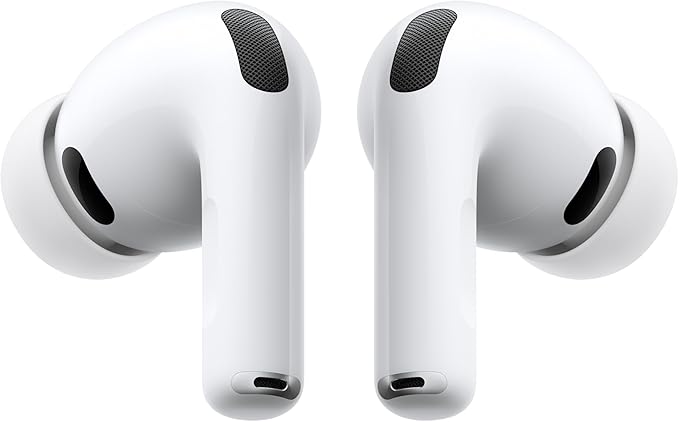


Calls deserve one reassurance. The stem microphones do their work inside the buds, not inside an Apple chip handshake, so callers hear you exactly as they would from an iPhone pairing. Wind handling on the Pro models also carries over. If your worry was sounding worse to everyone else after switching phones, put it aside: the losses on Android are about convenience features, not about the basics of sounding clear.
Verdict: is it worth it?
If you already own AirPods and switched phones, absolutely pair them and use the workarounds. If you are buying new for an Android phone, weigh the missing features honestly: the same money buys Android-first earbuds with full app control, as our best wireless earbuds for Android roundup shows. The AirPods case rests on fit and ANC, and for many ears that is still enough.
Keep the case in your pocket for the first day after pairing. Android phones occasionally drop a brand-new pairing from their saved list if the buds wander back to an Apple device before the second connection, and one clean reconnect on day two seems to settle the bond for good. After that, opening the case near the phone is all the ceremony the connection needs.
Frequently asked questions
Do AirPods work with Android phones?
Yes. AirPods are standard Bluetooth earbuds once they are in pairing mode, so any Android phone can connect to them for music and calls. What you lose is the Apple layer on top: automatic switching, ear detection settings, spatial audio features and battery pop-ups.
How do I put AirPods in pairing mode for Android?
For AirPods with a case button, open the lid with the buds inside and hold the setup button on the back until the light flashes white. For AirPods 4, AirPods 5 and AirPods Pro 3, which have no back button, double-tap the front of the case until the light flashes white.
Can I check AirPods battery on Android?
Not natively. Android shows a rough Bluetooth battery figure for some models in the Bluetooth menu, and third-party apps such as CAPod, which Android Police recommends, add a battery pop-up that mimics the iPhone one.
Do AirPods noise cancelling and transparency work on Android?
Yes, the modes themselves work, because they run on the earbuds. You switch them with the stem press as usual. What you cannot do on Android is adjust their settings or customise the controls in an app.
Will my AirPods reconnect automatically to my Android phone?
Usually, yes, once paired they reconnect when you open the case near the phone. If they were last used with an iPhone or iPad, they may try to return to it, so turn off Bluetooth on the Apple device during the first Android pairing.

I am the founder of Sound Mavericks, where I provide the polite truth about audio equipment. I started this site because consumer electronics reviews are often too technical. Instead of using a silent lab, I test headphones, earbuds, and Bluetooth speakers in the real world – like on a noisy subway or in a busy coffee shop.
To stay independent, I buy my own review units (mostly from the United States) rather than accepting free gifts from brands. Once I finish testing a product, I sell it locally to our community. My goal is to help you understand sound quality, active noise cancellation (ANC), and battery life without the marketing hype.