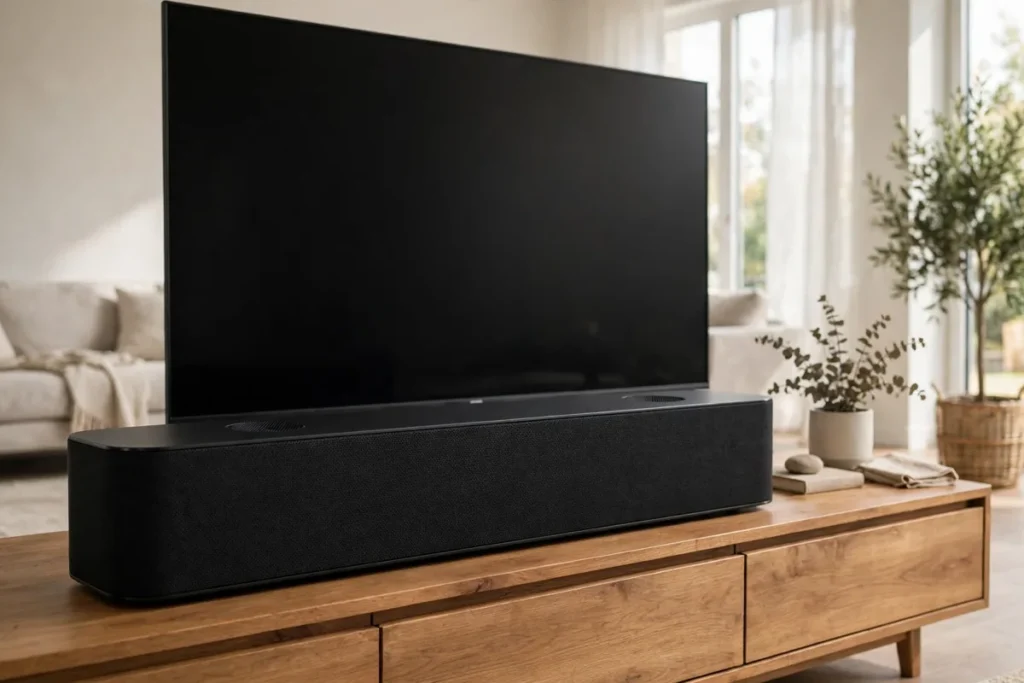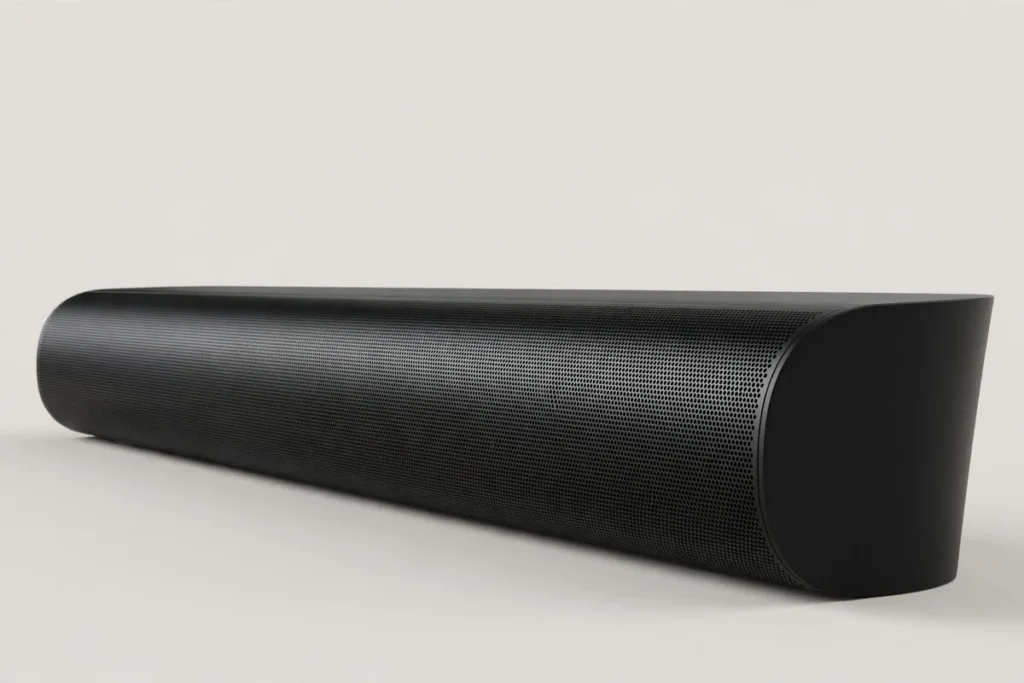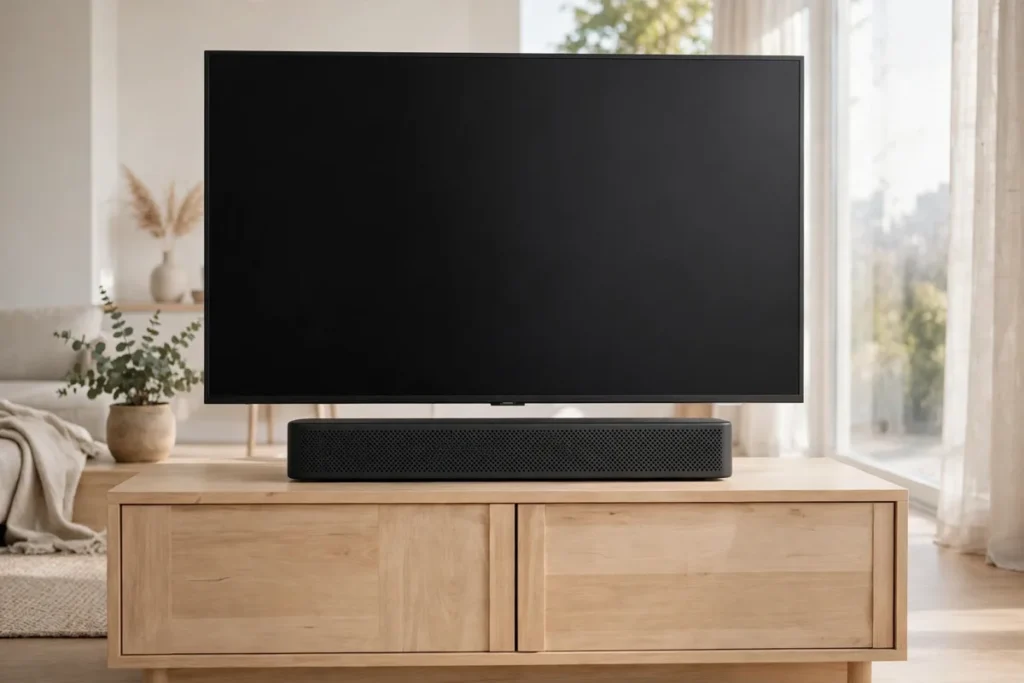
This Sonos Beam Ultra review covers the mid-size Dolby Atmos soundbar that sits between the Beam (Gen 2) and the Arc Ultra in the Sonos range: nine drivers in a compact cabinet, two of them firing upward for real height channels, a four-level speech enhancement system, and room tuning that now works with Android phones as well as iPhones. It is a research-based review. We have not tested this soundbar hands-on, so the verdict rests on Sonos published specifications, corroborated listing details, and coverage from outlets that have heard the bar. Where a claim comes from Sonos, we say so.
The short version is this. The Beam Ultra fixes the main weakness of the Beam (Gen 2), which created its height effects in software with no upward-firing drivers at all. The Beam Ultra has the physical hardware, and that makes its Atmos presentation a different thing, not a louder version of the same trick. The limits are just as clear: one HDMI port with no passthrough, no DTS:X decoding, and no subwoofer in the box.
The Sonos Beam Ultra is the right Sonos bar for TVs up to about 65 inches in rooms where the larger Arc Ultra looks and feels too wide. Nine drivers, each on its own amplifier, give it a wide stage, clear centre dialogue and genuine overhead effects on Atmos films. Buy it if you are already in the Sonos system or plan to grow one around the TV. Skip it if you own a large collection of discs that use DTS:X, or if you need a second HDMI input on the bar itself, because this bar has neither.
Why you: Real 7.1.2 Atmos from a compact bar, with two dedicated up-firing tweeters, a redesigned centre channel for dialogue, and Trueplay room tuning that now includes a quick Android option.
Trade-off: A single HDMI eARC port and no passthrough, no DTS:X support, and bass that stays modest until you add a Sonos Sub or Sub Mini at extra cost.
What the Beam Ultra is, and where it sits
Sonos now sells a four-step soundbar ladder: Ray at the bottom, then Beam (Gen 2), then Beam Ultra, then the wide Arc Ultra flagship. The Beam (Gen 2) stays in the lineup below the Ultra. The Ultra is a higher tier, not a replacement that pushes the older bar out.
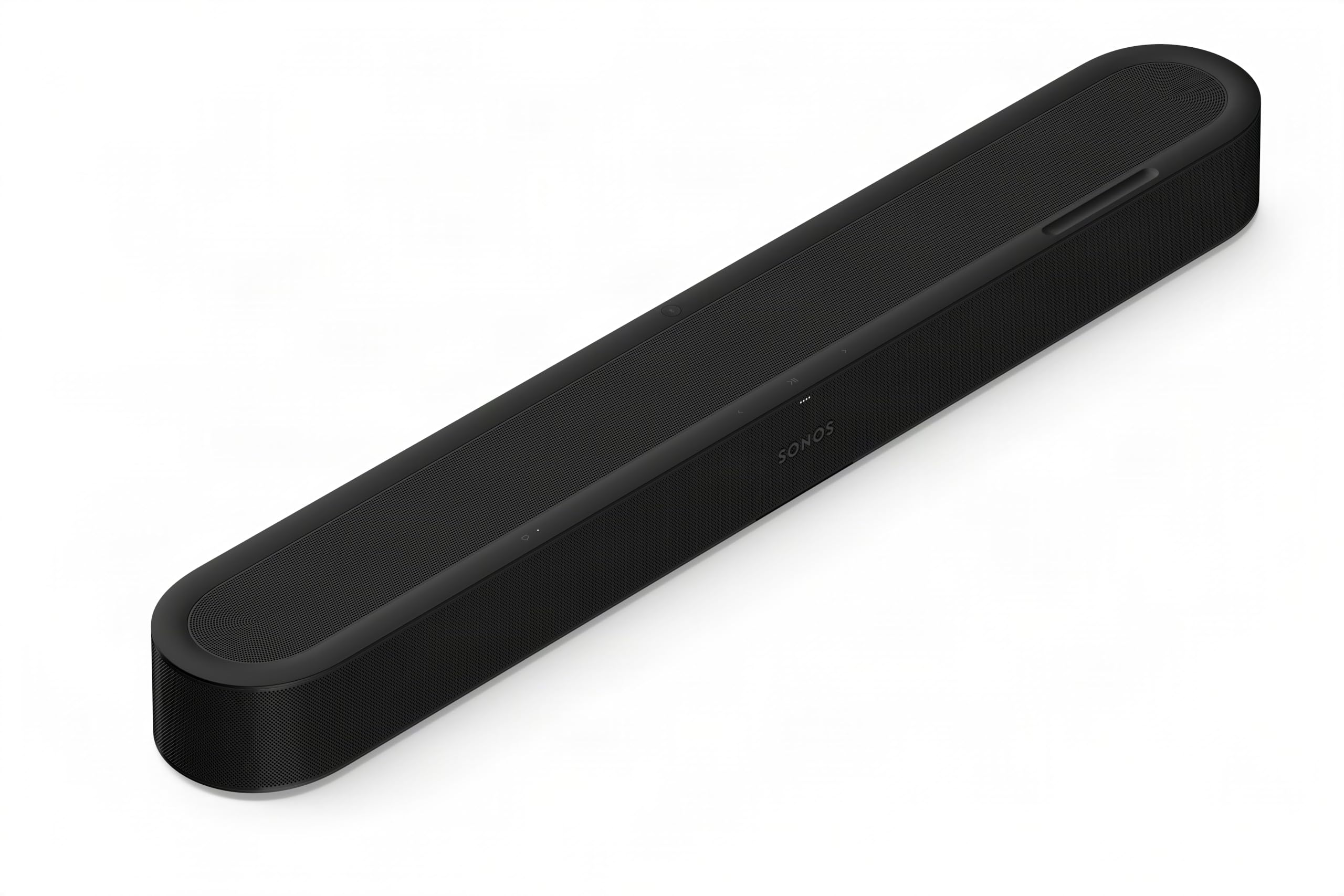
The cabinet is a little wider than the Beam (Gen 2), at just under 30 inches across, and stays low at about 2.5 inches tall, so it sits under most screens without blocking the picture. Sonos rates it for TVs up to 65 inches. It follows the usual pattern: perforated grille, touch controls on top, no display, all setup in the app. A dedicated wall mount is sold separately, and it differs from the Beam (Gen 2) mount.
Sonos Beam Ultra specifications
| Product | Sonos Beam Ultra (model BMULTUS1BLK, Black) |
| Channels | 7.1.2 Dolby Atmos with physical height channels |
| Drivers | Nine drivers: five tweeters (one forward-firing, two side-firing horn-loaded, two up-firing horn-loaded) and four low-profile woofers |
| Amplification | Nine Class-D amplifiers, one per driver |
| Dialogue | AI Speech Enhancement with four selectable levels |
| Calibration | Trueplay room tuning, including quick tuning on Android and advanced tuning on iOS |
| Formats | Dolby Atmos (via Dolby Digital Plus and via Dolby TrueHD), Dolby TrueHD, Dolby Digital Plus, Dolby Digital, multichannel PCM, stereo PCM and DTS Digital Surround. No DTS:X |
| TV connection | HDMI eARC or ARC, single port, no HDMI passthrough. Optical adapter sold separately |
| Wireless | Wi-Fi 6, Bluetooth 5.3, Apple AirPlay 2 |
| Voice control | Sonos Voice Control and Amazon Alexa, via the far-field microphone array |
| Expansion | Pairs with Sonos Sub or Sub Mini and with surround speakers including Era 100, Era 300 and, as portable surrounds, Sonos Play and Move 2 (all sold separately) |
| Dimensions | 29.53 in W x 2.48 in H x 4.13 in D (750 x 65 x 105 mm) |
| Weight | 6.35 lb (2.88 kg) |
Sound: the height drivers are the whole point
The Beam (Gen 2) made its Atmos effect with processing. It had no driver pointing at the ceiling, so height sounds were suggested rather than placed. The Beam Ultra changes the hardware. Two tweeters fire upward into directional horns, and two more fire sideways for width, while a forward-firing mid-tweeter handles the centre image and four low-profile woofers cover the low end. Sonos counts the result as seven ear-level channels, one bass channel and two height channels from nine drivers.
Coverage from outlets that have heard the bar points the same way. Atmos effects gain real elevation under a flat ceiling at a normal height, and the stage stretches wider than the cabinet without voices drifting off centre. It is still a single bar bouncing sound off walls and a ceiling, so low or vaulted ceilings and very open rooms will blunt the height layer. Our guide to the best headphones for Dolby Atmos makes the same point: the format rewards the right setup.
Bass is competent rather than deep. Four small woofers in a slim cabinet move only so much air, and action-film low effects land with control but not with subwoofer weight. Judge the bar first as it ships. If the bass feels thin in your room, the honest fix is a Sub or Sub Mini, not a different setting.
Dialogue and AI Speech Enhancement
The redesigned centre channel is the daily-use upgrade. Most viewing is dialogue, and most soundbar complaints are about voices buried under music and effects. The Beam Ultra adds AI Speech Enhancement with four levels, so you choose how hard the bar pushes speech forward instead of living with one fixed setting. At the milder levels it cleans up drama and news without making voices sound thin. At the strongest level it suits late-night viewing at low volume, where whispers usually vanish.
Pushing speech hard can flatten a film mix that was balanced on purpose, so treat the feature as a tool per show, not a switch you set once. Listeners who mainly struggle to follow TV speech should also see our guide to the best Bluetooth speaker for TV use for smaller rooms.
Trueplay now covers Android properly
Trueplay measures the room with microphones and adjusts the bar output for the walls, furniture and seating in it. On older Sonos bars the full version of that tuning needed an iPhone, which left Android households with the factory tuning. The Beam Ultra adds a quick Trueplay that uses the bar own microphones and works with Android phones, alongside the advanced walk-around tuning on iOS. That sounds like a small change. In practice it means a large group of buyers can now calibrate the bar they paid for, and calibration is worth doing, because a bar pushed against a wall or into a corner sounds different from the same bar in open space.
Music, streaming and the Sonos system
As a music speaker the Beam Ultra works the way Sonos owners expect. It streams over Wi-Fi, takes AirPlay 2 from Apple devices, and accepts Bluetooth 5.3 for guests. Stereo music gets the wide presentation the side-firing tweeters were built for, and multiroom grouping with other Sonos speakers is the main reason many buyers choose this bar over a rival with similar TV sound.
Voice control covers Sonos Voice Control for playback and Amazon Alexa for wider questions. The same system thinking runs through our Sonos Ace Ultra review, and our guide to the best wireless headphones for TV watching covers the late-night option when the bar has to stay quiet.
Connections: one port, and two honest gaps
Setup is one cable. The included HDMI cable runs to the TV eARC or ARC port, the bar tunes itself with Trueplay, and the TV remote controls volume. That simplicity has a price. The bar has a single HDMI port and no passthrough, so consoles and players all connect to the TV, never to the bar. On a modern TV that is fine. On an older TV with few ports it becomes daily friction.
The second gap is format support. The bar decodes Dolby Atmos, Dolby TrueHD, multichannel PCM and DTS Digital Surround, but not DTS:X. Many discs use DTS:X for their main track and will fall back to a lesser format here. Streaming viewers will rarely notice. Disc collectors should treat that omission as a real reason to look elsewhere.
Growing the system later
The Beam Ultra is built to expand. A Sonos Sub or Sub Mini takes over the low end. Surround options include the Era 100 and Era 300 as fixed rears, and a pair of portable speakers, the Sonos Play or Move 2, can work as surrounds and then go back to portable use. With surrounds added, Sonos describes the system as gaining extra virtual height channels beyond the bar own 7.1.2.
Buy the Beam Ultra on what it does alone. If that satisfies you, the expansion money stays in your pocket. If it does not, count each separate purchase in the true cost before comparing with a rival package that includes a subwoofer in the box.
Beam Ultra vs Beam (Gen 2) vs Arc Ultra
Against the Beam (Gen 2), the differences are hardware, not tuning. The older bar has five drivers and no up-firing units, creates height effects in software, uses older Wi-Fi and Bluetooth, and limits full Trueplay to iOS. The Beam Ultra has nine drivers with real height channels, Wi-Fi 6, Bluetooth 5.3, four levels of speech enhancement and Android quick tuning. Owners of the Beam (Gen 2) who feel no lack when watching films have no urgent reason to swap. Owners who bought it for Atmos and always felt the effect was vague now have the bar they thought they were buying.
Against the Arc Ultra, the Beam Ultra gives up width, output and the flagship woofer technology that gives the larger bar deeper, cleaner bass. The Arc Ultra suits big rooms and screens above 65 inches. The Beam Ultra suits the more common case: a mid-size TV and a normal living room. Choosing between them is mostly a room-size decision.
Who should buy it, and who should skip it
Buy the Beam Ultra if your TV is 65 inches or under, you watch a mix of streaming films, sport and dialogue-heavy shows, and you want real height effects without separate rear speakers on day one. It also fits households already running Sonos speakers in other rooms, where the bar joins an existing system instead of starting a second one.
Skip it if DTS:X discs are a large part of your viewing, if your TV lacks eARC and cannot pass modern formats cleanly, or if you know you want maximum bass and physical rear channels immediately. In that last case, price the full Sonos build honestly against packages that bundle a subwoofer and surrounds, because the bar alone is not the whole cost.
Frequently asked questions
Does the Sonos Beam Ultra replace the Beam (Gen 2)?
No. The Beam (Gen 2) stays in the Sonos lineup below the Beam Ultra. The Ultra is a higher tier with more drivers and physical height channels, not a direct replacement that ends the older model.
Does the Beam Ultra have real Dolby Atmos height channels?
Yes. Two of its nine drivers are dedicated up-firing horn-loaded tweeters, so the height channels are physical rather than created by processing alone. The effect depends on a flat ceiling at a normal height to bounce the sound back to the seats.
Does the Sonos Beam Ultra support DTS:X?
No. It supports Dolby Atmos, Dolby TrueHD, Dolby Digital formats, multichannel PCM and DTS Digital Surround, but not DTS:X. Disc collections built around DTS:X tracks will play in a fallback format.
Can the Beam Ultra be expanded with a subwoofer and surrounds?
Yes. It pairs with the Sonos Sub and Sub Mini, and with surround speakers including the Era 100 and Era 300. A pair of Sonos Play or Move 2 portable speakers can also work as surrounds. Every addition is sold separately.
Does Trueplay work with Android phones on the Beam Ultra?
Yes. The Beam Ultra adds a quick Trueplay mode that uses the bar own microphones and works with Android, alongside the advanced Trueplay tuning on iOS. Run it after placing the bar and again after moving furniture or adding a subwoofer.
Final verdict
The Sonos Beam Ultra is the Beam that Atmos buyers wanted from the start: compact enough for a normal living room, honest about its hardware, and clear about its limits. The nine-driver layout, the speech enhancement levels and the wider Trueplay support are real upgrades, not badge changes. The single HDMI port and the missing DTS:X are real limits, and they will rule the bar out for some setups no matter how good it sounds. For a mid-size TV in a Sonos household, or a household ready to become one, it is the balanced pick in the range.

I am the founder of Sound Mavericks, where I provide the polite truth about audio equipment. I started this site because consumer electronics reviews are often too technical. Instead of using a silent lab, I test headphones, earbuds, and Bluetooth speakers in the real world – like on a noisy subway or in a busy coffee shop.
To stay independent, I buy my own review units (mostly from the United States) rather than accepting free gifts from brands. Once I finish testing a product, I sell it locally to our community. My goal is to help you understand sound quality, active noise cancellation (ANC), and battery life without the marketing hype.