If your AirPods sound quieter than they used to, the fix is rarely a new pair. Learning how to make AirPods louder is mostly a matter of working through a short list of software limits and physical blockages, in the right order. A drifted balance slider, a clogged speaker mesh and an active volume limit can each cut the level you hear, and they stack. Work through the ten steps below from the top. Most people get their volume back inside the first three.
Step 1: Check the volume and the balance slider
Start with the obvious. Push the device volume to maximum and check the volume inside the app you are listening in, because some apps keep their own level. Then check the balance slider. Go to Settings, then Accessibility, then Audio & Visual, and look at the Balance control. It should sit dead centre. If it has drifted toward one channel, that side takes the full signal and the overall level drops. One bud sounding quieter than the other is the classic symptom, and it is also the fastest fix on this page.
Step 2: Clean the speaker mesh
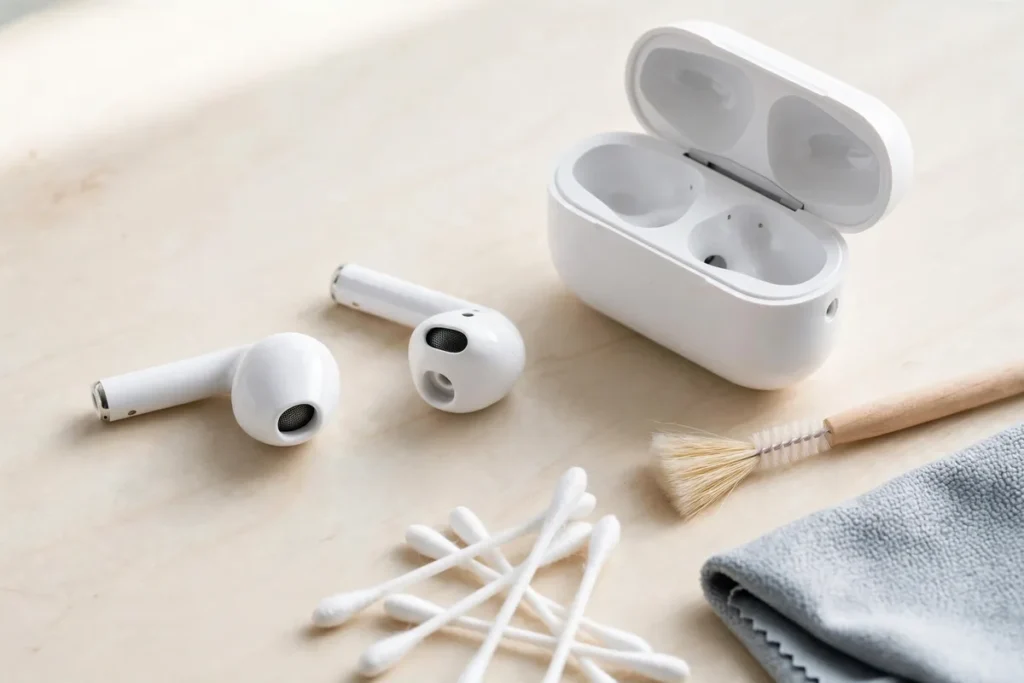
Gradual volume loss is most often earwax and debris blocking the speaker mesh. The sound has to pass through that mesh, and a film of wax acts like a mute. Clean it dry: hold the bud with the mesh facing down and brush it gently with a clean, soft-bristled brush. Never use liquid, compressed air or anything sharp, and never push debris further in. On AirPods Pro models, pull the ear tip off and clean the mesh underneath as well. Our full walkthrough on how to clean earbuds covers each model in order. If the volume jumps back after cleaning, you have found your cause and can stop here.
Step 3: Raise the Headphone Safety limit
iOS ships with a hearing protection feature that can hold AirPods below the level you set. Go to Settings, then Sounds & Haptics, then Headphone Safety. If Reduce Loud Audio is on, the phone caps output at the decibel limit shown on the slider, no matter how far you push the volume buttons. Raise the limit, or switch Reduce Loud Audio off. One honest note: listening at high volume for long stretches damages hearing, and the limit exists for a reason. There is also a regional caveat. In some regions, the European Union in particular, loud-listening notifications cannot be fully disabled, and iOS can turn the volume down on its own after sustained listening above the threshold. If your volume keeps dropping mid-session after you have raised every setting, that automatic reduction is the likely cause.
Step 4: Look for a volume limit or a Screen Time cap
Some setups carry a second cap. Older iPhones had a Volume Limit setting inside the Music options, and Screen Time restrictions can hold one in place on a managed or family account. Check Settings, then Screen Time, then Content & Privacy Restrictions if your phone is managed. This step applies only to some setups, so treat it as a check rather than a guaranteed fix. If neither cap exists on your phone, move on.
Step 5: Adjust the Music EQ and Sound Check
Two settings inside Settings, then Music, quietly change how loud things sound. Sound Check normalises track volume so no song plays louder than the rest; turn it off and quiet masters stop being pulled down. The EQ matters too. The Late Night preset compresses dynamic range, pulling quiet passages up toward the loud ones, which makes speech and softer content sound louder at the same volume setting. The trade runs the other way as well: if a heavy EQ preset is already active, switching EQ off can restore level that the preset was eating.
Step 6: Turn on Headphone Accommodations
Settings, then Accessibility, then Audio & Visual, then Headphone Accommodations lets you tune the output itself. Choose Balanced Tone or Vocal Range, then use the slider to lift soft sounds. Custom Audio Setup goes further and builds the tuning from a short listening test. This step is model-dependent: it works on AirPods 2, 3 and 4, AirPods 4 with ANC, AirPods Pro 1, 2 and 3, AirPods Max and AirPods Max 2, plus some Beats models. It never applies to third-party earbuds, and older models will not show the option at all.
Step 7: Check the adaptive features that ride the volume
Newer AirPods adjust volume on their own, and two features can read as a fault. Personalised Volume (AirPods Pro 2 and 3, AirPods 4 with ANC, AirPods 5 and AirPods Max 2) learns your preferences and nudges the level up or down based on your surroundings. Conversation Awareness (AirPods Pro 2 and 3 class models) lowers playback the moment you start talking, then raises it again when the conversation ends; if your music keeps dipping mid-song, this is usually why. Both live in the AirPods settings page that appears when your buds are connected. Newer models on current iOS also carry their own three-band EQ on that same page, worth a look while you are there.
Step 8: Fix the fit and the seal
On AirPods Pro, volume lives and dies with the seal. A tip that sits loose leaks bass first and overall level second, and no setting compensates. Run the Ear Tip Fit Test from the AirPods settings page and try the size above and below the one you use; the right tip feels snug without pressure. Standard open-design AirPods have no seal at all, which is why they always sound quieter in a noisy room: outside sound competes with everything you play. Our AirPods Pro 3 review covers the fit test in more depth. For Pro owners who cannot get a seal from the stock silicone tips, memory foam is the standard fix. One caution on fit: the set below is cut for AirPods Pro 3 specifically, and Comply sells the other Pro generations under separate listings, so this is a Pro owners’ fix only.

Comply Memory Foam Replacement Ear Tips (Apple AirPods Pro 3)
Why you: the foam warms and expands to your ear canal, holding a seal the stock silicone tips cannot. Less bass and level leak away, so the same volume setting sounds fuller and louder.
Trade-off: foam wears faster than silicone and needs replacing from time to time, and this set fits AirPods Pro 3 only. Standard AirPods have no tips to swap.
Memory foam · Cut for AirPods Pro 3 · Seals out noise
Step 9: Reset, update, and the Android check
If nothing above moved the level, reset the connection. Put both buds in the case, forget the AirPods in Bluetooth settings, then pair them again from scratch. AirPods firmware updates itself while the buds charge near your iPhone, so leave them on charge overnight and check the firmware version in the AirPods settings page afterwards. On Android, none of the iOS tuning in this guide applies. The Android-side check is Bluetooth absolute volume: if your phone and the AirPods disagree about who controls the level, open Developer options, switch on Disable absolute volume, then reconnect.
Step 10: When it is the hardware
If one bud is still clearly quieter after cleaning, the balance check and a reset, the problem is probably the bud itself: a damaged mesh or a failing driver. Apple can test it, and a single-bud replacement costs less than a new set. Before you book anything, test the same bud on a second phone to rule out the device. If both buds are equally quiet on every device and every step above is done, that is the point where new hardware is the honest answer. Our best AirPods roundup compares the current line if you end up replacing them.
Frequently asked questions
Why are my AirPods so quiet even on full volume?
Usually a software cap or a blockage: the Headphone Safety limit, a drifted balance slider, Sound Check normalising tracks down, or wax on the speaker mesh. Work through steps 1 to 5 in order; one of them is responsible in most cases.
Why is one AirPod quieter than the other?
Check the balance slider first, in Settings, then Accessibility, then Audio & Visual. If it is centred, clean the quiet bud’s mesh and then reset and re-pair. If it is still uneven after that, the bud’s driver is the likely fault.
Can I turn the volume limit off completely?
In most regions you can switch off Reduce Loud Audio in the Headphone Safety settings. In some regions, including much of Europe, loud-listening notifications and automatic volume reductions cannot be fully disabled.
Do foam ear tips really make AirPods Pro louder?
They do not raise the output. They seal the ear canal better than silicone, so less bass and overall level leak away, which reads as louder and fuller sound at the same volume setting.
Why does the volume drop when I start talking?
That is Conversation Awareness on AirPods Pro 2 and 3 class models. It lowers playback when you speak and restores it when the conversation ends. Switch it off in the AirPods settings page if you do not want it.

I am the founder of Sound Mavericks, where I provide the polite truth about audio equipment. I started this site because consumer electronics reviews are often too technical. Instead of using a silent lab, I test headphones, earbuds, and Bluetooth speakers in the real world – like on a noisy subway or in a busy coffee shop.
To stay independent, I buy my own review units (mostly from the United States) rather than accepting free gifts from brands. Once I finish testing a product, I sell it locally to our community. My goal is to help you understand sound quality, active noise cancellation (ANC), and battery life without the marketing hype.