The short answer to can airpods pro protect your hearing is yes, within clear limits. AirPods Pro 2 and AirPods Pro 3 carry an active Hearing Protection feature that reduces the loud sound reaching your ears across every listening mode, and they add a hearing test and a hearing aid feature built on top of it. What they are not is certified safety equipment. This article explains what each feature actually does, where the protection is real, and where you still need proper earplugs. Getting that boundary right matters more than the headline.
What Hearing Protection actually does
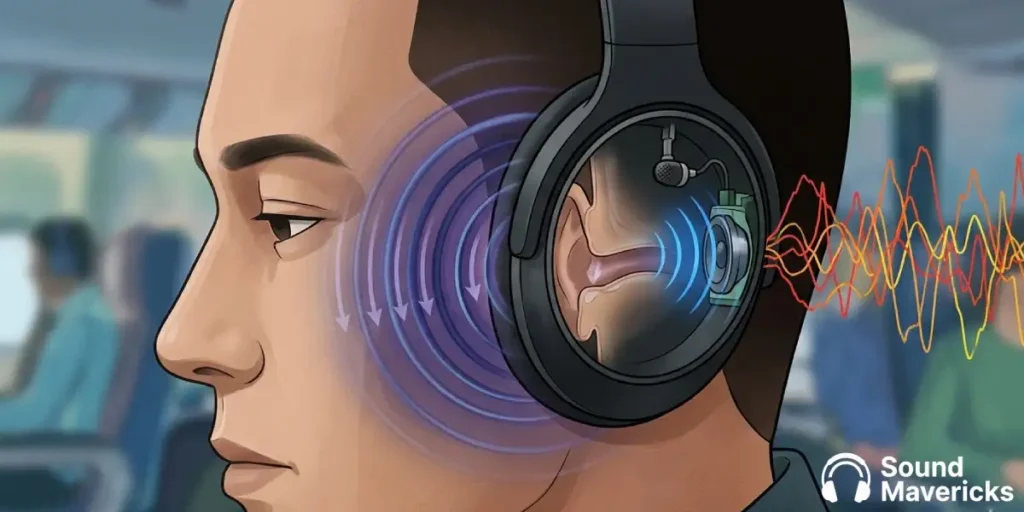
Hearing Protection works on the sound around you, not the music in your ears. Using the microphones and processing on the buds, it measures the environment and pulls loud external sound down before it reaches you, while keeping quieter sound intelligible. Apple Support describes the feature as active across all three listening modes by default, with each mode giving a different level of protection. It runs in the background. You do not start a protection session; you wear the buds with a listening mode on, and the reduction is there.
Two conditions decide how well it works. The first is fit. Apple stresses that the buds need a complete seal in your ears, and its settings offer an ear tip fit test for exactly this reason. A leaking seal leaks protection. The second is the mode you choose, which sets how much reduction you get and how much awareness you keep.
The three modes, and what each is for
Transparency mode
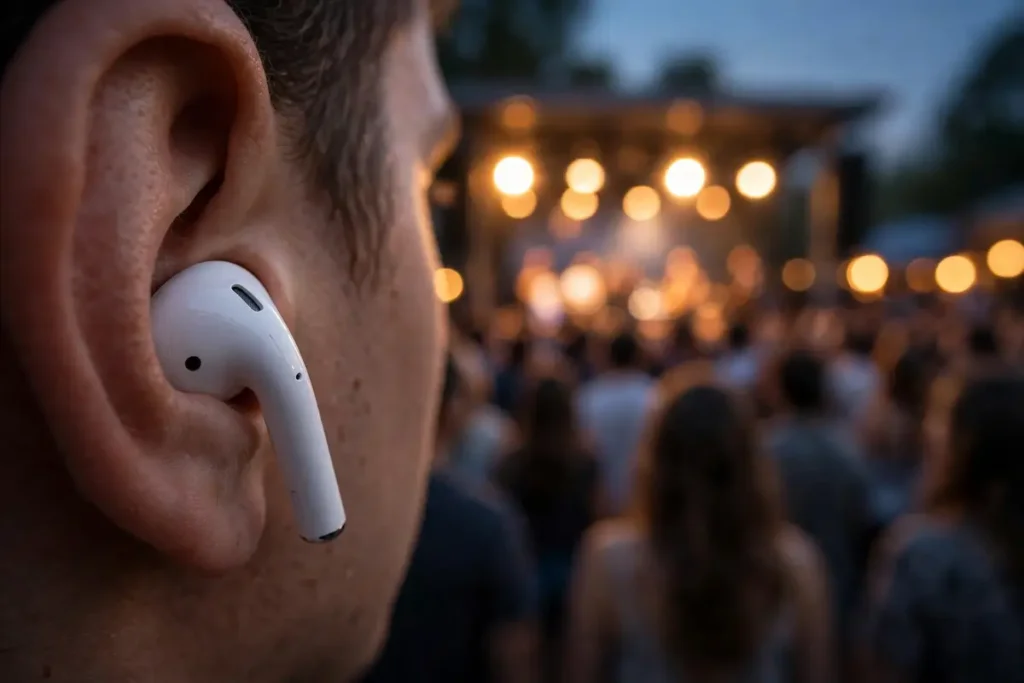
Transparency gives the lightest reduction and the most awareness. Apple positions it for places where you want to stay engaged with the event, a concert or a sports match, while taking the edge off the level. Engadget, reporting on the hearing health launch, described using AirPods Pro in Transparency at concerts to reduce sound to a safer level without muffling the band, which matches the design intent: protection you will actually wear through a whole show.
Adaptive mode
Adaptive sits in the middle and adjusts as the environment changes. Apple suggests it where sound levels vary or are unpredictable, city traffic and commuting being the obvious cases. The reduction deepens as the surroundings get louder, so a quiet street and a passing truck are handled differently without you touching a control.
Noise Cancellation mode
Full noise cancelling gives the most consistent reduction and the least awareness. It suits steady, loud environments where you do not need to hear around you. The trade is obvious: the mode that protects most also isolates most, which is the wrong choice anywhere awareness is safety, such as cycling or crossing streets.
The hearing test, explained honestly
The hearing test is a guided, pure-tone style check run from the AirPods settings on an iPhone, in a quiet room, with the buds sealed. It plays tones across frequencies and builds an audiogram-style picture of what you hear, stored in the Health app. Apple Support walks through the same route: connect the buds, open their settings, and take the test from the Hearing Health section.
Be clear about what it is. It is a screening and personalisation tool. It can show a pattern worth following up, and it feeds the feature below. It is not a clinical diagnosis, it does not replace an audiologist, and a result that worries you belongs in a professional appointment, not in a settings page.
The hearing aid feature and its lane
Built on the test, the Hearing Aid feature amplifies and shapes the sound around you to match your results. Apple describes it as a clinical-grade feature for perceived mild to moderate hearing loss, and Engadget noted the three-part structure of the suite: prevention through protection, awareness through the test, and assistance through the hearing aid. Our own guide to earbuds as hearing aids covers that assistance side in more depth. The lane matters: mild to moderate, perceived by the user. Anything beyond that lane is hearing-aid territory proper, with professional fitting.
Loud Sound Reduction: the setting underneath
Underneath the headline feature sits a plainer setting. Loud Sound Reduction is what lets Transparency and Adaptive modes actively pull down loud environmental sound. Apple Support is explicit that Hearing Protection is off in those modes when Loud Sound Reduction is turned off in Accessibility settings. It is also off when the buds have no charge and when the Off listening mode is selected. If you ever suspect protection is not working, check those three things before assuming a fault. Apple also mentions a whistling sound as a fit warning: refit the buds, because the seal has broken.
The limits, stated plainly
Here is the part to remember. Apple Support states that Hearing Protection is not suitable against extremely loud impulse sounds such as gunfire, fireworks or jackhammers, and not against sustained sound louder than 110 dBA. Impulse noise is over before processing can fully react, and sustained extreme level overwhelms what a consumer bud can do. It is also not certified protective equipment for regulated workplaces, and availability of the hearing features varies by country and region. None of that makes the feature a gimmick. It makes it a dose reducer for concerts, commutes, flights, fitness classes and loud social venues, which is where most everyday hearing damage quietly accumulates.
Which earbuds carry these features
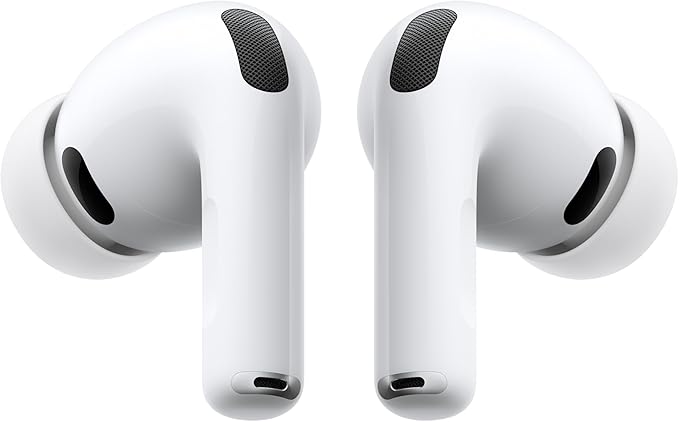
The full hearing health set belongs to AirPods Pro 2 and AirPods Pro 3. The Pro 3, covered in our AirPods Pro 3 review, also leads our scoring for ANC at 9.2, which is the same hardware muscle the protection modes lean on. If hearing features are your reason to buy, the two Pro models below are the relevant ones, with a strong non-Apple alternative for pure cancellation strength.


How to get the most protection from them
Run the fit test and change tip sizes until both ears pass. Keep Loud Sound Reduction on. Choose the mode for the place: Transparency at events, Adaptive in the city, Noise Cancellation in steady roar. Keep some charge in the buds, because a flat bud protects nothing. And treat the hearing test as a habit worth repeating when something changes, with any worrying result taken to a professional.
The honest verdict
Can AirPods Pro protect your hearing? In the environments most people actually face, yes, measurably, and in a form people will wear, which is half the battle with hearing protection. Against impulse noise, extreme sustained noise and regulated workplace exposure, no, and Apple says so itself. Wear them for the concert and the commute. Reach for certified protection for the range and the building site. If you are choosing between models, our guide to which AirPods to buy lays out the wider range.
Frequently asked questions
Can AirPods Pro protect your hearing at a concert?
They can reduce your exposure, which is real protection for that setting. Apple Support describes Hearing Protection as active across all listening modes, with Transparency keeping awareness at a concert while reducing level. That is a reduction in dose, not a guarantee. Very loud or close sources can still exceed safe levels, and certified earplugs remain the surer tool for the loudest shows.
Are AirPods Pro a replacement for earplugs or earmuffs at work?
No. Apple Support states plainly that Hearing Protection is not suitable for extremely loud impulse sounds such as gunfire, fireworks or jackhammers, or for sustained sounds louder than 110 dBA. Workplace noise with rated protection requirements calls for certified hearing protection, not consumer earbuds.
What does the AirPods Pro hearing test actually do?
It runs a pure-tone style test through the buds and your iPhone, builds a picture of your hearing across frequencies, and stores the result in the Health app. It can feed the Hearing Aid feature, which is designed for perceived mild to moderate hearing loss. It is a screening and personalisation tool, not a clinical diagnosis.
What is Loud Sound Reduction on AirPods Pro?
It is the setting that lets Transparency and Adaptive modes actively pull down loud environmental sounds while letting the rest through. Apple Support notes Hearing Protection in those modes depends on it, so turning Loud Sound Reduction off turns that part of the protection off with it.
Which AirPods have the hearing health features?
The hearing test, hearing aid and hearing protection features belong to AirPods Pro 2 and AirPods Pro 3 in Apple’s documentation. Standard AirPods models do not carry the full hearing health set, though any well-sealed earbud still reduces some sound passively just by blocking the ear canal.

I am the founder of Sound Mavericks, where I provide the polite truth about audio equipment. I started this site because consumer electronics reviews are often too technical. Instead of using a silent lab, I test headphones, earbuds, and Bluetooth speakers in the real world – like on a noisy subway or in a busy coffee shop.
To stay independent, I buy my own review units (mostly from the United States) rather than accepting free gifts from brands. Once I finish testing a product, I sell it locally to our community. My goal is to help you understand sound quality, active noise cancellation (ANC), and battery life without the marketing hype.