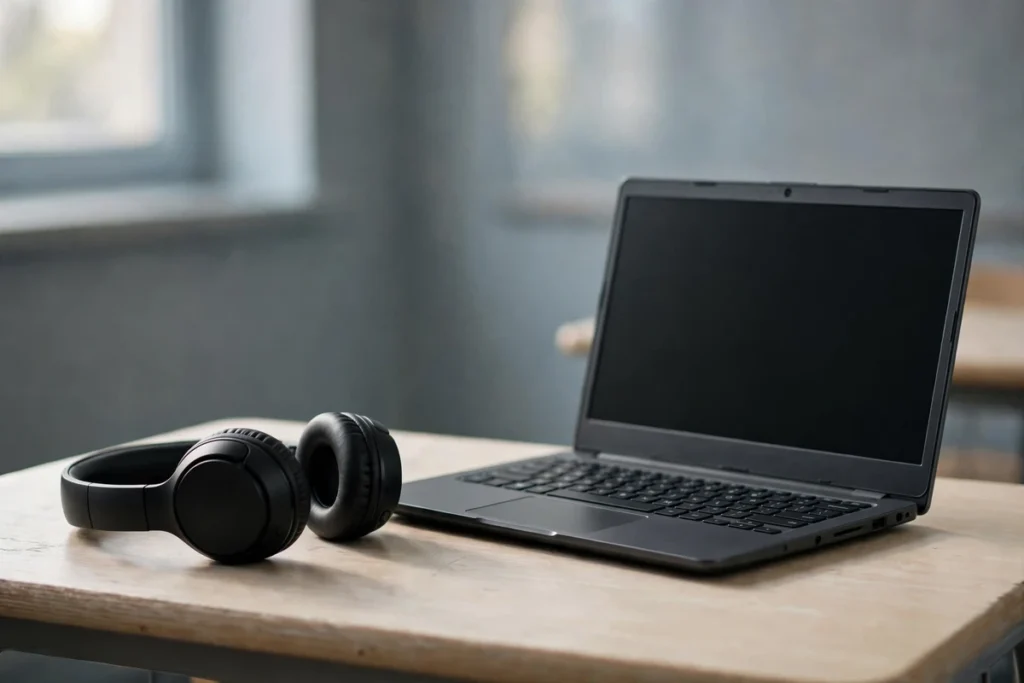
Almost any modern headphone works with a Chromebook. ChromeOS uses standard Bluetooth audio, USB audio and the 3.5mm jack, so compatibility is rarely the problem. The real traps are smaller: a Chromebook with no headphone jack, a Bluetooth set that pairs slowly every single morning, or a headset mic that sounds thin on Google Meet. The six picks below cover the main ways people actually use these machines: school days, office calls, and long stretches of writing or study.
This is a research-based guide. The picks come from manufacturer specifications, Chromebook compatibility documentation and published reviews, not from hands-on testing in our office. Prices move too often to print, so each pick links to its live Amazon listing instead.
Fifty hours of battery, Google Fast Pair for one-tap setup, multipoint for switching between a Chromebook and a phone, and a weight of 147 grams. For most Chromebook owners this is the pair to buy first.
The Shortlist
| Pick | Best for | Connection | Buy |
|---|---|---|---|
| Sony WH-CH520 | Most people | Bluetooth, Fast Pair | Check Price |
| JBL Tune 510BT | Tight budgets | Bluetooth | Check Price |
| Logitech H390 | Calls and online classes | Wired USB-A | Check Price |
| Google Pixel Buds A-Series | Earbuds and Fast Pair | Bluetooth, Fast Pair | Check Price |
| iClever BTH20 | Kids and school | Bluetooth and wired | Check Price |
| Sony MDR-ZX110 | A cheap wired spare | Wired 3.5mm | Check Price |
Headphones compatible with Chromebook: what actually matters
Ports first. Most school and budget Chromebooks still carry a 3.5mm headphone jack and at least one USB-A port. Slimmer recent models sometimes drop both and leave USB-C only. Check the sides of your machine before choosing: a USB-C-only Chromebook needs USB-C earbuds, a small adapter, or Bluetooth. Two minutes with the spec sheet saves a return.
Fast Pair saves daily friction. ChromeOS supports Google Fast Pair. A supported set shows a one-tap pairing prompt the first time you open its case or switch it on near the Chromebook, and it stays linked to your Google account after that. On a shared family machine or a school laptop that gets wiped and reissued, that first pairing is the part people fumble. Fast Pair removes it.
The microphone matters more than the music. Chromebook use leans heavily on Google Meet, Zoom in the browser and voice typing. A boom mic on a wired headset will beat the tiny mics inside most earbuds for speech clarity. If your day is mostly reading, video and music, that flips: comfort and battery count for more.
Charging should match the laptop. Every Bluetooth pick here charges over USB-C, the same cable a modern Chromebook uses. One cable in the bag covers both. Battery ratings run from 40 to 60 hours on the over-ear models, so charging becomes a weekly habit rather than a nightly one.
Managed school Chromebooks play by extra rules. A school-issued machine may sign you out of Bluetooth pairing, block unknown devices, or reset connections when the device is re-provisioned. That is a policy setting, not a fault in the headphones. It is one more reason wired sets dominate classrooms: they ignore accounts and policies entirely. If a Bluetooth pair refuses to stay connected on a managed device, test it on a personal phone before blaming the hardware.
1. Sony WH-CH520: best for most Chromebook owners

The Sony WH-CH520 gets the basics right in the order Chromebook owners need them. Pairing comes first: the CH520 supports Google Fast Pair, so a Chromebook shows a setup prompt instead of sending you into Bluetooth settings. Battery comes second: Sony rates it at 50 hours, and a three-minute charge adds about 90 minutes of playback. Third is multipoint. The headphones hold two Bluetooth connections at once, so audio can move between a Chromebook and a phone without re-pairing.
At 147 grams it is light enough for a full school or work day, and the on-ear cushions sit flat rather than clamping. Sound leans warm and relaxed, with Sony’s DSEE upscaling and a custom EQ in the Sony Sound Connect app for anyone who wants more treble for speech. Call quality from the built-in mic is fine indoors. It is a small room mic, not a boom, so wind and traffic will get into your voice outdoors.
One limit deserves plain words: there is no wired mode. The USB-C port charges the battery and nothing else, and there is no 3.5mm socket. A flat battery means silence until you charge. For a machine used at a desk, that rarely bites. For travel days, keep the JBL or a wired spare in mind.
2. JBL Tune 510BT: the budget Bluetooth pick

The JBL Tune 510BT costs far less than the Sony and gives up less than you might expect. Battery life is 40 hours, the ear cups fold flat for a backpack pocket, and a five-minute charge returns about two hours of listening. It weighs 160 grams and the on-ear fit stays comfortable through a couple of class periods or a long study session.
JBL tunes this model for bass, and pop and hip-hop sound full at low volume. Speech in lectures and audiobooks stays clear enough, though voices sit a step behind the Sony. The microphone lives in the ear cup and handles quiet rooms well. Busy cafeteria noise will leak into calls.
The compromises are the older Bluetooth 5.0 radio, no companion app and no wired fallback. Pairing is the manual kind: hold the power button, find the name in settings, done. It takes thirty seconds once, and the Chromebook remembers the headphones after that. As a first Bluetooth pair for a school Chromebook, or a spare that lives in a locker, it makes a lot of sense.
3. Logitech H390: best wired headset for calls and classes

The Logitech H390 is the pick when the microphone does the heavy lifting: online classes, Meet calls, language labs, dictation practice. It plugs into a USB-A port and works at once, with no pairing and no battery. Logitech sells it as a Chromebook-compatible headset outright, and ChromeOS treats it as a standard USB audio device. Our separate Logitech H390 review covers the mic test details.
The boom mic rotates out of the way and applies noise cancelling to your voice, which keeps keyboard clatter and room echo down on calls. In-line controls on the 2.3 metre cable handle volume and mute, the two things people reach for mid-lesson. The headband and ear cups are padded, and at roughly 200 grams it stays put through long sessions.
Two catches. The connector is USB-A, so a Chromebook with only USB-C ports needs a small adapter. And this is a speech tool first: music sounds flat next to the Sony or JBL. Buy it for talking, keep something else for listening.
4. Google Pixel Buds A-Series: best earbuds for a Chromebook

Plenty of people searching this topic want earbuds, not headphones. The Google Pixel Buds A-Series is the natural Chromebook match because Google built Fast Pair around its own hardware. Open the case near a signed-in Chromebook and a pairing card appears. Tap it, and the buds connect. They also stay associated with your Google account, which speeds up setup on the next ChromeOS device you use.
Sound comes from a custom 12mm driver and lands balanced, with clear voices for lessons and podcasts. Beamforming microphones focus on speech during calls, and the flush fit with its stabilizer arc stays in during a walk between classes. Google rates the buds at five hours per charge and up to 24 hours with the case. The IPX4 rating shrugs off sweat and light rain.
Know the trade-offs before buying. There is no noise cancelling, so a loud bus stays loud. The case charges by USB-C only, with no wireless charging. Five hours per charge covers a school morning, but back-to-back calls all day will mean a midday top-up in the case. As a simple, account-aware earbud for ChromeOS, though, nothing else pairs this cleanly.
5. iClever BTH20: best for kids and school Chromebooks

Kids headphones for Chromebook use need three things adult models rarely offer together: a volume cap, a frame that survives backpacks, and a wired fallback for the day the battery dies before a test. The iClever BTH20 covers all three. iClever caps output at 85 decibels, the foldable frame is built to take rough handling, and a 3.5mm cable in the box turns it into wired headphones when needed.
It also adds active noise cancelling, unusual at this level. iClever rates battery life at 60 hours with ANC off and 35 hours with it on, so a school week fits inside one charge. A built-in microphone handles online classes and reading apps that ask children to speak. One detail from the manual worth knowing: the noise cancelling only works over Bluetooth, not through the cable.
Fit suits younger heads best. Older teens may find the cups and clamping force small, and the sound is tuned safe and simple rather than detailed. For primary and middle school Chromebooks it is the strongest fit here, and our kids headphones guide puts it in wider company.
6. Sony MDR-ZX110: the cheap wired spare

Every Chromebook bag, classroom cart and family desk drawer benefits from one pair that costs little and asks for nothing. The Sony MDR-ZX110 plugs into the 3.5mm jack, works instantly, and never needs charging. The 30mm drivers cover a wide 12Hz to 22kHz range, the ear cups swivel flat, and the whole thing weighs 120 grams. Sound is clear and balanced for video lessons, language apps and music breaks.
The limits match the price. There is no microphone, so this pair cannot cover speaking tasks, calls or voice recordings. The plastic build feels light for a reason, and the thin cable is the part that eventually fails on school sets. Treat it as a consumable spare: buy two, lose one, keep teaching. For shared Chromebooks that mostly play video and audio lessons, it remains the sensible bulk buy, and wired earbuds for Chromebook listening follow the same logic if you prefer buds.
Bluetooth or wired: which suits a Chromebook better?
Bluetooth wins on freedom and loses on fuss. It needs pairing once, charging weekly, and it carries a small delay that nobody notices in video but rhythm games expose. Wired wins on certainty: plug in and sound comes out, which is why schools issue wired sets for shared machines and testing days. Our roundup of headsets for online classes goes deeper on the call side of this choice.
A practical split that works for most households: one good Bluetooth pair for the main user, one wired spare in the bag. The spare covers dead batteries, forgotten pairing on a borrowed machine, and the proctored exam that bans wireless devices. Some schools do ban Bluetooth during tests, so the wired pair is not optional for students in those districts. Keep the spare somewhere it will actually be found: the laptop sleeve pocket beats a drawer at home every time.
Which pick for which Chromebook?
A student’s own Chromebook: start with the Sony WH-CH520. It survives a week of classes on one charge, pairs again without help after every reboot, and the multipoint link covers the phone in their pocket. Add the MDR-ZX110 as the bag spare for testing days.
A shared classroom cart: buy wired. The MDR-ZX110 for listening work and the Logitech H390 where speaking is graded, multiplied across the cart. No charging rota, no pairing queue at the start of a lesson, and losses hurt less. Volume-limited sets like the BTH20 suit younger classes that keep the same device all year.
A work Chromebook: the H390 if calls fill the calendar, the WH-CH520 if the day mixes calls with documents and music. The Pixel Buds A-Series fits people who move between rooms and want nothing on their head during video calls, at the cost of a shorter battery and no noise cancelling.
Frequently asked questions
Will any Bluetooth headphones work with a Chromebook?
Nearly all of them. ChromeOS supports standard Bluetooth audio, so headphones and earbuds from Sony, JBL, Bose and others pair through Settings, Bluetooth. Features tied to a phone app, such as custom EQ on some models, may need the Android app from the Play Store where the Chromebook supports it. Sound, calls and media controls work regardless.
What earbuds work with a Chromebook?
Any Bluetooth earbuds work. Fast Pair models work fastest: Pixel Buds and supported Sony and JBL models show a one-tap pairing prompt on ChromeOS and stay tied to your Google account. The Pixel Buds A-Series in this guide is the simplest example. AirPods and Galaxy Buds also connect, as plain Bluetooth devices.
Do Chromebooks support Fast Pair?
Yes. ChromeOS has supported Google Fast Pair since 2022 on most recent hardware. A Fast Pair accessory placed near the Chromebook triggers a setup card; one tap pairs it and saves it to your Google account. Older Chromebooks that no longer receive updates may lack it, in which case manual pairing in Bluetooth settings still works.
Can I use wired earbuds or USB headphones with a Chromebook?
Yes, three ways. A 3.5mm jack, where fitted, takes any wired earbuds or headphones. USB headsets such as the Logitech H390 plug into USB-A and are recognised at once. On USB-C-only models, use USB-C earbuds or a small USB-C to 3.5mm adapter. Wired connections need no pairing and no charging, which is why schools lean on them.
What are the best kids headphones for a Chromebook?
Look for a volume limit, a frame that folds and flexes, and a wired mode for flat-battery days. The iClever BTH20 in this guide adds noise cancelling and a class-ready microphone on top of those basics. For shared classroom sets that only play lessons, the wired Sony MDR-ZX110 costs little enough to buy in multiples.
Do AirPods work with a Chromebook?
They do, as ordinary Bluetooth earbuds. Open the case, hold the setup button, and pick them in the Chromebook Bluetooth list. What you lose is the Apple layer: no Fast Pair prompt tied to your Google account, no battery pop-up, no automatic switching, and the microphone can sound thin on Meet calls. They are fine as a pair you already own, and a poor reason to buy new.

I am the founder of Sound Mavericks, where I provide the polite truth about audio equipment. I started this site because consumer electronics reviews are often too technical. Instead of using a silent lab, I test headphones, earbuds, and Bluetooth speakers in the real world – like on a noisy subway or in a busy coffee shop.
To stay independent, I buy my own review units (mostly from the United States) rather than accepting free gifts from brands. Once I finish testing a product, I sell it locally to our community. My goal is to help you understand sound quality, active noise cancellation (ANC), and battery life without the marketing hype.