Short Answer: Your Phone Sends Numbers, Your Earbuds Turn Them Back Into Music
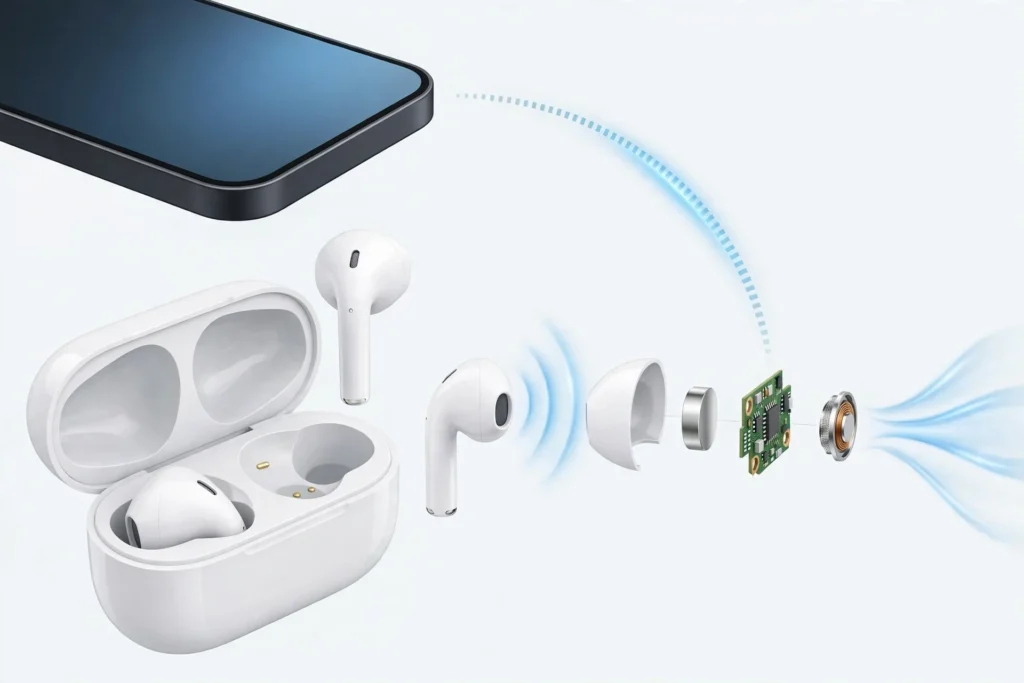
How do earbuds work? Your phone compresses your music into a digital stream and broadcasts it over Bluetooth radio. A chip in each earbud receives it, a DAC converts the numbers into an analog signal, an amplifier boosts it, and a tiny speaker — the driver — vibrates to create sound waves that reach your eardrum. The two buds stay in sync via a shared timing signal, ANC models add microphones that generate anti-noise, and the case is a power bank for the tiny battery in each bud. Most failures happen at one link in that chain — and most are fixable in minutes with the steps below. If yours are beyond fixing, these are the three budget replacements SoundMavericks recommends:
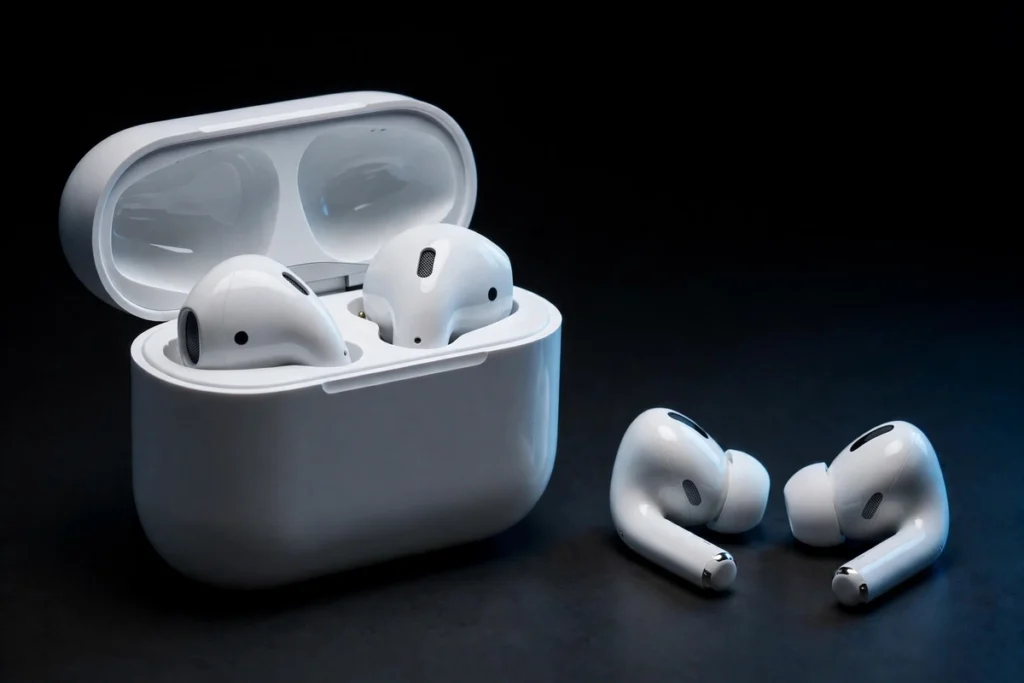
An earbud looks like one tiny object, but inside is a complete stereo system shrunk to jelly-bean size: a radio receiver, a digital-to-analog converter, an amplifier, a loudspeaker, microphones, a battery, and a chip coordinating all of it. Once you know which part does what, the classic earbud problems — one side silent, constant dropouts, mysteriously low volume — stop being mysteries, because each symptom points at a specific link in the chain. This guide walks that whole chain from phone to eardrum, then turns it into step-by-step fixes.
The Signal Chain: From Your Phone to Your Eardrum
Every song passes through five stages, in this order:
1. Your phone compresses the audio. Uncompressed CD-quality stereo needs about 1,411 kilobits per second — more than Bluetooth can sustain reliably. So the phone’s Bluetooth chip first squeezes the audio down using a codec, an algorithm that discards the parts of the sound you are least likely to notice.
2. Bluetooth radio carries it through the air. The compressed stream travels as radio waves in the 2.4 GHz band — the same crowded neighbourhood used by Wi-Fi and microwave ovens. Bluetooth rapidly hops between frequencies many times per second, so interference on any single frequency only clips a tiny slice of audio. Typical range is around 10 metres (roughly 30 feet) with a clear path; walls, and even your own body, shorten it.
3. The earbud decodes and converts it. A system-on-a-chip inside the earbud receives the signal, decompresses the codec stream back into digital samples, and hands them to a DAC (digital-to-analog converter), which turns those numbers into a continuously varying electrical voltage — the analog waveform of your music. Key point: with Bluetooth earbuds your phone’s DAC is bypassed entirely, so the earbud’s own electronics matter greatly to sound quality.
4. An amplifier boosts the signal. The DAC’s output is too weak to move a speaker, so a tiny amplifier raises it to a level that can drive the driver without distorting.
5. The driver makes sound. The amplified signal reaches the driver, which vibrates thousands of times per second, pushing and pulling the air in your ear canal. Those pressure waves reach your eardrum, it vibrates in sympathy, and your brain interprets the pattern as sound.
Wired earbuds run the same chain with two links swapped: audio travels down a cable instead of by radio, and the DAC and amplifier usually live in your phone — or, for USB-C models, in a tiny chip inside the plug or dongle.
Codecs: The Compression Step That Shapes Sound and Delay
The codec is chosen automatically during pairing, from the list both devices support. Every Bluetooth audio device supports SBC, the mandatory baseline — the universal language that guarantees any two devices can play together. Common steps up include AAC (the standard upgrade on iPhones), Qualcomm’s aptX family (common on Android), and LDAC, Sony’s high-resolution codec, which can carry roughly three times SBC’s data rate.
Codecs trade sound quality, stability, and latency — the delay between something happening on screen and you hearing it — against each other. Phones compensate for video by holding the picture back a fraction to match the audio, and low-latency modes exist for gaming. Our full Bluetooth codecs explainer — AAC vs LDAC vs aptX breaks down which codec matters for which phone.
The Driver: The Part That Actually Makes the Sound
The driver is the earbud’s loudspeaker — where electrical energy finally becomes movement. Three technologies do this job:
Dynamic drivers are the most common. A voice coil — a tiny cylinder of wound wire attached to a cone or dome-shaped diaphragm — sits inside a permanent magnet’s field. Signal flowing through the coil makes magnetic force push and pull it, the diaphragm moves with it, and air gets pumped. They are inexpensive, efficient, move a lot of air for their size (strong bass), and one driver per bud covers the full frequency range. Most earbuds you have owned work this way.
Balanced armature drivers work differently. Inside a tiny metal housing, a reed-like armature balanced between two magnets is wrapped with a coil; the signal tips its balance, it pivots, and a drive pin transfers the motion to a stiff diaphragm. They are far smaller and very efficient, but each covers only a narrow slice of the range well — so earbuds using them often stack several per side (bass, mids, treble) with a crossover splitting the signal. The traditional choice in pro in-ear monitors and hearing aids.
Planar magnetic drivers suspend a flat diaphragm, printed with a conductive trace, between arrays of magnets. The whole surface is driven evenly rather than from one central point, so distortion can be very low and detail very high. They need more space and power, so they are common in full-size headphones and appear in earbuds mainly as wired audiophile models rather than true wireless buds. Our dynamic vs planar magnetic drivers comparison covers how the two differ in practice. Many earbuds are driver hybrids too: a dynamic driver for bass plus a balanced armature for treble, each doing its best job.
Parts of an Earbud: What Each Component Does — and How It Fails
Almost every earbud complaint maps to one row of this table:
| Component | What It Does | Typical Failure Symptom |
|---|---|---|
| Bluetooth chip (SoC) | Runs the radio, decodes the codec, coordinates sync and power | Won’t pair, random disconnects, one side drops out |
| Antenna | Sends and receives the 2.4 GHz signal | Cutting out at short range, worse when your body blocks the signal |
| DAC | Converts digital samples into an analog signal | Distortion, crackling, or silence despite a solid connection |
| Amplifier | Boosts the DAC’s weak signal to drive the speaker | Very low maximum volume, or distortion when turned up |
| Driver | Vibrates to create the sound waves you hear | One side silent, rattling, or badly distorted at all volumes |
| Speaker mesh and ear tip | Protect the driver; seal the canal for bass and isolation | Gradually quieter, muffled sound — usually wax on the mesh |
| Microphones | Your voice for calls; ANC sampling on cancelling models | Callers can’t hear you, weak ANC, wind noise |
| Battery (in each bud) | Powers everything in the bud | Short playtime; one bud dying far sooner than the other |
| Charging contacts | Metal pins transferring power from case to bud | One bud not charging; dead bud after storage |
| Charging case | Larger battery that refills both buds several times | Both buds dead; case itself not charging |
Fit is part of the system too: an ear tip that doesn’t seal lets bass leak and noise in. Fit-style differences are covered in our in-ear vs earbuds vs over-ear headphone style guide.
How Do the Two Earbuds Stay in Sync With Each Other?
True wireless earbuds face a problem no wired pair ever had: left and right channels play through two separate devices with no cable between them, yet both must start every sample at the same instant. Even a few milliseconds of drift would smear the stereo image.
Early designs used a primary and secondary arrangement: one bud connected to the phone, played its own channel, and relayed the other channel to its partner — in some early models through a separate near-field link around or through your head. The relay added latency, the primary drained faster, and using the secondary bud alone was often impossible. Most modern earbuds instead connect each bud to the phone independently: both receive the audio plus precise timing information, lock their clocks to the shared schedule, play only their own channel at the agreed moment, and exchange small sync signals to stay aligned. Hence the newer-model benefits: either bud works alone, drain is more even, and playback survives one bud going back in the case.
Sync is also behind one classic glitch: if the buds lose their shared timing — a firmware hiccup, a half-completed pairing, switching devices — you can get only one side playing, or the pair appearing as two separate Bluetooth devices. The fix is almost always a full reset and fresh pairing, in the troubleshooting section below.
Where Noise Cancelling Fits Into the Chain
On ANC earbuds the microphones are not just for calls. Extra mics listen to the noise around you — facing outward (feedforward), and on better models inward near your ear (feedback) too. The processor generates an anti-noise signal: a copy of the noise wave flipped upside down, played through the driver mixed with your music. When the flipped wave meets the original at your eardrum, the two largely cancel. It is a timing race — anti-noise must be created in the tiny window before the noise reaches your ear — which is why ANC excels on steady drone and struggles with sudden sounds like nearby conversation. The ear tip’s seal passively blocks the higher frequencies ANC can’t react to in time. Our explainer on how noise cancelling headphones work covers the physics in depth.
Batteries and the Charging Case
Each earbud carries a very small rechargeable lithium-ion cell — small because it fits in your ear, which is why one charge is measured in hours, not days. The case is the workaround: it holds a much larger battery and acts as a power bank. Drop the buds in and spring-loaded metal contacts (pogo pins) touch matching contacts on each bud and refill them, typically several times over before the case itself needs charging by USB-C or, on some models, a wireless pad.
Two consequences follow. First, the bud used most for calls ages fastest, so uneven left/right battery life is normal wear, not necessarily a fault. Second, contacts matter: lint, sweat, and skin oil build up on the pins and can stop a bud charging while looking perfectly fine. A bud that “died overnight” is very often just a bud that never charged — the cheapest fix on this page.
Troubleshooting: Fixes for When Your Earbuds Don’t Work
Now you know the chain — radio, codec, DAC, amp, driver, battery — you can diagnose by symptom. Find your problem, try its fix, and only use the full reset if the quick fix fails:
| Problem | Likely Cause | Fix |
|---|---|---|
| One earbud silent, the other fine | Lost sync between buds, that bud never charged, or audio balance shifted | Charge both buds, centre the balance slider, then reset and re-pair (below) |
| One earbud quieter than the other | Earwax or debris blocking the speaker mesh | Clean the mesh with a dry soft brush; check balance afterwards |
| Won’t pair / not showing in Bluetooth list | Corrupted pairing, buds connected to another device, or not in pairing mode | Forget the device everywhere, buds in case, re-pair from scratch |
| Audio keeps cutting out or stuttering | 2.4 GHz interference, distance, or your body blocking the signal | Move closer, phone on the same side as the buds, away from crowded Wi-Fi; re-pair if it persists |
| Volume too low on both sides | Blocked mesh, a volume limiter, or mismatched bud/phone volume levels | Clean both meshes, raise volume on buds and phone, check volume-limit settings |
| One bud won’t charge in the case | Dirty charging contacts or the bud not seating on its pins | Clean pins and contacts with a dry cotton swab (a little isopropyl alcohol if needed); reseat until the light confirms charging |
| Sound out of sync with video | Normal Bluetooth latency, worsened by a high-quality codec mode | Use low-latency / game mode if offered; video apps usually auto-compensate, games don’t |
| Muffled or distorted sound | Moisture or wax in the mesh, poor tip seal, or a damaged driver | Dry the buds, clean the mesh, try another tip size; distortion at every volume after that = likely driver damage |
Fix 1: One Earbud Not Working
1. Put both buds in the case, close the lid for 30 seconds, and confirm both charging lights come on — a dead bud is the most common cause of a “broken” one.
2. Check your phone’s audio balance slider (Settings → Accessibility → Audio/Visual, or your system’s sound settings) and centre it.
3. Swap the buds between ears. If the silence follows the bud, it’s the earbud; if it stays with the ear, re-check balance and try a different ear tip.
4. Still silent with both buds charged and balance centred? Do the full reset in Fix 2 — one-side silence is usually a lost sync handshake, and this rebuilds it.
Fix 2: Pairing Failures — the Full Reset and Re-Pair
1. On every device the earbuds have ever paired with, open Bluetooth settings and choose Forget / Remove. Skipping this is the most common reason re-pairing fails.
2. Place both buds in the case, lid open.
3. Trigger your model’s factory reset — typically holding the case button, or both buds’ touch surfaces, for 10–15 seconds until the lights flash. Check the manual for the exact gesture.
4. Turn your phone’s Bluetooth off for 10 seconds, then back on.
5. Take both buds out together and pair once — not one bud at a time.
Fix 3: Low Volume
1. Clean the speaker mesh on both buds with a dry, soft-bristled brush. Wax blockage builds gradually, which is why low volume creeps in over weeks. Never poke anything sharp into the mesh.
2. Raise volume with the earbuds’ own controls as well as the phone’s — some models keep separate levels that fall out of step.
3. Check for a volume limiter or hearing-protection setting on your phone.
4. Test on a different app and phone. Fine elsewhere means a setting on the first device, not the earbuds.
Fix 4: Cutting Out and Dropouts
1. Get closer and remove obstacles. Range collapses through walls and when your body sits between phone and earbud — moving the phone to the same-side pocket genuinely helps.
2. Reduce 2.4 GHz congestion: offices, stations, and kitchens full of Wi-Fi are the worst environments. Moving other devices to your router’s 5 GHz network frees the band your earbuds use.
3. Disconnect the earbuds from other devices — a laptop in the next room can keep contesting the connection.
4. Update firmware in the manufacturer’s app, then re-pair. Dropouts persisting at arm’s length, on multiple phones, after a reset point to a failing antenna or chip: hardware, not settings.
When to stop fixing: a bud still silent after a full charge, mesh clean, and factory reset — on two different phones — has a hardware fault, usually a dead driver or battery. Earbuds are essentially unrepairable by design, so replacement is the honest answer.
If Yours Are Beyond Fixing: Reliable Budget Replacements
When a driver dies or a battery gives up, a dependable budget pair beats another round of resets. These three are established models from proven brands, with proper noise cancelling and the modern independent-connection design above, so either bud works alone:
| Replacement Pick | Best For | Why It Replaces Well | Price Check |
|---|---|---|---|
| Soundcore Space A40 | Most people replacing a dead pair | Adaptive ANC, small comfortable fit, wireless-charging case — the safe all-rounder | Check Price |
| EarFun Air Pro 4 | Sound quality and call quality on a budget | Adaptive hybrid ANC, LDAC and aptX Lossless, six call microphones, Bluetooth 5.4 | Check Price |
| Soundcore P30i | The lowest-cost reliable option | Proven-brand noise cancelling at an entry-level tier; case doubles as a phone stand | Check Price |


How Do Earbuds Work: FAQ
How do earbuds work without wires?
They replace the cable with a Bluetooth radio link. Your phone compresses the audio with a codec and broadcasts it as 2.4 GHz radio waves; a chip in each bud receives the stream, a built-in DAC converts it to analog, an amplifier boosts it, and the driver vibrates to create sound. A tiny rechargeable battery in each bud powers it all, refilled by the case.
Do wireless earbuds have their own DAC?
Yes. Bluetooth delivers audio as digital data, so every wireless earbud converts it to analog itself — each pair contains its own DAC and amplifier. Your phone’s DAC is not used over Bluetooth, which is why two earbuds playing the same phone can sound noticeably different.
How do the left and right earbuds stay in sync?
On modern models each bud connects independently and both follow a shared timing schedule sent with the audio, so each plays its channel at the agreed instant. Older designs used one primary bud relaying the other channel. A lost sync shows up as one silent side — usually fixed by a factory reset and fresh pairing.
Why is only one of my earbuds working?
Usually something simple: that bud never charged because its case contacts are dirty, the buds have lost sync, or your phone’s balance slider has shifted. Charge both buds with cleaned contacts, centre the balance, then factory reset and re-pair. Still silent on a second phone after all three? Its driver or battery has likely failed.
How far can earbuds be from your phone?
Typically around 10 metres (about 30 feet) in clear line of sight. Walls, doors, and your own body absorb the 2.4 GHz signal and can cut real-world range to a room or two — why audio stutters when your phone is in another room.
How do earbuds charge in the case?
The case holds a larger rechargeable battery. Spring-loaded pins in the case touch contacts on each bud and transfer power, refilling them several times before the case itself needs USB-C or wireless charging. If a bud stops charging, dirty contacts are the first thing to check — clean them with a dry cotton swab.

I am the founder of Sound Mavericks, where I provide the polite truth about audio equipment. I started this site because consumer electronics reviews are often too technical. Instead of using a silent lab, I test headphones, earbuds, and Bluetooth speakers in the real world – like on a noisy subway or in a busy coffee shop.
To stay independent, I buy my own review units (mostly from the United States) rather than accepting free gifts from brands. Once I finish testing a product, I sell it locally to our community. My goal is to help you understand sound quality, active noise cancellation (ANC), and battery life without the marketing hype.