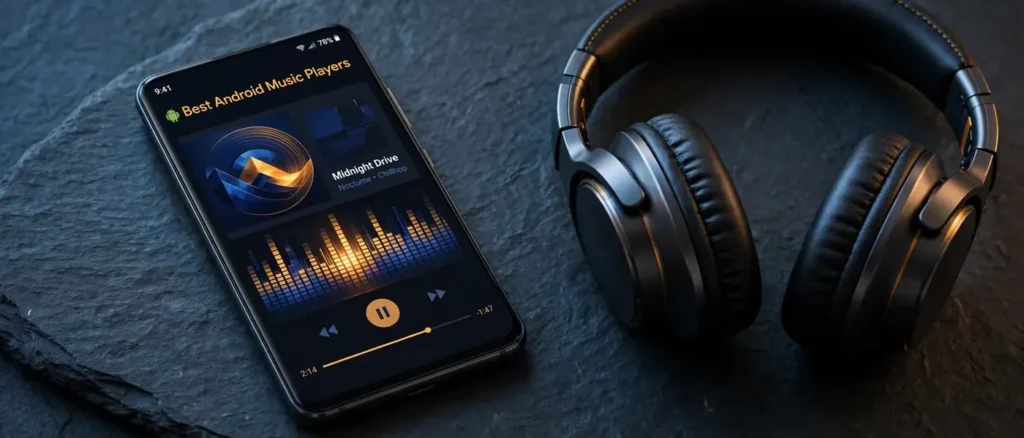
The best Android music players in 2026 are the apps that make the music you already own sound its best — not streaming services, but dedicated local players for the FLAC, MP3, and WAV files sitting on your phone. After mapping the current app landscape against what actually matters for music listening (format support, audio engine quality, equalizer depth, library management, and pricing model), we’ve ranked the eight apps that deliver the most, from the audiophile-favorite Poweramp to genuinely free players with no ads at all.
Our analysis is our own: we weigh each app’s documented features, supported formats, UI approach, and pricing structure — free, one-time unlock, or in-app purchases — then rank for the listening experience, not marketing. No hands-on claims, no invented specs: just the features that are actually on the table. Here’s the short version, with the full breakdown below.
- Best overall: Poweramp — the deepest audio control on Android
- Best free offline player: Musicolet — free, no ads, works fully offline
- Best free for audio quality: AIMP — serious sound engine, zero cost
- Best for serious audiophiles: Neutron Music Player — 32/64-bit engine, direct USB DAC output
- Best for customization: BlackPlayer — themes, fonts, and layouts your way
- Best simple and polished: Pulsar — clean, fast, gapless
- Best open-source all-format: VLC for Android — plays virtually anything, no ads
- Best open-source modern UI: Retro Music — Material You looks, free forever
1. Poweramp — Best Android Music Player Overall
rating

Poweramp is our top pick because it offers the deepest audio control of any Android music player — and the audio engine to back it up. Its headline features are the multiband graphical equalizer (up to 32 bands) with a parametric mode, separate bass and treble controls, stereo expansion, reverb and tempo effects, and an internal 64-bit processing path with hi-res output support. Direct Volume Control (DVC) lets the EQ and bass boost push hard without the distortion that plagues lesser players.
Beyond sound, it’s a complete library app: folder and library browsing, dynamic queues, tag editing, cue sheet support, replay gain, gapless playback, Chromecast and Android Auto support, and visualizations. The app is a full-featured free trial, with a one-time unlock for permanent use — no subscription, no account required. With 50M+ installs and years of continuous updates, it’s the safest recommendation in this guide.
- Formats: MP3, FLAC, WAV, ALAC/AAC/M4A, OGG, WMA, APE, DSD (DSF/DFF), Opus, and more
- EQ: up to 32-band graphic + parametric EQ, bass/treble, stereo expansion, reverb, tempo
- Audio engine: 64-bit internal processing, hi-res output, Direct Volume Control
- Library: folder + library browsing, dynamic queue, tag editor, cue sheets, replay gain
- Extras: gapless, crossfade, Android Auto, Chromecast, visualizations, widgets
- Pricing model: free full-featured trial, then a one-time unlock
Pros: unmatched EQ and DSP depth; genuine hi-res output; huge format support; no subscription.
Cons: the depth of settings can overwhelm beginners; needs internet for license verification.
2. Musicolet — Best Free Offline Music Player
rating

Musicolet is the standout free option: completely free, no ads, and — remarkably — it requests no internet permission at all, making it the privacy-conscious pick and the best offline music player for Android on this list. It’s built purely for local files, with folder-based browsing, multiple simultaneous queues (its signature feature), a tag editor, embedded lyrics, a sleep timer, and widgets.
What it lacks in deep DSP it makes up for in speed and simplicity: it’s lightweight, fast on older phones, and handles large libraries without fuss. If you want a no-nonsense player for the music already on your device, this is the one — see our FLAC vs MP3 guide if you’re deciding which formats to keep on your phone.
- Formats: MP3, FLAC, WAV, AAC/M4A, OGG, and other common formats
- EQ: standard equalizer with presets and bass boost
- Standout: multiple queues, folder browsing, no internet permission, zero ads
- Extras: tag editor, sleep timer, widgets, Android Auto support
- Pricing model: completely free, no ads
Pros: genuinely free with no ads; best-in-class privacy; fast and lightweight.
Cons: local files only — no streaming or network sources; EQ less deep than Poweramp.
3. AIMP — Best Free Android Music Player for Audio Quality
rating

AIMP brings a desktop-grade audio pedigree to Android at zero cost: it’s free with no ads, and its 20-band equalizer plus DSP effects give you serious control over your sound. Gapless playback is flawless, cue sheet support is built in, and it handles virtually every audio format you can throw at it.
Where AIMP pulls ahead of other free players is flexibility: internet radio, network sources (SMB, WebDAV), multiple playlists, bookmarking, backup/restore of settings, and Android Auto support. If you want Poweramp-adjacent audio control without paying anything, AIMP is the answer — and it respects your library with proper sorting, grouping, and multi-select management.
- Formats: MP3, FLAC, WAV, ALAC, APE, OGG, Opus, DSD, and more
- EQ: 20-band equalizer with presets and DSP effects
- Standout: flawless gapless, cue sheets, internet radio, SMB/WebDAV network sources
- Extras: multiple playlists, bookmarks, settings backup, Android Auto
- Pricing model: completely free, no ads
Pros: free with deep EQ; excellent gapless and cue support; network and radio sources.
Cons: UI is functional rather than beautiful; files only, no streaming integration.
4. Neutron Music Player — Best for Serious Audiophiles
rating

Neutron is the purist’s choice: its 32/64-bit audio rendering engine is designed to be independent of Android’s own audio limitations, with direct output to USB DACs — meaning your external DAC gets a bit-perfect stream, which is exactly what you want if you’ve invested in one (see our best DACs guide). DSD support, a parametric EQ with a deep effects chain, and network sources (SMB, DLNA/UPnP, FTP) complete the audiophile toolkit.
The honest trade-off is the interface: it’s dated and dense, built by engineers for engineers. But if your priority is the cleanest possible digital path from file to DAC — especially with hi-res and DSD libraries — nothing else on this list goes as far. Pair it with a good source: our 16-bit vs 24-bit audio explainer covers what hi-res files actually deliver.
- Formats: FLAC, WAV, ALAC, APE, DSD (DSF/DFF), MPC, and more
- EQ: parametric EQ with extensive DSP effects chain
- Audio engine: 32/64-bit rendering, direct USB DAC output, bit-perfect options
- Sources: local files, SMB, DLNA/UPnP, FTP network libraries
- Pricing model: free evaluation version; paid license (one-time)
Pros: the most serious audio engine here; direct USB DAC output; DSD support.
Cons: dated, dense UI; overkill if you just want simple playback.
5. BlackPlayer — Best Android Music Player for Customization
rating

BlackPlayer is for listeners who want their player to look exactly how they want: deep UI customization with themes, fonts, and layout options that go well beyond the usual dark/light toggle. Underneath the styling it’s a capable player too, with a built-in equalizer and bass boost, a tag editor, album art management, gapless playback, and widgets.
The free version carries ads, with the EX edition unlocking the premium feature set — a standard freemium structure. If the now-playing screen matters as much to you as the sound, BlackPlayer is the most flexible canvas on Android.
- Formats: MP3, FLAC, WAV, AAC/M4A, OGG, and other common formats
- EQ: built-in equalizer with bass boost (deeper options in EX)
- Standout: extensive theme, font, and layout customization
- Extras: tag editor, album art management, gapless, widgets
- Pricing model: free with ads; EX edition (paid) unlocks premium features
Pros: unmatched UI customization; solid core player; good widgets.
Cons: free version has ads; best features gated behind EX.
6. Pulsar — Best Simple and Polished Music Player
rating

Pulsar strikes the balance Poweramp and Neutron don’t try to: a beautiful, fast, modern interface with all the essentials done right. Gapless playback, smart playlists, fast search, a working tag editor, Chromecast and Android Auto support — it covers daily listening without a settings maze.
The free tier handles the basics well; the Pro unlock adds the deeper audio controls (5-band EQ, bass boost, reverb). It’s the pick for anyone who found Poweramp intimidating but Musicolet too plain — polished, quick, and easy to live with.
- Formats: MP3, FLAC, WAV, AAC/M4A, OGG, and other common formats
- EQ: 5-band EQ, bass boost, and reverb (Pro unlock)
- Standout: polished Material UI, smart playlists, fast search
- Extras: gapless, tag editor, Chromecast, Android Auto
- Pricing model: free tier; Pro unlock via in-app purchase
Pros: clean, fast interface; gapless and smart playlists; good free tier.
Cons: deeper audio features require Pro; fewer formats than VLC.
7. VLC for Android — Best Free Open-Source Music Player
rating

VLC isn’t just for video — it’s a genuinely capable audio player that’s free, open source, and carries no ads or tracking. Its superpower is format support: it plays virtually anything, including oddball codecs and containers other players choke on, plus network streams via DLNA/UPnP and SMB shares.
The trade-off is that it’s a utility first, not a music-library app: library management, tagging, and EQ are basic compared to the dedicated players above. But as a free, no-compromise fallback that plays anything you hand it — offline, no account, no ads — it’s essential. Keep it installed even if you daily-drive something else.
- Formats: virtually all audio (and video) formats and codecs
- EQ: basic equalizer
- Standout: open source, no ads, no tracking; network streams (DLNA/UPnP, SMB)
- Extras: subtitles, playback speed, background audio
- Pricing model: completely free, open source
Pros: plays anything; truly free with no ads; network streaming built in.
Cons: basic library and tagging; not a music-first UI.
8. Retro Music — Best Open-Source Player with a Modern Look
rating

Retro Music proves open source doesn’t have to look plain: it’s a free, open-source local player with Material You theming, synced lyrics, folder browsing, and a genuinely attractive interface. No ads, no accounts, no nonsense — just your local library presented beautifully.
It’s local-files-only and the EQ is basic, so audiophiles will still want Poweramp or Neutron. But if you want a free player that looks like it belongs on a 2026 flagship, Retro Music is the pick — and being open source, it’s not going anywhere.
- Formats: MP3, FLAC, WAV, AAC/M4A, OGG, and other common formats
- EQ: basic equalizer
- Standout: Material You theming, synced lyrics, open source
- Extras: folder browsing, Android Auto, home screen widgets
- Pricing model: completely free, open source
Pros: beautiful modern UI; free and open source; synced lyrics.
Cons: basic EQ; local files only.
Best Android Music Players: Side-by-Side Comparison
| App | Pricing model | Format support | EQ depth | Best for |
|---|---|---|---|---|
| Poweramp | Free trial, one-time unlock | Extensive incl. DSD | 32-band + parametric | Overall best |
| Musicolet | Free, no ads | Common formats | Standard + bass boost | Free offline playback |
| AIMP | Free, no ads | Extensive incl. DSD | 20-band + effects | Free audio quality |
| Neutron | Eval version, paid license | Extensive incl. DSD | Parametric + DSP chain | Audiophiles, USB DACs |
| BlackPlayer | Free with ads / EX paid | Common formats | Standard + bass boost | Customization |
| Pulsar | Free tier / Pro unlock | Common formats | 5-band (Pro) | Simple, polished UI |
| VLC | Free, open source | Virtually anything | Basic | All-format fallback |
| Retro Music | Free, open source | Common formats | Basic | Modern open-source UI |
Best Free Android Music Player
If you don’t want to spend anything, you’re spoiled for choice — and you don’t have to accept ads. Musicolet is our top free pick: no ads, no internet permission, and a genuinely complete feature set for local playback. AIMP matches it on price while adding a 20-band EQ and network sources. VLC and Retro Music are both free and open source — VLC for maximum format coverage, Retro Music for the best-looking free interface. Honestly, the free tier here is so strong that paid apps have to earn it with deep DSP (Poweramp) or a serious audio engine (Neutron).
Best Android Music Player Without Ads
Ads are the main annoyance in free players, and several of our picks avoid them entirely. Musicolet, AIMP, VLC, and Retro Music carry no ads at all — Musicolet goes furthest by not even requesting internet access. Poweramp has no ads either (its trial nags you toward the one-time unlock, but there’s no ad inventory). BlackPlayer’s free version does show ads; upgrading to EX removes them. If a clean, uninterrupted now-playing screen is the priority, start with Musicolet or AIMP and don’t look back.
Best Android Music Player for Local Files
Every app on this list is built for local files — that’s the defining trait of the category, separating them from streaming apps like Spotify or YouTube Music (see our YouTube Music vs Spotify and Qobuz vs Spotify comparisons for the streaming side). For big local libraries, Poweramp’s library management and tag editor scale best; Musicolet’s folder browsing is the fastest way to navigate files as files; and AIMP adds network libraries (SMB/WebDAV) for music stored on a NAS. Whatever you pick, rip or buy in lossless where you can — our FLAC vs MP3 and FLAC vs WAV guides explain the formats worth keeping.
Best Offline Music Player for Android
Offline playback is table stakes here — all eight apps play local files with no connection. Musicolet is the purest offline pick since it can’t even phone home, which also makes it the lightest on battery. Poweramp, AIMP, Pulsar, and BlackPlayer all work fully offline for local files (network features like album-art lookup aside). The practical advice: keep your library on-device or on a microSD card, and any of these will play it on a plane, in the subway, or off the grid.
Poweramp vs Musicolet: Which Should You Pick?
This is the most common head-to-head in the category, and the answer depends on what kind of listener you are. Choose Poweramp if you want to shape your sound: its 32-band and parametric EQ, DSP effects, hi-res output, and 64-bit engine give you control no free app matches, and the one-time unlock means you pay once, never again. Choose Musicolet if you want to press play and forget the app exists: it’s free forever with no ads, requests no internet permission, and its multiple-queue system is the best implementation of the feature anywhere. Audiophiles and tinkerers go Poweramp; minimalists and privacy-conscious listeners go Musicolet. Many people end up with both — Musicolet for daily commutes, Poweramp for serious listening sessions with good headphones (see our best headphones for audiophiles and getting the best sound from your headphones guides).
The SoundMavericks Verdict
For most Android users in 2026, Poweramp is the best Android music player: the deepest EQ, a genuine hi-res audio engine, huge format support, and a one-time unlock with no subscription. If you’d rather pay nothing, Musicolet (simplest, most private) and AIMP (deepest free audio controls) are both outstanding. Serious audiophiles with USB DACs should audition Neutron; everyone else should keep VLC installed as the free fallback that plays anything. Whichever you choose, feed it good files — the player can only reproduce what’s in the file.
Frequently Asked Questions
What is the best free music player for Android without ads?
Musicolet, AIMP, VLC, and Retro Music are all free with no ads. Musicolet is the most complete free pick for local playback, AIMP adds the deepest free EQ, VLC plays anything, and Retro Music offers the nicest free interface.
Is Poweramp still the best Android music player in 2026?
For audio control, yes — its 32-band and parametric EQ, hi-res output, and 64-bit engine remain unmatched, and the one-time unlock keeps it subscription-free. But if you want simplicity and zero cost, Musicolet is the better pick for everyday listening.
Can Android music players play FLAC files?
Yes — every app on this list plays FLAC, along with MP3, WAV, and AAC. Poweramp, AIMP, and Neutron go further with ALAC, APE, Opus, and DSD support. See our FLAC vs MP3 guide for why lossless matters.
Do I need a paid music player app?
No. The free apps here — Musicolet, AIMP, VLC, Retro Music — cover playback, gapless, and basic EQ completely. Paid unlocks buy you deep DSP and tuning (Poweramp), serious USB DAC output (Neutron), or an ad-free customized experience (BlackPlayer EX, Pulsar Pro).
What’s the difference between a music player app and a streaming app?
Music player apps play audio files you own, stored on your device — no subscription, no internet needed. Streaming apps like Spotify or YouTube Music rent you access to a catalog. Many listeners use both; our Qobuz vs Spotify comparison covers the streaming side.
Which music player app is best for hi-res audio?
Neutron Music Player, with its 32/64-bit engine and direct USB DAC output, is the most serious hi-res choice — pair it with a proper DAC from our best DACs guide. Poweramp’s hi-res output and 64-bit processing is the more user-friendly alternative. And make sure your files are actually hi-res: our 16-bit vs 24-bit explainer sets expectations.

I am the founder of Sound Mavericks, where I provide the polite truth about audio equipment. I started this site because consumer electronics reviews are often too technical. Instead of using a silent lab, I test headphones, earbuds, and Bluetooth speakers in the real world – like on a noisy subway or in a busy coffee shop.
To stay independent, I buy my own review units (mostly from the United States) rather than accepting free gifts from brands. Once I finish testing a product, I sell it locally to our community. My goal is to help you understand sound quality, active noise cancellation (ANC), and battery life without the marketing hype.