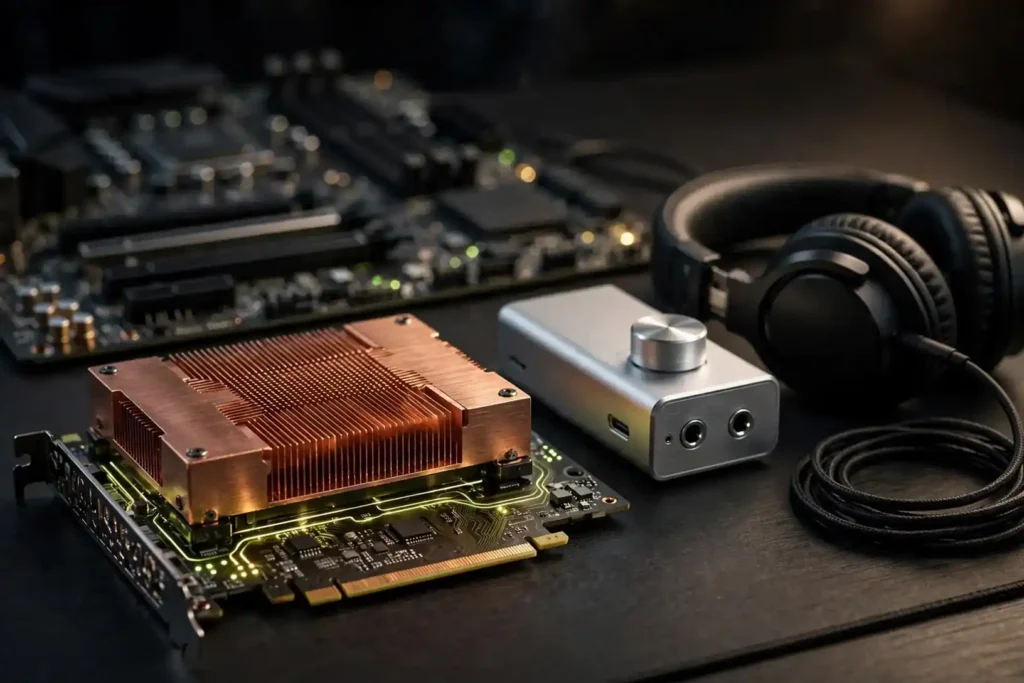
Here is the straight talk up front: the internal PC sound card was supposed to be dead. Motherboard audio got genuinely good, USB DACs ate the entry level, and almost every “best sound card for PC” roundup is still recommending cards from 2019. Then Creative dropped two brand-new PCIe cards in 2026 — its first in about five years — and suddenly the category is interesting again. This guide covers both worlds buyers actually mean by “sound card”: internal PCIe cards that go inside your desktop, and external USB DAC/amp units that do the same job from your desk. If your onboard audio already sounds fine to you, half of this article’s job is telling you to keep your money.
Our Top Picks at a Glance
| Pick | Product | Type | Best for |
|---|---|---|---|
| Best Overall | Creative Sound Blaster AE-7 | Internal PCIe | Gamers & high-impedance headphones |
| Best New Card | Creative Sound Blaster AE-X | Internal PCIe | 2026 flagship-grade internal upgrade |
| Best External | Sound BlasterX G6 | External USB | Gaming DAC/amp, PC + consoles |
| Best Gaming Value | Sound BlasterX AE-5 Plus | Internal PCIe | Surround gaming on a tighter budget |
| Best Desktop Hub | Creative Sound Blaster X5 | External USB | Dual-DAC desktop command center |
| Best Budget Internal | ASUS Xonar SE | Internal PCIe | Cheap, cheerful PCIe upgrade |
| Best Budget External | Creative Sound Blaster G3 | External USB | Portable plug-and-play USB audio |
Do You Even Need a Sound Card in 2026?
Let’s be honest, because nobody else in this niche is: many buyers do not need one. A modern motherboard with a decent Realtek codec (ALC1220 or better) feeding easy-to-drive headphones or powered desktop speakers will sound perfectly good for music, video calls, and casual gaming. If that describes you, close this tab and spend the money on better headphones instead — our guide to the best wired earbuds will do more for your ears than any card on this list.
A dedicated sound card still earns its slot for three groups:
- High-impedance headphone owners. Onboard audio rarely has the power to drive 250–600 ohm headphones properly. Cards like the AE-7 and AE-X include discrete headphone amplifiers built exactly for this.
- People with noisy or dead onboard audio. GPU coil whine and USB ground noise bleeding into the front-panel jack is still common on budget boards. A discrete card (or an external USB unit) breaks that chain.
- Surround-encode users. Gamers feeding a receiver over optical still need Dolby Digital Live or DTS Connect encoding — something onboard audio often lacks and external DACs rarely offer.
Internal PCIe vs. External USB: Which “Sound Card” Should You Buy?
The SERP splits this query right down the middle, and so do we. Internal PCIe cards slot into your desktop and draw clean power from the motherboard bus; they are the only option if you want hardware surround encoding or a mic DSP path without USB clutter, and they stay with the PC. External USB DAC/amp units — what most buyers under 30 picture when they hear “sound card” — plug into anything, work with laptops and consoles, move between machines, and keep the sensitive analog circuitry physically outside the electrically noisy PC case. For laptops there is no choice at all: external is your only option. For desktops, our honest take is that external units win on flexibility while internal cards win on integration, and the audio quality gap between good examples of each is smaller than the marketing suggests.
1. Creative Sound Blaster AE-7 — Best Overall Sound Card for PC

If you want one internal card that does everything well, the AE-7 is our pick. It pairs an ESS SABRE-class 9018 DAC delivering 127 dB of dynamic range with Creative’s Xamp discrete headphone amplifier — a bi-amp design that drives studio-grade headphones up to 600 ohms with a 1-ohm output impedance, which matters for sensitive in-ears too. You get discrete 5.1 analog output, 7.1 virtual surround, Dolby Digital Live and DTS Connect encoding for receivers, and the included Audio Control Module gives you a front-desk volume dial with a built-in mic. It has been out since 2019 and has survived every challenger, which is rare in this category.
| DAC | ESS SABRE-class 9018 |
| Dynamic range | 127 dB |
| Playback | 32-bit / 384 kHz PCM, DSD64 |
| Headphone amp | Xamp discrete bi-amp, up to 600 ohms |
| Surround | Discrete 5.1, virtual 7.1, Dolby Digital Live, DTS Connect |
| Extras | Audio Control Module with mic, optical out, dedicated quad-core audio DSP |
- Why it wins: flagship-grade DAC, powerful headphone amp, and full surround encoding in one card.
- Heads-up: skip it if you only use sensitive IEMs — it is tuned for full-size headphones, and its price tier only makes sense if you’ll use the features.
| Sound Quality | 9.3 |
| Headphone Drive | 9.2 |
| Features & Software | 9.0 |
| Connectivity | 9.1 |
| Value | 8.5 |
2. Creative Sound Blaster AE-X — Best New PCIe Sound Card (2026)
Creative’s first new PCIe card in roughly five years is genuinely news. The AE-X is built around the ESS ES9039Q2M — one of the newest HyperStream IV SABRE DACs — claiming a 130 dB signal-to-noise ratio, which on paper edges past even the older AE-9 flagship. It handles 32-bit/384 kHz playback and native DSD256 without software conversion, and the discrete X-amp headphone stage drives 8–600 ohm headphones at up to 350 mW at 32 ohms. The modern Creative NEXUS software brings a 10-band parametric EQ and community-curated Auto EQ headphone profiles, plus ASIO 2.3 support for low-latency work. It is stereo-focused (no discrete surround analog outputs), so it’s aimed at the music-and-headphones crowd rather than 5.1 speaker setups — the AE-7 above is the pick if you need surround encoding.
| DAC | ESS ES9039Q2M (SABRE HyperStream IV) |
| SNR | Up to 130 dB |
| Playback | 32-bit / 384 kHz PCM, DSD64/128/256 |
| Headphone amp | X-amp discrete, 8–600 ohms, 350 mW @ 32 ohms |
| Connectivity | RCA line-out, coaxial SPDIF out, optical TOSLINK in, 3.5mm headphone/mic, front panel header |
| Software | Creative NEXUS, 10-band parametric EQ, Auto EQ, ASIO 2.3, Scout Mode |
- Why it wins: the newest, most measurement-forward internal card money can buy in 2026 — and the launch pricing undercuts the older flagships.
- Heads-up: brand-new means a shorter track record for driver quirks; and Amazon availability is still settling in (we link to Amazon search below rather than a listing we can’t verify).
| Sound Quality | 9.4 |
| Headphone Drive | 9.2 |
| Features & Software | 9.1 |
| Connectivity | 8.6 |
| Value | 8.8 |
3. Sound BlasterX G6 — Best External USB Sound Card for Gaming

For buyers who don’t want to open their PC — or don’t have a desktop at all — the G6 is the external pick. It’s a USB-powered gaming DAC built on the SB-Axx1 processor with a 130 dB dynamic range, 32-bit/384 kHz direct-mode playback, and the Xamp discrete headphone amp driving 16–600 ohm headphones from a 1-ohm output. The gaming feature set is what sells it: 7.1 virtual surround, Dolby Digital decoding, Scout Mode for picking out footsteps, sidetone and GameVoice mixing, plus optical in/out for consoles. It works with PC, Mac, PS4, PS5, Xbox One, and Nintendo Switch, which makes it the most versatile unit on this list for multi-platform gamers. The Sound Blaster Command software gives you full EQ and profile control on Windows.
| Type | External USB DAC/amp (bus-powered) |
| Dynamic range | 130 dB |
| Playback | Up to 32-bit / 384 kHz (Direct Mode); DoP |
| Headphone amp | Xamp, 1-ohm output, 16–600 ohm headphones |
| Gaming features | Scout Mode, SBX, 7.1 virtual surround, Dolby Digital decode, sidetone |
| Compatibility | PC, Mac, PS4, PS5, Xbox One, Nintendo Switch |
- Why it wins: desktop-class sound quality with console compatibility — no PCIe slot required.
- Heads-up: it’s gaming-first; purists wanting a pure hi-fi DAC with RCA or balanced outs should look at the X5 below instead.
| Sound Quality | 9.0 |
| Headphone Drive | 8.9 |
| Features & Software | 9.1 |
| Connectivity | 8.6 |
| Value | 8.6 |
4. Sound BlasterX AE-5 Plus — Best Internal Gaming Value

The AE-5 Plus is where the AE-7’s formula gets trimmed to a friendlier budget: SABRE32 ultra-class DAC, 122 dB dynamic range, 32-bit/384 kHz playback, the same Xamp discrete headphone bi-amp up to 600 ohms, discrete 5.1 with 7.1 virtualization, and both Dolby Digital Live and DTS encoding. You lose the audio control module and a little headroom versus the AE-7, and you gain customizable RGB lighting if your case is all about that. For PC gamers who want true surround encoding and a serious headphone amp without paying flagship money, this is the value sweet spot of the internal lineup — and the card most forum threads land on as the consensus answer.
| DAC | SABRE32 ultra-class (ES9016K2M) |
| SNR | 122 dB |
| Playback | 32-bit / 384 kHz PCM |
| Headphone amp | Xamp discrete bi-amp, up to 600 ohms |
| Surround | Discrete 5.1, virtual 7.1, Dolby Digital Live, DTS |
| Extras | RGB lighting system, Scout Mode, optical out |
- Why it wins: near-flagship gaming features at a midrange tier — the sensible buy if the AE-7 feels like overkill.
- Heads-up: RGB only; if you want the desktop volume module, step up to the AE-7.
| Sound Quality | 8.7 |
| Headphone Drive | 8.8 |
| Features & Software | 8.9 |
| Connectivity | 8.2 |
| Value | 8.7 |
5. Creative Sound Blaster X5 — Best External Desktop Audio Hub

The X5 is the answer for people who want one box that runs their whole desk. It’s built around dual Cirrus Logic CS43198 DACs delivering a 130 dB dynamic range with 32-bit/384 kHz and DSD256 playback, a fully balanced headphone amplifier with both 3.5mm and 4.4mm balanced outputs, and a rear panel that reads like an AV switcher: RCA line in/out, optical in/out, USB-C to the PC, a USB-A host port for mics and headsets, plus Bluetooth reception for streaming from your phone. Physical controls for everything — volume, mic gain, headphone/speaker toggle, Direct/DSP switch — mean you rarely need to touch software, though the Creative app adds EQ and profiles. Think of it as the modern heir to the AE-9’s desktop module philosophy: the sound hardware left the PC case and moved to the desk.
| DAC | Dual Cirrus Logic CS43198 |
| Dynamic range | 130 dB |
| Playback | 32-bit / 384 kHz PCM, DSD256, DoP128 |
| Headphone outputs | 3.5mm unbalanced + 4.4mm balanced, balanced Xamp bi-amp |
| I/O | USB-C, USB-A host, RCA in/out, optical in/out, 3.5mm mic, Bluetooth 5.0 (SBC) receiver |
| Controls | Front-panel volume, mic gain, EQ presets, PC/console switch, Direct/DSP switch |
- Why it wins: dual-DAC fidelity with the connectivity of a mixer — headphones, speakers, mic, phone, and console all at once.
- Heads-up: the plastic chassis doesn’t feel premium next to these specs, and Bluetooth tops out at SBC — it’s a wired-first device.
| Sound Quality | 9.0 |
| Headphone Drive | 8.7 |
| Features & Software | 9.0 |
| Connectivity | 9.4 |
| Value | 8.0 |
6. ASUS Xonar SE — Best Budget Internal Sound Card
Sometimes the job is just “make the crackling onboard audio stop.” The Xonar SE is the cheapest name-brand PCIe card worth buying: 116 dB SNR, 24-bit/192 kHz playback, a 5.1 channel layout, a headphone amp rated to 300 ohms, optical S/PDIF out, and a front-panel header — plus a low-profile bracket for small cases. It’s built on a Cmedia audio processor with a Realtek codec, so set expectations accordingly: this fixes problems and adds channels, it doesn’t chase flagships. Note: the long-standing Amazon listing for this card appears to have gone offline, so we link to Amazon search below rather than a page we can’t stand behind.
| Audio processor | Cmedia 6620A, Realtek S1220A codec |
| SNR | 116 dB |
| Playback | 24-bit / 192 kHz, 5.1 channels |
| Headphone amp | Up to 300 ohms |
| Connectivity | 3x 3.5mm out, line/mic in, optical S/PDIF out, front audio header, low-profile bracket |
- Why it wins: the honest fix for dead or hissing onboard audio without spending real money.
- Heads-up: drivers target older Windows versions — check compatibility before buying, and confirm the listing is the genuine ASUS card, not a knockoff.
| Sound Quality | 7.6 |
| Headphone Drive | 7.4 |
| Features & Software | 7.8 |
| Connectivity | 8.4 |
| Value | 9.2 |
7. Creative Sound Blaster G3 — Best Budget External USB Sound Card
The G3 is the backpack-friendly end of the spectrum: a pocket-sized USB-C DAC that upgrades any laptop, phone (with USB-C), Switch, or PS4 with proper 24-bit/96 kHz audio instead of dongle-grade output. It brings gaming-flavored touches like GameVoice Mix balance and sidetone, and the Sound Blaster Command software unlocks EQ profiles. It’s not in the same league as the G6 above — that’s the point; it’s for people who want better sound anywhere without carrying a second brick. Like the Xonar SE, its dedicated Amazon listing has become unreliable, so we link to Amazon search.
| Type | Portable USB-C DAC/amp (plug-and-play) |
| Playback | 24-bit / 96 kHz |
| Features | GameVoice Mix, sidetone, custom EQ via Sound Blaster Command |
| Compatibility | PC, Mac, PS4, Nintendo Switch, mobile (USB-C) |
- Why it wins: genuine audio upgrade that fits in a pocket and costs little — ideal for laptop-first users.
- Heads-up: won’t drive demanding high-impedance headphones; that job belongs to the picks above.
| Sound Quality | 7.9 |
| Headphone Drive | 7.2 |
| Features & Software | 8.3 |
| Connectivity | 8.8 |
| Value | 9.0 |
Buying Guide: How to Choose a Sound Card for PC
What does SNR actually tell you?
Signal-to-noise ratio, quoted in decibels, measures how much louder the music is than the background hiss. Anything from 110 dB up is inaudibly clean for human ears in practice — the differences between a 122 dB card and a 130 dB card show up on measurement rigs, not in your living room. Don’t buy on SNR alone; the headphone amplifier and output impedance matter more for what you actually hear.
Match the amp to your headphones
This is the real decision. Check your headphones’ impedance (the ohms rating). Easy drivers (16–64 ohms, most IEMs and mainstream headphones — see our best wired earbuds picks) need a low output impedance more than raw power. Demanding full-size cans (250–600 ohms) need voltage swing: that’s where the Xamp-equipped cards on this list earn their keep. Under-powering a 300-ohm headphone is the single most common reason a new headphone sounds “boring.”
Surround encoding: the hidden reason to go internal
If your PC feeds a home-theater receiver over optical and you want game surround mixed into that single cable, you need Dolby Digital Live or DTS Connect encoding. That’s a hardware/DSP feature that onboard audio often lacks and most external DACs skip entirely. The AE-7 and AE-5 Plus above have it; it’s one of the strongest remaining reasons to buy an internal card.
Watch the drivers, not just the specs
Every sound card on this list is Windows-first. Creative’s Sound Blaster Command and NEXUS apps are where half the value lives (EQ, surround, Scout Mode), and they update at Creative’s pace, not yours. Before buying any card, check that its driver set supports your Windows version — older cards like the Xonar SE are the ones most likely to surprise you here.
Frequently Asked Questions
Is a sound card better than onboard audio?
For most people with easy-to-drive headphones, the difference is subtle — modern onboard codecs are genuinely decent. Dedicated cards pull ahead with high-impedance headphones, noisy onboard outputs, or when you need surround encoding your motherboard lacks. The upgrade is real, but it’s conditional.
Should I buy an internal PCIe or external USB sound card?
Internal PCIe cards integrate cleanly into a desktop and can offer hardware surround encoding and front-panel mic controls. External USB DAC/amp units work with laptops and consoles, move between machines, and keep analog circuitry away from PC electrical noise. For laptops, external is the only choice; for desktops, pick on your use case, not on snobbery.
Will a sound card make my headphones louder?
If your headphones are hard to drive, yes — the discrete headphone amplifiers in cards like the Sound Blaster AE-7, AE-X, and AE-5 Plus deliver far more clean power than onboard audio. If your headphones are already loud enough, a card won’t make them louder; it may make them cleaner at the same volume.
Is a USB DAC the same thing as a sound card?
Mostly, yes, for buying purposes. A USB DAC/amp does the digital-to-analog conversion and amplification a sound card does, just outside the case. Pure audiophile DACs may lack gaming features like surround virtualization and mic processing, which is why we distinguish them above.
Do sound cards improve gaming performance?
They won’t raise your frame rate — audio offload hasn’t mattered for CPU usage in years. What they can do is improve positional audio through surround processing like Scout Mode, and cleaner amplification reveals in-game audio cues more clearly. Buy for sound, not for speed.
Can a sound card fix hissing or interference?
Often, yes. Hiss that changes with GPU load or mouse movement is usually interference inside the case leaking into the onboard audio path. An external USB unit physically removes the analog path from the case, which typically solves it; an internal card with isolated circuitry is the next-best fix.
The Bottom Line
The best sound card for PC in 2026 is the Creative Sound Blaster AE-7 for desktop gamers who want everything — serious DAC, serious headphone amp, and surround encoding. Headphone-first listeners who don’t need surround should look at the new Sound Blaster AE-X. Laptop, console, or desk-hopping? Go external with the Sound BlasterX G6 for gaming or the Sound Blaster X5 for a full desktop hub. And if your onboard audio genuinely sounds fine, the best sound card is the one you didn’t buy — put the money into the headphones instead.

I am the founder of Sound Mavericks, where I provide the polite truth about audio equipment. I started this site because consumer electronics reviews are often too technical. Instead of using a silent lab, I test headphones, earbuds, and Bluetooth speakers in the real world – like on a noisy subway or in a busy coffee shop.
To stay independent, I buy my own review units (mostly from the United States) rather than accepting free gifts from brands. Once I finish testing a product, I sell it locally to our community. My goal is to help you understand sound quality, active noise cancellation (ANC), and battery life without the marketing hype.