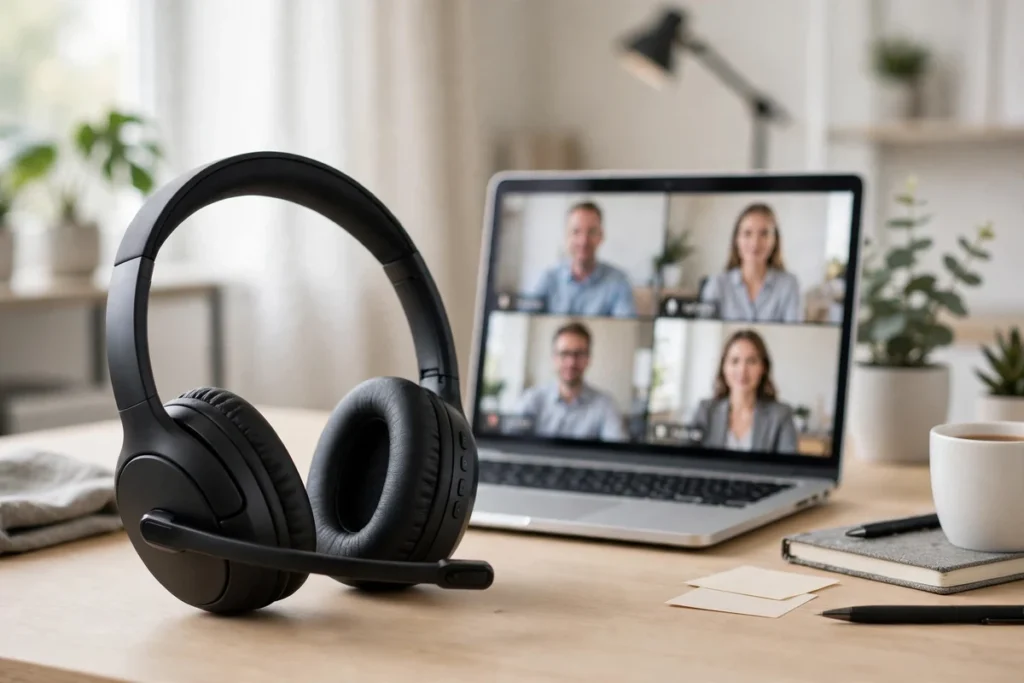
Most headphone guides judge a headset by how it sounds to you. For online meetings, that is only half the job. The other half is how you sound to everyone else — and that is decided almost entirely by the microphone. A pair of great-sounding music headphones can still make you sound distant and muffled on Zoom, because their tiny ear-cup microphones sit far from your mouth and fight your dishwasher, your kids and your keyboard all at once.
The best headphones for online meetings flip the priority: a boom microphone close to your mouth, noise rejection that strips out the room behind you, a mute control you can hit without looking, and a fit you can wear from the first stand-up to the last call of the day. Here are the six headsets we would buy for meeting-heavy work in 2026, ranked mic-first.
Our Verdict
Best overall: Jabra Evolve2 65 Flex. A short hideaway boom with Jabra ClearVoice microphone technology, hybrid ANC, platform certification for Microsoft Teams, Zoom and Google Meet, and a fold-flat design that disappears into a laptop bag. It is the headset that makes you sound most like yourself, in the widest range of rooms.
Best open-ear alternative: Shokz OpenComm2 UC. Nothing in or over your ears, a noise-cancelling boom, Zoom certification and all-day awareness — the pick for telehealth and anyone who hates sealed ears.
Quick Picks: The Best Headsets for Online Meetings at a Glance
| Headset | Best For | Microphone | Connection | Check Price |
|---|---|---|---|---|
| Jabra Evolve2 65 Flex | Best overall | Hideaway boom, ClearVoice | Bluetooth + USB dongle | Check Price |
| Poly Voyager 4320 UC | Back-to-back calls | Noise-cancelling boom | Bluetooth + USB dongle | Check Price |
| Shokz OpenComm2 UC | Telehealth & open-ear | DSP noise-cancelling boom | USB-C dongle + Bluetooth | Check Price |
| Yealink UH37 | Wired reliability | Dual noise-cancelling mics | Wired USB-C / USB-A | Check Price |
| Sony WH-1000XM6 | Focus + meetings | AI beamforming array (no boom) | Bluetooth, multipoint | Check Price |
| Logitech H390 | Budget plug-and-play | Rotating noise-cancelling boom | Wired USB-A | Check Price |
What makes a headset good for online meetings?
Four things separate a meeting headset from a music headphone, and the microphone comes first. A boom arm puts the capsule a few centimetres from your mouth, so your voice arrives far louder than the room around you before any software filtering even starts. Noise rejection then has an easy job: a dual-microphone array or DSP filter can strip out a barking dog or a vacuum cleaner because the voice signal it is protecting is already strong. Ear-cup microphones on consumer headphones start from the opposite position — your voice and the room arrive at similar levels, and the filtering has to guess.
Second is a physical mute you trust — a boom you can swing up, or a mute button you can find by touch, beats hunting for the on-screen icon while everyone listens. Third is sidetone: hearing a little of your own voice while you talk stops you shouting into a sealed headset and finishing calls tired. Finally, connection reliability: a USB dongle or wired lead gives Zoom and Teams the same pre-paired device every morning, while plain Bluetooth is the connection most likely to grab the wrong device before an important call. For a broader shortlist beyond this mic-first angle, see our best work from home headset guide.
1. Jabra Evolve2 65 Flex — Best Overall Headset for Online Meetings
The Evolve2 65 Flex is the headset we recommend when the brief is simply “I am on calls all day and I need to sound professional.” Its boom arm is shorter than a traditional call-centre boom and folds away against the headband, so on camera you look like you are wearing ordinary on-ear headphones — but the microphone still sits close enough to your mouth for Jabra’s ClearVoice microphone technology to separate your speech from background noise cleanly. Colleagues hear you, not your kitchen.
Jabra certifies the Evolve2 65 Flex for Microsoft Teams, Zoom and Google Meet, which means the call controls, mute behaviour and audio profiles are tested against those platforms rather than merely compatible with them. Hybrid active noise cancelling takes the edge off an open-plan office or a busy house, the 360-degree busylight warns people around you that you are on a call, and the fold-and-go frame with soft, pressure-relieving cushioning is built for people who travel between home, office and client sites. Dual connectivity lets it stay paired to your laptop via the USB dongle and to your phone at the same time.
Pros: Excellent boom-mic clarity; certified for Teams, Zoom and Google Meet; hideaway boom looks discreet on camera; folds flat for travel; dongle and Bluetooth dual connection. Cons: On-ear fit isolates less than big over-ear ANC headphones; premium work-headset pricing; the short boom needs positioning a finger’s width from your mouth for the best rejection.
2. Poly Voyager 4320 UC — Best for Back-to-Back Call Days
Poly built the Voyager 4300 series for people whose calendar is a wall of calls, and the 4320 UC is the stereo, wireless member of that family. Its noise-cancelling boom microphone uses Poly’s acoustic fence-style processing to keep your voice in a small zone around your mouth and push voices and noise outside that zone down — useful in shared offices where the person at the next desk is also on a call. A dynamic mute alert warns you if you start talking while muted, which saves at least one embarrassing monologue a month.
Comfort is the other half of its appeal: a padded headband, memory-foam-style ear cushions and an adjustable boom you can wear on either side. Poly rates the 4320 for up to 24 hours of talk time, so even a heavy week of meetings fits between charges, and the included USB dongle gives your computer a stable, pre-paired connection while Bluetooth keeps your phone in reach. One variant note that matters: the 4320 UC listing linked here is the UC version aimed at Zoom, Google Meet and general UC platforms. Poly also sells a separate Microsoft Teams-certified version with a dedicated Teams button — if your employer mandates Teams certification, choose that variant instead.
Pros: Strong voice isolation in shared spaces; mute alert if you talk while muted; long talk time; boom wearable on either side; dongle included. Cons: No active noise cancelling for what you hear — it relies on the ear-cushion seal; UC and Teams variants are easy to confuse, so check the listing title carefully.
3. Shokz OpenComm2 UC — Best for Telehealth and Open-Ear Comfort
The OpenComm2 UC takes the opposite approach to sealed headphones: bone-conduction transducers rest on your cheekbones and leave your ears completely open. You hear the patient, client or colleague on the call and the room around you at the same time, which is why this design has become a quiet favourite for telehealth. A clinician can hear a knock at the door, a nurse calling their name, or a patient moving in the room — nothing is walled off. The open design also looks discreet and professional on camera, with no bulky cups over your ears.
Shokz fits a DSP noise-cancelling boom microphone that focuses on your voice and suppresses ambient sound, and the UC version is Zoom certified. The listing we link is the USB-C dongle version; a USB-A dongle version exists too, so match the dongle to your computer’s ports. At roughly 35 grams it is by far the lightest headset here — glasses wearers in particular tend to love it, because nothing presses on the arms of their frames and nothing seals around their ears. For telehealth hygiene it has another practical edge: there are no ear cushions or ear tips to absorb anything, and the smooth frame wipes clean in seconds between patients or clients. Shokz rates talk time at up to 16 hours.
Pros: Ears stay open for situational awareness; lightest and most glasses-friendly pick here; Zoom certified UC version; wipe-clean frame suits clinical settings; clear boom mic. Cons: No noise cancelling for incoming audio — a loud room stays loud; music bass is modest, as with all bone conduction; choose the USB-A or USB-C dongle version carefully.
4. Yealink UH37 — Best Wired USB Headset for Reliability
Sometimes the most professional feature is a cable. The Yealink UH37 never needs charging, never pairs to the wrong laptop, and shows up in Zoom and Teams as the same USB audio device every single day. Its dual-microphone noise-cancelling array targets exactly the sounds that ruin home-office calls — keyboard clatter, fans, traffic through an open window — while the in-line controller puts volume, answer and a proper physical mute button under your thumb.
Yealink builds the UH37 as a Teams headset, and it works happily across Zoom, Google Meet and other meeting platforms as a standard USB device. The connector adapts between USB-C and USB-A, which solves the modern laptop port lottery, and the lightweight on-ear frame with soft cushions is easy to wear through a morning of calls. Wired also means zero audio latency worries and no battery anxiety before a big presentation. If your meetings are mostly at one desk, this is the lowest-drama way to sound consistently clear — we cover more desk-bound options in our roundup of the best noise cancelling headphones with a microphone for clear calls.
Pros: No battery, no pairing, no dropouts; dual noise-cancelling microphones; physical inline mute and call controls; USB-C and USB-A in one; simple to wipe down and share at a hot desk. Cons: The cable tethers you to the desk; on-ear seal will not quiet a loud room the way ANC over-ears do; stereo music listening is functional rather than exciting.
5. Sony WH-1000XM6 — Best Premium ANC Headphone That Handles Meetings Well
Not everyone wants a work-only headset. If your day mixes deep-focus work, music and a handful of important meetings — and you want one premium headphone for all of it — the WH-1000XM6 is the strongest consumer option. Sony’s adaptive noise cancelling is the best here for silencing what you hear, and its AI-assisted beamforming microphone array does a far better job of isolating your voice than earlier generations of music headphones managed. In a quiet or moderately busy home office, callers will hear you clearly.
Be honest about the trade-offs, though. There is no boom, so in a genuinely loud environment — a café at lunch rush, a shared office at full volume — a boom headset from the top of this list will keep you intelligible for longer. The XM6 is also not certified for Teams or Zoom; it connects as a high-quality Bluetooth device with multipoint, so you can stay linked to your laptop and phone together, but call controls depend on the platform. Battery life is rated at up to 30 hours with noise cancelling on, the fit is glasses-friendly for most wearers, and sidetone on calls helps you keep your voice at a natural level. Buy it as a focus headphone that handles meetings well, not as a dedicated meeting tool.
Pros: Class-leading ANC for focus; much-improved call microphones; multipoint Bluetooth; long battery life; excellent for music between calls. Cons: No boom microphone; no Zoom or Teams certification; in very loud rooms a boom headset beats it for outgoing clarity.
6. Logitech H390 — Best Budget Plug-and-Play Headset
The H390 is the headset IT departments have handed out for years, and the formula still works: plug the USB-A lead into your computer, and Zoom and Teams simply see it. The rotating boom carries a noise-cancelling microphone, swings out of the way when you are just listening, and the in-line controls give you volume and mute without touching your mouse. Padded on-ear cushions keep it comfortable enough for a standard meeting day, and because it is wired there is nothing to charge before an early call.
It is a budget tool and feels like one — the build is plasticky, there is no Bluetooth, no dongle and no active noise cancelling, and a USB-C-only laptop will need an adapter. But for clear speech both ways at the lowest cost on this list, and for a spare headset that lives in a drawer and always works, it earns its place. If you later move to a call-heavy role, step up to the Yealink or Jabra above and keep the H390 as the backup that never lets you down.
Pros: True plug-and-play USB; rotating noise-cancelling boom; inline mute and volume; no battery to manage; lowest-cost route to sounding clear. Cons: USB-A only; no wireless freedom; basic build and sound; not ideal for very long, all-day wear.
Headsets for telehealth: what changes?
Telehealth adds three requirements ordinary meetings do not. First, speech clarity in both directions is the product: a patient describing symptoms quietly, or on a poor connection, leaves no room for a muffled microphone — a boom headset gives them a clean, consistent version of your voice and cuts the repeats. Second, professional appearance: on camera, a slim boom or open-ear frame reads as clinical and intentional, where big gaming-style headphones can distract. Third, hygiene and awareness: smooth, wipe-clean surfaces matter in a clinical setting, and open-ear designs let you hear the room — a colleague, a door, an alarm — while staying on the call. That is why the OpenComm2 UC is our telehealth pick, with the UH37 as the wired alternative for a fixed consultation desk. For multi-device days, understanding what Bluetooth multipoint is helps you set up laptop-plus-phone switching correctly.
Wired USB, USB dongle or plain Bluetooth — which should you choose?
Choose wired USB if you meet at one desk and value certainty above all: no charging, no pairing, and the same device name in every app every day. Choose a USB dongle headset for wireless freedom with near-wired certainty — the dongle is pre-paired, your computer treats it like a USB audio device, and you can walk to the printer mid-call. Choose plain Bluetooth only if flexibility across many devices matters most. Most call-heavy professionals end up happiest with the dongle middle path, which is why most headsets here include one or are built around USB.
Frequently Asked Questions
Are headphones or a headset better for Zoom meetings?
A dedicated headset is better for meetings because its boom microphone sits close to your mouth, so your voice stays clear even with background noise at home. Premium headphones like the Sony WH-1000XM6 handle calls well in quieter rooms, but a boom headset is the safer choice if being heard clearly is your job.
Is a boom mic really better than built-in headphone microphones?
Yes. A boom puts the microphone a few centimetres from your mouth, so your voice is much louder than the room noise around you and noise-cancelling processing can clean it up easily. Ear-cup microphones pick up your voice and the room at similar levels, which is why headphone calls often sound distant in busy environments.
Do I need a Zoom or Microsoft Teams certified headset?
Certification is not required to join a meeting, but certified headsets are tested for call controls, mute sync and audio quality on that platform, so buttons and mute behave exactly as the app expects. It matters most in call-heavy or employer-managed setups; casual users can happily use a good non-certified headset.
Wired USB or wireless — which is more reliable for online meetings?
Wired USB is the most reliable: no battery, no pairing and no dropouts. A wireless headset with a USB dongle is a close second, because the dongle is pre-paired and your computer treats it like a USB device. Plain Bluetooth to a laptop is the most flexible but also the most likely to connect to the wrong device.
What is the best headset for telehealth appointments?
Look for clear speech in both directions, a discreet professional look, easy cleaning and awareness of the room around you. The Shokz OpenComm2 UC fits that brief best here: its open-ear frame wipes clean, leaves your ears open to the room, looks unobtrusive on camera and carries a Zoom-certified noise-cancelling boom microphone.
Can I use one headset for laptop meetings and phone calls?
Yes, if it supports multipoint or dual connectivity. The Jabra Evolve2 65 Flex, Poly Voyager 4320 UC and Sony WH-1000XM6 can stay connected to two devices at once, so a phone call can come in without unpairing your laptop. Dongle headsets usually keep the computer on the dongle and the phone on Bluetooth at the same time.

I am the founder of Sound Mavericks, where I provide the polite truth about audio equipment. I started this site because consumer electronics reviews are often too technical. Instead of using a silent lab, I test headphones, earbuds, and Bluetooth speakers in the real world – like on a noisy subway or in a busy coffee shop.
To stay independent, I buy my own review units (mostly from the United States) rather than accepting free gifts from brands. Once I finish testing a product, I sell it locally to our community. My goal is to help you understand sound quality, active noise cancellation (ANC), and battery life without the marketing hype.