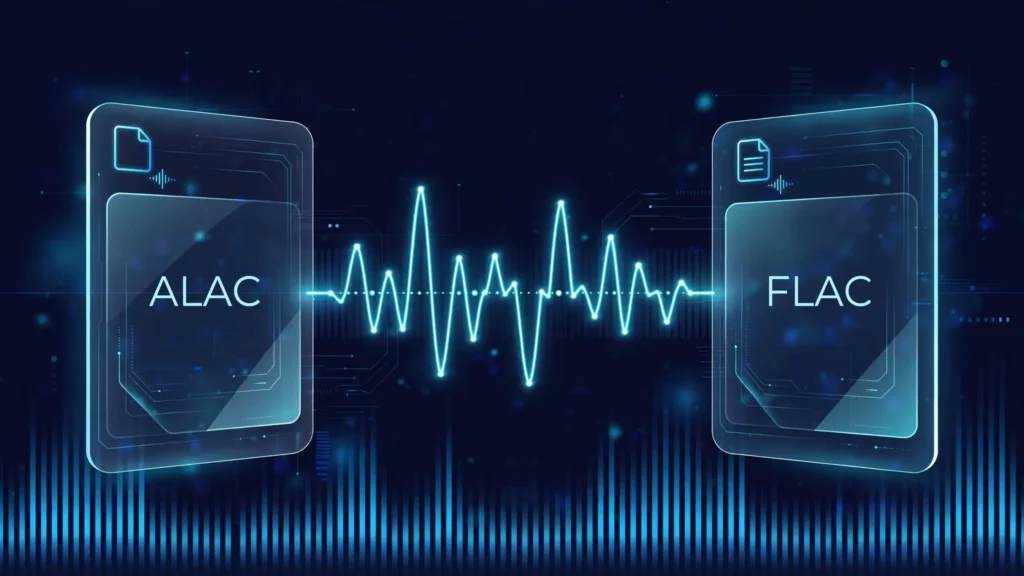
ALAC vs FLAC is one of the most searched codec comparisons in audio — and it’s also one of the easiest to overthink. Here’s the short version: both are lossless codecs, which means both decode to bit-for-bit identical audio from the same source. Neither sounds better than the other. The real differences are in ecosystem support, file containers, and slightly different compression efficiency. If you live in Apple’s world, ALAC is the frictionless choice; everywhere else, FLAC is the universal standard. This guide compares them head to head so you can pick once and stop worrying.
If you’re weighing other formats too, we’ve compared FLAC vs MP3 (lossless vs lossy) and FLAC vs WAV (compressed lossless vs uncompressed) separately — this article is strictly about Apple’s lossless codec versus the open lossless standard.
What Is ALAC?
ALAC stands for Apple Lossless Audio Codec. Apple introduced it in 2004 as a way to store CD-quality (and higher) audio in smaller files without giving up a single bit of the original sound. For its first seven years it was proprietary; in 2011 Apple open-sourced the codec under the Apache 2.0 license, so anyone can now implement it royalty-free.
A few things define ALAC:
- Container: ALAC audio is stored inside an MP4 container, usually with the .m4a file extension (the same container AAC files use).
- Metadata: it uses iTunes-style MP4 metadata atoms, which means album art, artist info, and track details are handled natively by Apple software.
- Apple Music: Apple’s lossless streaming tier is delivered in ALAC, so every lossless track on Apple Music is an ALAC file.
- Native support: iPhone, iPad, Mac, and Apple TV all play ALAC natively through the built-in Music app — no third-party player required.
What Is FLAC?
FLAC stands for Free Lossless Audio Codec. Developed by Josh Coalson and released in 2001, it is maintained by the Xiph.Org Foundation and has been open-source from the start under a BSD-style license — no royalties, no patents, no restrictions.
- Container: FLAC uses its own purpose-built container with the .flac extension, which stores the compressed audio, metadata, embedded album art, and an MD5 checksum of the decoded audio in a single file.
- Metadata: it uses flexible Vorbis Comment tags, widely considered one of the best metadata systems in audio.
- Support: native on Windows (10 and later), Android, and Linux, plus virtually every music player, hi-res audio store, and dedicated DAC on the market.
- The gap: FLAC is not natively supported by the Apple Music app or iTunes. You can play FLAC on an iPhone through third-party apps (VLC, Doppler, Plexamp) or even the built-in Files app, but not in your Music library.
Because it’s the default format of high-resolution download stores and of streaming services like Qobuz and Tidal, FLAC has become the de facto universal lossless format outside Apple’s ecosystem.
ALAC vs FLAC: Sound Quality — Is ALAC Better Than FLAC?
No — and this is the single most important thing to understand about alac vs flac sound quality. Both codecs are lossless, meaning the decoded output is a bit-perfect copy of the original PCM audio. If you encode the same CD rip to ALAC and to FLAC, the decoded data is identical. Any reported “differences” in listening tests trace back to the player, the DAC, or the source file — never to the codec itself.
This is a common point of confusion because lossless codecs behave nothing like lossy ones. MP3 and AAC throw away audio data to save space, so quality genuinely varies between them. ALAC and FLAC throw away nothing; they only pack the same data more efficiently. There is no quality setting, no “better-sounding” option, and no audible difference between the two from the same master.
The real quality question is whether you’re actually hearing the lossless file at all. If you’re streaming lossless to your phone over Bluetooth, the Bluetooth codec (AAC, SBC, LDAC) re-encodes the audio — your pristine ALAC or FLAC file gets lossy-compressed on the way to your ears. We’ve explained how that works in our Bluetooth audio codecs guide. To hear the full benefit of either lossless format, use a wired connection or a proper external DAC.
ALAC vs FLAC: File Size and Compression
Both codecs typically compress CD-quality audio to roughly 50–70% of the original WAV size — a 600 MB CD usually lands around 280–330 MB in either format. The difference between them is small but consistent: in independent benchmarks, FLAC compresses marginally better than ALAC, producing files about 1–3% smaller at default settings on the same source material. On a full album that’s roughly 10–30 MB.
The practical takeaway: compression should not drive your decision. The source material affects file size far more than the codec choice — sparse acoustic recordings compress beautifully in both formats, while dense, loud, full-spectrum mixes barely compress at all. If storage space is genuinely your constraint, FLAC wins by a hair, but picking ALAC over FLAC (or vice versa) will never be the thing that fills up your drive.
Encode speed slightly favors ALAC, particularly on Apple silicon where Apple has hardware-accelerated decode in its Core Audio framework. Decode speed is effectively equivalent on modern hardware — both codecs can decode dozens of streams in real time on a single CPU core.
Technical Specs at a Glance
For the spec-sheet readers, here’s how the two formats stack up:
| Spec | ALAC | FLAC |
|---|---|---|
| Full name | Apple Lossless Audio Codec | Free Lossless Audio Codec |
| Developer | Apple Inc. (2004) | Xiph.Org Foundation (2001) |
| License | Open source since 2011 (Apache 2.0) | Open source (BSD-style) |
| Quality | Lossless (bit-perfect) | Lossless (bit-perfect) |
| Typical compression | 50–70% of WAV | 50–70% of WAV (1–3% smaller than ALAC) |
| File extension | .m4a (MP4 container) | .flac (native container) |
| Metadata | iTunes-style MP4 atoms | Vorbis Comments + embedded art + MD5 checksum |
| High-res support | Yes (24-bit / 192 kHz and beyond) | Yes (24-bit / 192 kHz and beyond) |
| Gapless playback | Native | Native |
| Apple Music / iTunes | Native | Not supported |
| Windows / Android / Linux | Third-party apps | Native |
One caution: older comparison articles sometimes claim ALAC is limited to 16-bit audio. That was never accurate for the modern codec — both formats comfortably handle 24-bit high-resolution audio and beyond, which is all that matters for any real-world listening. If you’re curious what bit depth actually means for your ears, see our 16-bit vs 24-bit audio comparison.
Ecosystem and Device Support: The Real Battleground
This is where the alac vs flac decision is actually made — not in sound quality, but in where your files will play without friction.
ALAC wins inside Apple’s ecosystem. iPhone, iPad, and Mac play ALAC natively in the Music app. Apple Music’s lossless catalog is ALAC, so ripping CDs or downloading lossless purchases in ALAC drops straight into your existing library with full metadata, artwork, and iCloud sync. If your entire listening life happens on Apple devices, ALAC is simply the path of least resistance.
FLAC wins everywhere else. Windows, Android, and Linux support it natively. Every major third-party music player handles it. High-resolution download stores sell in FLAC. Qobuz and Tidal stream in FLAC. DJ software, car stereos, network streamers, and portable hi-res players are overwhelmingly FLAC-friendly. It is the format the rest of the industry standardized on.
The cross-over cases are worth knowing:
- iPhone + FLAC: the Music app won’t add FLAC to your library, but the built-in Files app can play FLAC files directly, and apps like VLC or Doppler give you a proper music-library experience. Workable, but not seamless.
- Android/Mac + ALAC: modern third-party players on Android and Windows handle ALAC fine (it’s been open source since 2011), but it’s rarely the default. On macOS, of course, ALAC is fully native.
- Streaming services: Apple Music (ALAC) and Qobuz/Tidal (FLAC) deliver lossless streams, so your streaming codec is chosen by your subscription, not by you.
Which Should You Choose?
SoundMavericks’ recommendation comes down to one question: what devices do you listen on most?
- Choose ALAC if you primarily use an iPhone, iPad, or Mac; you keep your library in Apple Music/iTunes; or you want lossless files that sync through iCloud Music Library without conversion.
- Choose FLAC if you use Android, Windows, or Linux; you buy from hi-res download stores; you use a dedicated music server, DJ software, or portable hi-res player; or you want the widest possible compatibility if you ever switch ecosystems.
- Already have a big library in one format? Converting between ALAC and FLAC is lossless — decode and re-encode, and not a single bit of audio changes. Convert with free tools like dBpoweramp, XLD (Mac), or Foobar2000; don’t pay for a “converter” app to do it.
A final practical note for archivists: both formats store an exact copy of your audio, so either one preserves a CD collection perfectly. FLAC’s embedded MD5 checksum is a small bonus for long-term archiving — it lets software verify that a file hasn’t been corrupted years later.
And whichever format you pick, remember that the file is only half the chain. A good external DAC is what turns those lossless bits into audible sound quality, so if you’re building a serious listening setup, start there: our best DACs guide covers the options worth your money.
Frequently Asked Questions
Is ALAC better than FLAC?
No. Both are lossless codecs that decode to identical audio from the same source, so neither is “better” in sound quality. The differences are in ecosystem support (ALAC for Apple, FLAC for everything else), file containers, and marginally better compression on FLAC’s side. Choose based on your devices, not on quality.
Can you hear a difference between ALAC vs FLAC?
No. From the same master, ALAC and FLAC decode to bit-for-bit identical PCM data, so there is physically nothing to hear differently. Any perceived difference comes from the playback software, the DAC, volume levels, or the source file — not the codec.
Can iPhones play FLAC files?
Not in the Apple Music app — Apple doesn’t support FLAC in your music library. However, the built-in Files app on iOS can play FLAC files directly, and third-party apps like VLC, Doppler, or Plexamp provide full FLAC library playback on iPhone and iPad. If you want lossless files inside your Apple Music library, convert to ALAC.
Is Apple Music lossless ALAC?
Yes. Apple Music’s lossless tier streams in ALAC, Apple’s own lossless codec. That’s why the format matters to iPhone users: Apple’s entire lossless catalog is delivered in ALAC, and Apple devices play it natively.
Should I convert FLAC to ALAC for my iPhone?
If you manage your library in Apple Music or iTunes, yes — converting your FLAC files to ALAC lets them live in your library with full metadata and sync to your iPhone. The conversion is lossless, so no quality is lost. Alternatively, keep your files as FLAC and use a third-party player on your iPhone instead.
Is FLAC or ALAC better for archiving CDs?
Both preserve a CD bit-perfectly, so either works. FLAC has a small edge for archivists: it embeds an MD5 checksum of the decoded audio, so software can verify years later that a file hasn’t suffered silent corruption. For most people, the more important factor is which format plays natively on their devices.
Does Spotify use ALAC or FLAC?
Neither — Spotify streams in Ogg Vorbis, a lossy codec (its long-delayed lossless tier has not launched as of this writing). If you want true lossless streaming, Apple Music uses ALAC, while Qobuz and Tidal use FLAC.

I am the founder of Sound Mavericks, where I provide the polite truth about audio equipment. I started this site because consumer electronics reviews are often too technical. Instead of using a silent lab, I test headphones, earbuds, and Bluetooth speakers in the real world – like on a noisy subway or in a busy coffee shop.
To stay independent, I buy my own review units (mostly from the United States) rather than accepting free gifts from brands. Once I finish testing a product, I sell it locally to our community. My goal is to help you understand sound quality, active noise cancellation (ANC), and battery life without the marketing hype.