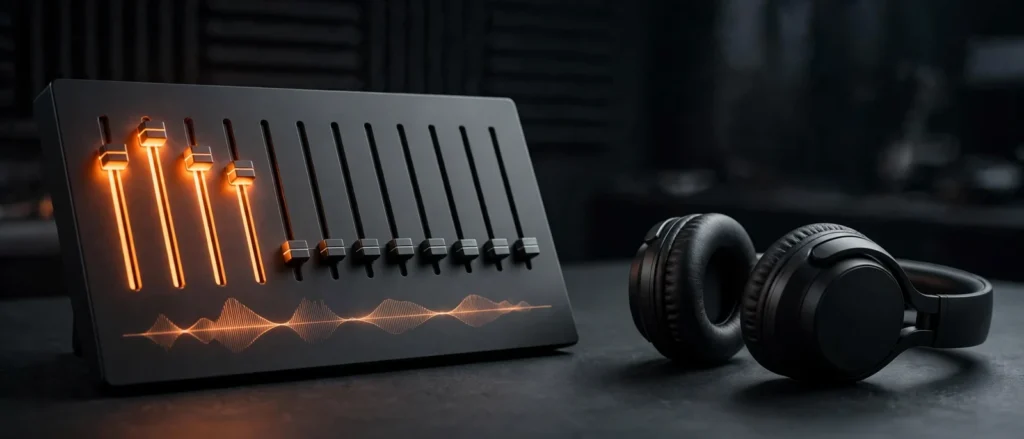
The best bass settings on an equalizer come down to one core move: boost the 60–100Hz band for punch and depth, cut the 250–400Hz band to remove muddiness, and leave the midrange near flat so vocals stay clear. That’s the short version — but the exact sliders to move depend on your equalizer. A Spotify-style 7-band EQ, a classic 5-band EQ, a parametric PC equalizer, and your headphone’s companion app all label things differently, and in this guide SoundMavericks maps the ideal bass settings for each of them.
Our analysis below is built from the frequency ranges where bass instruments actually live, the subtractive-EQ technique audio engineers swear by, and the most-searched bass EQ questions — Spotify bass settings, 5-band configurations, and the classic bass-plus-vocals balancing act. Follow the core formula, adapt it to your app, and you’ll get deep, punchy low end without the boom, mud, or distortion that comes from shoving every slider to maximum.
Where Bass Actually Lives on Your Equalizer
Before touching a single slider, it helps to know what each part of the frequency spectrum does. “Bass” isn’t one slider — everything below about 200Hz is bass territory, and each slice of it sounds different:
| Frequency range | What’s there | What to do for bass |
|---|---|---|
| 20–60Hz (sub-bass) | Rumble you feel more than hear — movie explosions, sub drops, synth 808s | Small boost for depth; cut if it sounds muddy or your headphones can’t reproduce it cleanly |
| 60–200Hz (bass) | Kick drums, bass guitar, hip-hop basslines | Boost here — this is the money zone for bass |
| 200–500Hz (low-mids) | Warmth and body — but also muddiness | Cut slightly to keep bass tight and defined |
| 500Hz–2kHz (mids) | Vocals, guitars, snare body | Leave flat for balance |
| 2–6kHz (upper mids) | Presence, vocal clarity, percussive attack | Slight boost restores definition after a bass boost |
| 6–20kHz (treble) | Air, detail, cymbal shimmer | Keep neutral or trim slightly to avoid harshness |
The single most important row in that table is the low-mids. Almost every bad bass EQ setting fails in the 200–500Hz region: boost the bass too broadly and warmth turns into a thick blanket that buries vocals and detail. Every setting in this guide pairs a bass boost with a low-mid cut — that’s the difference between bass that punches and bass that just blurs.
The Best Bass Settings on an Equalizer: Our Core Formula
If your equalizer has seven adjustable bands (like Spotify’s), this is our recommended starting point for deep, clean bass. It’s the formula every other section of this guide is adapted from:
| Band | Setting | Why |
|---|---|---|
| 60Hz | +4 dB | Foundation thump — the heart of the bass boost |
| 150Hz | +2 dB | Warmth and fullness without boom |
| 400Hz | −2 dB | Clears the mud where bass bleeds into the mids |
| 1kHz | 0 dB | Keeps vocals and instruments natural |
| 2.5kHz | +2 dB | Restores definition and attack lost to the bass boost |
| 6kHz | 0 dB | Neutral highs |
| 15kHz | −1 dB | Tames hiss and harsh sibilance |
Start here, then adjust by ear in 1–2dB steps while listening to a bass-heavy track you know well. If the low end feels thin, nudge 60Hz up toward +5 or +6dB. If it feels boomy or the kick drum loses its snap, deepen the 400Hz cut to −3dB before touching anything else. Resists the urge to push everything up — the two cuts are doing as much work as the boosts. For more ways to squeeze better sound from your gear, see our guide on how to get the best sound quality from headphones.
Best Spotify Equalizer Settings for Bass
Spotify’s mobile app includes a built-in equalizer (Settings → Playback → Equalizer) with genre presets — including a Bass Booster preset — plus manual sliders for fine-tuning. Two things to know: the EQ only affects playback inside the Spotify app, and the Bass Booster preset alone tends to be blunt, adding boom without the low-mid cleanup that keeps things tight.
Our recommendation: select the Bass Booster preset as a starting point, then switch to manual and dial in our core formula — roughly +4dB at 60Hz, +2dB at 150Hz, −2dB at 400Hz, flat at 1kHz, +2dB at 2.5kHz, flat at 6kHz, and −1dB at 15kHz. That gives you the preset’s low-end energy with the mud surgically removed. If bass-heavy tracks start distorting at high volume, back the 60Hz slider down a notch rather than lowering your phone’s volume — distortion almost always comes from the EQ gain, not the volume. Spotify users who also care about source quality should read our Qobuz vs Spotify comparison.
Best 5-Band Equalizer Settings for Bass
Five-band EQs are the classic layout — you’ll find them on car stereos, AV receivers, and plenty of Android music apps. The bands are typically centered at 60Hz, 250Hz, 1kHz, 4kHz, and 12kHz, which means you get less precision than a 7-band EQ but the same core idea applies:
| Band | Setting | Why |
|---|---|---|
| 60Hz | +4 dB | Main bass boost — kick drum and bassline weight |
| 250Hz | −2 dB | Kills the muddiness in one move |
| 1kHz | 0 dB | Keeps vocals neutral |
| 4kHz | +1 dB | A touch of clarity and presence |
| 12kHz | 0 dB | Air without harshness |
With only five bands, each slider covers a wide range, so be conservative — pushing 60Hz past +6dB on a 5-band EQ usually just creates boom. If your 5-band EQ sounds hollow after these settings, ease the 250Hz cut back to −1dB; that band carries a lot of an instrument’s body along with the mud.
Best Equalizer Settings for Bass and Vocals
The most common bass EQ complaint is simple: “I boosted the bass and now I can’t hear the singer.” The fix is surgical, because bass and vocals barely overlap — bass lives below 200Hz, vocals live between roughly 300Hz and 3kHz. They only fight in the low-mids, so that’s where you separate them:
- Boost 60–100Hz (+3 to +4dB) — this is below vocal territory, so it adds bass weight without touching the voice.
- Cut 250–400Hz (−2dB) — this removes the muddy buildup that masks vocal clarity.
- Keep 1–3kHz flat, or +1dB — the core vocal range stays front and center.
- Add +1 to +2dB at 2.5–4kHz if vocals still sound distant — this presence region brings singers forward without adding harshness.
This bass-and-vocals balance is also why hip-hop and pop respond so well to careful EQ: the beat gets its thump from 60Hz while the vocal rides untouched above 1kHz. If you listen to a lot of vocal-forward music, bookmark these settings — they’re the ones you’ll come back to most.
Deep Bass Equalizer Settings for EDM, Hip-Hop, and Rock
Different genres put their energy in different places, so a one-size bass setting leaves something on the table. Use our core formula as the base, then lean it toward your genre:
| Genre | Bass move | Mid and treble move |
|---|---|---|
| Hip-hop | 60Hz +4 to +5dB, 150Hz +2dB | 400Hz −2dB; 2.5kHz +2dB keeps vocals and hi-hats crisp |
| EDM / drum and bass | 50–80Hz strong boost (+5dB), slight dip through the mids | 8–10kHz +2dB for airy, open highs |
| Rock | 80–120Hz +3dB for kick and bass-guitar punch | 1–2kHz +2dB for guitars, 6–8kHz +1dB for cymbals |
| Pop | 60–120Hz +3dB | Mids flat, 8–12kHz +2dB for sparkle |
For dedicated bass-first listening, our best bass headphones guide and best bass wireless earbuds guide rank the hardware that takes these settings best — some drivers simply move more air than others, and no EQ can fully close that gap.
How to Boost Bass in an Equalizer Without Muddiness or Distortion
Technique matters as much as the numbers. These five rules separate clean, powerful bass from the muddy mess most people end up with:
- Cut instead of boosting. The pro move is subtractive EQ: rather than pushing the bass sliders to maximum, pull the mids and highs down a couple of dB. The bass gets relatively louder without adding gain — which means no digital clipping and no distortion.
- Watch the clipping indicator. Most software and hardware EQs include a clipping or overload light. If it blinks while bass hits, back off the boost — you’re asking the output to exceed its limit.
- Lower the preamp to compensate. If you’ve added +4dB of bass, drop the master or preamp gain by a similar amount. Net volume stays the same, distortion disappears.
- Work in small steps and A/B test. Move sliders 1–2dB at a time, and regularly bypass the EQ to compare against flat. Ears adapt fast — what sounded amazing after five minutes of tweaking often sounds bloated with fresh ears.
- When it sounds boomy, cut — don’t add. Boom almost always means too much 200–400Hz, not too little 60Hz. Deepen the low-mid cut first; nine times out of ten the bass snaps back into focus.
One more honest note: EQ can only shape what’s already there. If your Bluetooth connection is the bottleneck, no slider will fix it — our Bluetooth audio codecs explainer covers how LDAC and aptX preserve the detail your EQ is trying to enhance.
Bass Equalizer Settings for PC, iPhone, and Android
The best bass settings on an equalizer only work if you can actually reach an equalizer — and every platform hides it somewhere different:
PC (Windows)
Equalizer APO with the Peace GUI is the gold standard on Windows: free, system-wide, and fully parametric. For bass, set a low-shelf filter at 100Hz with +3 to +4dB of gain and a gentle Q around 0.7, then add a −2dB bell cut centered at 300Hz. Because it processes all system audio, your settings apply to Spotify, YouTube, games, and everything else at once.
iPhone
iOS has no system-wide equalizer, so you’re limited to per-app settings: the EQ presets under Settings → Music, or the equalizer inside the Spotify app. The presets are blunt instruments, but the “Bass Booster” preset is a reasonable starting point — then tame its boominess by mentally applying our formula’s low-mid cut wherever the app allows manual control.
Android
Android is the EQ power user’s platform. Poweramp offers a 10-band graphic EQ plus a full parametric section for precise bass shaping, and Wavelet can automatically apply measured EQ profiles for hundreds of headphone models — an excellent measured starting point before you fine-tune the bass by ear. Samsung phones also include an “Adapt Sound” hearing test that personalizes the response curve to your ears.
Car audio
Start from flat, boost 60–120Hz modestly (+2 to +3dB), and if you have a subwoofer, set its crossover around 80Hz so the sub and the main speakers hand off cleanly instead of doubling up the same frequencies. Road noise eats bass perception at speed, so tune while parked with a track you know cold.
JBL Headphones app
JBL’s companion app includes its own equalizer with a bass-oriented preset — a good match for JBL’s Pure Bass tuning. Start from the app’s Bass preset, then apply our core formula’s signature move: keep the low boost, carve out the low-mids. Our JBL Tune 720BT review breaks down how that tuning behaves in practice.
Headphones With Great Built-In EQ Apps
The easiest way to get great bass EQ is hardware that does the heavy lifting for you. These three stand out because their companion apps give you real, precise control over the low end — not just three vague presets:
Sony WH-1000XM6 — best app EQ overall
Sony’s Sound Connect app includes a custom equalizer with a dedicated Clear Bass control, so you can add low-end weight without smearing the mids — essentially our core formula’s philosophy built into a slider. The XM6 is Sony’s current flagship, and its EQ pairs well with the detailed, reference-leaning tuning. See how it compares to its predecessors in our Sony WH-1000XM4C vs XM5 vs XM6 comparison.
JBL Tune 720BT — best budget EQ pick
The JBL Headphones app gives the Tune 720BT a proper in-app equalizer (confirmed on its Amazon listing), and JBL’s Pure Bass tuning takes EQ adjustments gracefully — a few dB at 60Hz goes a long way here. It’s the cheapest way to get a legitimate custom bass curve rather than a fixed “bass boost” button. Full details in our JBL Tune 720BT review.
Skullcandy Crusher ANC 2 — most bass, period
If you want maximum low end with minimal fiddling, the Crusher ANC 2 is in a class of its own: the Skull-iQ app offers a custom EQ plus Personal Sound tuning, and the dedicated Crusher Bass slider controls haptic Sensory Bass drivers that you feel as much as hear. It’s the one headphone where you might actually need our “how to reduce bass” advice. Read our Skullcandy Crusher ANC 2 review for the full breakdown.
The Verdict
The best bass settings on an equalizer in 2026: +4dB at 60Hz, +2dB at 150Hz, −2dB at 400Hz, flat through the mids, +2dB at 2.5kHz. That formula — boost the real bass, cut the mud, protect the vocals — adapts to Spotify, 5-band EQs, PC parametric setups, and headphone apps alike. Start there, adjust in small steps, trust your ears over any preset, and remember that the cuts matter as much as the boosts.
Frequently Asked Questions
What is the best equalizer setting for bass?
Boost 60–100Hz by +3 to +5dB for punch and depth, add +2dB around 150Hz for warmth, and cut 250–400Hz by −2dB to remove muddiness. Keep the midrange flat so vocals stay clear. This combination delivers deep, defined bass on virtually any equalizer layout.
How do I increase bass in my equalizer?
Raise the sliders in the 60–150Hz range by a few dB, starting with 60Hz. For a cleaner result, use the subtractive approach instead: lower the mid and high sliders by 2dB, which makes the bass relatively louder without adding gain or risking distortion.
How do I reduce bass in an equalizer?
Lower the 60–150Hz sliders by 2–4dB, and check the 200–400Hz region — cutting there removes boom and muddiness even more effectively than cutting the deep bass itself. If a “Bass Booster” preset is active, switch back to Flat first.
Should I boost or cut frequencies for better bass?
Both — but cutting matters more than most people expect. A modest boost at 60Hz gives you the thump, while a cut at 250–400Hz removes the mud that makes boosted bass sound blurry. Audio engineers generally prefer cutting over boosting because it avoids the digital clipping that causes distortion.
What EQ setting gives the deepest bass?
The deepest bass comes from the sub-bass region, 20–60Hz — but most headphones and earbuds can’t reproduce those frequencies cleanly, so boosting them usually just adds mud. For audible, satisfying deep bass, focus on 50–80Hz with a strong but controlled boost (+4 to +5dB), and make sure your hardware can actually deliver it — our basshead’s guide to noise cancelling headphones ranks the strongest low-end performers.
Does using an equalizer reduce sound quality?
Not if you use it sensibly. Small adjustments of a few dB are transparent; problems start with extreme boosts (+8dB or more), which can cause clipping distortion. Keep boosts moderate, compensate with the preamp gain, and your EQ will improve perceived quality rather than harm it.
Check Price on Amazon — JBL Tune 720BT
Check Price on Amazon — Skullcandy Crusher ANC 2

I am the founder of Sound Mavericks, where I provide the polite truth about audio equipment. I started this site because consumer electronics reviews are often too technical. Instead of using a silent lab, I test headphones, earbuds, and Bluetooth speakers in the real world – like on a noisy subway or in a busy coffee shop.
To stay independent, I buy my own review units (mostly from the United States) rather than accepting free gifts from brands. Once I finish testing a product, I sell it locally to our community. My goal is to help you understand sound quality, active noise cancellation (ANC), and battery life without the marketing hype.