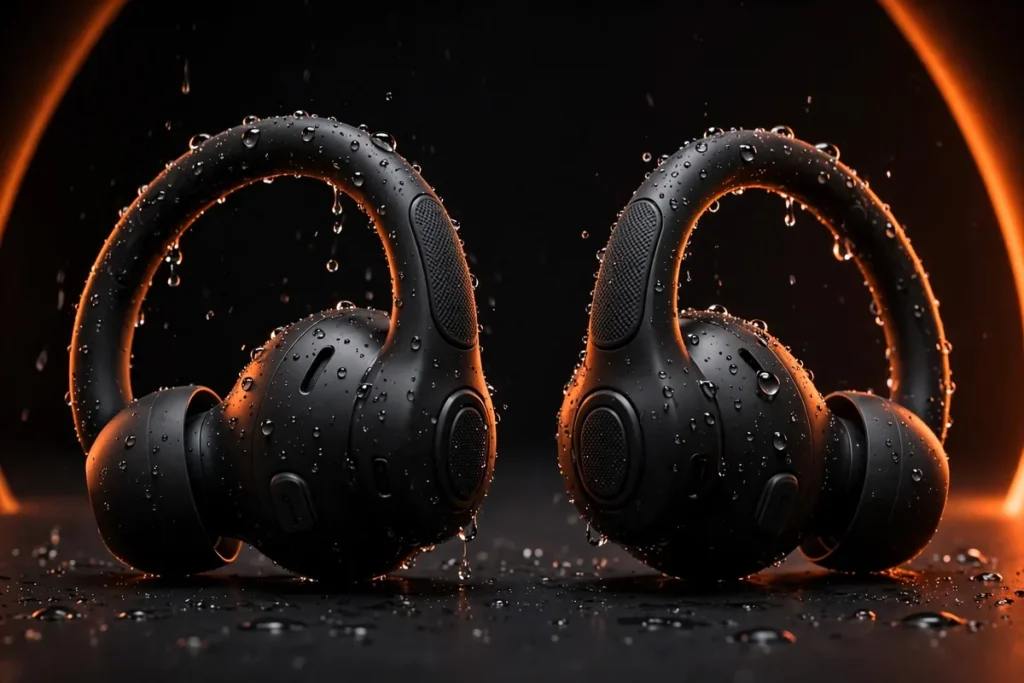
The best in ear gaming headphones give you what a full-size headset can’t: zero ear fatigue after a four-hour session, a pocketable setup for travel and handheld play, and genuinely competitive positional audio for hearing footsteps first. Our verdict after comparing the spec sheets: the SteelSeries Arctis GameBuds are the best for most players (2.4GHz wireless, Bluetooth 5.3, ANC, per-game EQ presets). Competitive players who want absolute zero latency should go wired with the Linsoul KZ ZS10 Pro; budget buyers get a removable boom mic with the Turtle Beach Battle Buds.
This guide covers wired IEMs and wireless gaming earbuds, with every pick checked against a live Amazon listing for the exact model and variant. For the audiophile angle, see our best IEMs for gaming guide; for over-ears, our best gaming headsets under $400.
Quick Picks: Best In-Ear Gaming Headphones
| Product | Best For | Connectivity | Microphone |
|---|---|---|---|
| SteelSeries Arctis GameBuds | Best overall | 2.4GHz + Bluetooth 5.3 | Built-in, noise-tuned |
| Razer Hammerhead HyperSpeed | Low-latency wireless | 2.4GHz + Bluetooth 5.2 | Noise-cancelling mic |
| ASUS ROG Cetra True Wireless SpeedNova | PC and mobile | 2.4GHz + Bluetooth 5.3 | Bone-conduction AI mics |
| Linsoul KZ ZS10 Pro (with mic) | Wired positional audio | Wired 3.5mm | In-line mic cable |
| Logitech G333 | Budget wired | Wired 3.5mm + USB-C | In-line mic + volume |
| HyperX Cloud Earbuds II | Comfort for long sessions | Wired 3.5mm | Built-in mic |
| Turtle Beach Battle Buds | Ultra-budget with boom mic | Wired 3.5mm | Removable boom + in-line |
What to Look for in In-Ear Gaming Headphones
Latency is the single most important spec. Standard Bluetooth adds 100–200ms of delay — fine for music, fatal for competitive play, where the gunshot you hear should match the frame you see. Aim for under 40ms: wired is effectively zero-latency, 2.4GHz dongle wireless lands at 20–40ms, and Bluetooth gaming modes manage 40–80ms. No dongle and no published gaming mode means too laggy for serious play.
Microphone design matters more than driver size for team play. Built-in earbud mics suit casual Discord but pick up room noise and sit far from your mouth. An in-line mic on a wired cable is a step up; a removable boom mic — like the Battle Buds’ — is the in-ear equivalent of a headset mic and the right call for streaming or shot-calling.
Comfort decides whether you finish the session. Look for multiple tip sizes (four beats three), lightweight housings, and stabilizer fins if your ears reject standard buds. Over-ear cable routing, like the KZ ZS10 Pro’s, distributes weight better than straight-down cables.
Positional audio comes from the tuning, not the marketing. Multi-driver IEMs and buds with dedicated spatial-audio processing image better than single-driver budget pairs. For FPS games, clean stereo separation with lifted upper mids (where footsteps live) beats bloated bass that masks them.
Platform compatibility is the hidden trap. The PS5 and Xbox Series X|S do not support Bluetooth audio directly. Wireless earbuds need a 2.4GHz USB-C dongle model (all three wireless picks here include one); otherwise plug a wired pair into the controller’s 3.5mm jack. PC, mobile, and Switch are far more forgiving.
The 7 Best In-Ear Gaming Headphones of 2026
1. SteelSeries Arctis GameBuds — Best Overall

The Arctis GameBuds are the consensus top pick across the major outlets — GamesRadar calls them the best gaming earbuds overall — and our analysis of the spec sheet agrees. This is the rare wireless gaming earbud that doesn’t ask you to compromise: a 2.4GHz dongle for lag-free console and PC play, Bluetooth 5.3 for your phone, active noise cancellation, and a companion app with per-game EQ presets. SteelSeries rates the battery at 10 hours per charge with 30 more in the wireless-charging case.
The Xbox version (linked below) is the one to get for multi-platform play — it covers Xbox, PC, PS5, Switch, and mobile, while the PlayStation version covers everything except Xbox consoles. The 4-mic hybrid ANC keeps fan and room noise out of long sessions, and 360-degree spatial audio plus PS5 Tempest 3D support give real directional cues in shooters. The built-in mics suit calls and casual team chat; streamers will still want a dedicated mic.
| Connectivity | 2.4GHz wireless + Bluetooth 5.3 |
| Compatibility | Xbox, PC, PS5, Switch, mobile (Xbox version) |
| Battery | 10h buds + 30h case, wireless charging |
| Noise control | 4-mic hybrid ANC + transparency |
| Audio features | 360° spatial audio, per-game EQ presets |
| Water resistance | IP55 |
Pros: multi-platform support via dongle; strong ANC and battery; per-game EQ presets; comfortable fit.
Cons: built-in mics aren’t streaming-grade; wear detection can be finicky.
2. Razer Hammerhead HyperSpeed — Best Low-Latency Wireless

Razer’s HyperSpeed line is built around one idea: the included 2.4GHz dongle keeps wireless latency low enough for competitive play. The Hammerhead HyperSpeed pairs that with active noise cancellation, a noise-cancelling microphone, and Razer Chroma RGB on the buds — because it’s Razer. Bluetooth 5.2 covers your phone when the dongle is in your console or PC, and the rated battery is 30 hours total with the case.
Our take: the GameBuds-style dongle formula with Razer’s tuning and ecosystem (THX spatial audio via the PC app). The PlayStation version linked below covers PS5/PC/mobile; an Xbox variant exists too. Versus the Arctis GameBuds, you trade the per-game EQ library and wireless-charging case for RGB flair and Razer Synapse integration.
| Connectivity | 2.4GHz HyperSpeed via USB-C dongle + Bluetooth 5.2 |
| Compatibility | PS5, PC, mobile (PlayStation version) |
| Battery | 30 hours total with case |
| Noise control | Active noise cancellation |
| Extras | Chroma RGB, noise-cancelling mic |
Pros: low-latency 2.4GHz wireless; ANC plus RGB; deep Razer app integration.
Cons: Bluetooth 5.2; no wireless charging; platform versions sold separately.
3. ASUS ROG Cetra True Wireless SpeedNova — Best for PC and Mobile

The Cetra SpeedNova is the thinking gamer’s pick. Dual-mode 2.4GHz SpeedNova wireless and Bluetooth 5.3 run simultaneously via hybrid multipoint — game audio stays on the dongle while calls come through on Bluetooth. The standout spec is the microphone system: bone-conduction AI mics that pick up your voice through jaw vibrations, keeping callouts intelligible over a loud keyboard or room noise. With Dirac Opteo tuning, 24-bit/96kHz audio in 2.4GHz mode, adaptive ANC, and a rated 46 hours of total battery, the feature list is the deepest here.
It’s also the most PC-and-handheld-friendly pick: full support for PC, PS5, PS4, Switch, mobile, and the ROG Ally/X, with Qi wireless charging and IPX4 splash resistance. If your gaming is split between a desktop, a handheld, and your phone, the hybrid multipoint alone justifies it. See also our best audiophile earbuds roundup for buds that double as daily drivers.
| Connectivity | 2.4GHz SpeedNova + Bluetooth 5.3, hybrid multipoint |
| Compatibility | PC, PS5, PS4, Switch, mobile, ROG Ally/X |
| Drivers | 10mm dynamic, Dirac Opteo tuning |
| Microphones | Bone-conduction AI mics |
| Battery | 46 hours total (Bluetooth mode), Qi wireless charging |
| Extras | Adaptive ANC, IPX4, Aura RGB |
Pros: simultaneous 2.4GHz + Bluetooth multipoint; best mic system here; huge battery; hi-res 2.4GHz audio.
Cons: leans on Armoury Crate; larger case than the Razer.
4. Linsoul KZ ZS10 Pro (with mic) — Best Wired IEM for Positional Audio

Here’s the open secret of competitive in-ear gaming: a wired hybrid-driver IEM delivers zero wireless latency and detail that wireless buds twice the price struggle to match. The KZ ZS10 Pro packs four balanced armatures plus one dynamic driver per side — five drivers per ear — behind a stainless steel faceplate, with a detachable 2-pin cable. Wired means no charging, no pairing, no dongle: plug the 3.5mm cable into your controller, phone, or DAC and play.
Get the with-mic version (linked below). The small upcharge over the mic-less variant buys an in-line microphone for Discord and team chat — better than juggling a separate boom mic with wired IEMs. At 24 ohms and 111dB sensitivity, it runs happily off a controller or phone with no amp needed, and the over-ear cable routing keeps the cable out of your way during long sessions. For more budget IEM options, see our best budget in-ear monitors guide.
| Drivers | 4 balanced armature + 1 dynamic per side |
| Connectivity | Wired, detachable 2-pin cable, 3.5mm |
| Impedance / sensitivity | 24 ohms / 111dB |
| Latency | Effectively zero (wired) |
| Microphone | In-line mic (with-mic version) |
Pros: zero latency; superb detail for the money; detachable cable; no battery anxiety.
Cons: cable management; in-line mic isn’t boom-mic great; V-shaped tuning may need EQ.
5. Logitech G333 — Best Budget Wired Gaming Earphones

The G333 is the safe, simple answer for anyone who wants wired gaming audio without the IEM learning curve. Dual dedicated drivers — one for highs and mids, one for bass — deliver detail-rich game audio, and the in-line mic and volume controls keep team chat one thumb-press away. The aluminum housings feel tougher than expected, and the included USB-C adapter covers modern phones without a headphone jack.
Three silicone tip sizes dial in the fit, and at 19 grams you’ll forget they’re in. This is the pick for players who want something that works out of the box on PC, PlayStation, Xbox, Switch, and mobile with zero fuss — and zero latency. See also our best wired earbuds roundup for more cable-first options.
| Drivers | Dual dynamic drivers (highs/mids + bass) |
| Connectivity | Wired 3.5mm + USB-C adapter |
| Frequency response | 20Hz–20kHz |
| Controls | In-line mic + volume control |
| Build | Aluminum housing, 3 tip sizes, 19g |
Pros: simple plug-and-play; dual-driver detail; USB-C adapter included; aluminum build.
Cons: no detachable cable; narrower soundstage than hybrid IEMs; three tip sizes only.
6. HyperX Cloud Earbuds II — Best for Comfort

The Cloud Earbuds II are the comfort pick: slim housings, four eartip sizes, and a flat, tangle-resistant cable with a low-profile 90-degree plug that won’t snag. The 14mm drivers are tuned for immersive gaming, the built-in mic handles squad chat, and the multifunction button controls calls and media.
The hard-shell carrying case is genuinely useful — toss them in a bag for the Switch or Steam Deck without worry. Wired 3.5mm means zero latency and universal compatibility. If marathon comfort is your priority and you don’t need a boom mic, this is the one.
| Drivers | 14mm dynamic |
| Connectivity | Wired 3.5mm, low-profile 90° plug |
| Fit | 4 eartip sizes, slim housings |
| Controls | Built-in mic + multifunction button |
| Extras | Hard-shell carrying case included |
Pros: excellent comfort, four tip sizes; snag-free flat cable; hard case included.
Cons: no detachable cable; less detail than hybrid IEMs; no volume slider.
7. Turtle Beach Battle Buds — Best Ultra-Budget Pick

The Battle Buds answer a specific question: what’s the cheapest way to get a real boom mic in your ears? The removable high-sensitivity unidirectional microphone clips on for serious team chat and pops off for calls on the go with the built-in in-line mic. 10mm drivers deliver crisp highs and punchy lows, and the multifunction in-line controller puts volume, mic mute, and media control at your fingertips.
Three tip sizes plus stabilizer fins keep them locked in during long sessions, and the 3.5mm plug works with everything from a phone to a PS5 or Xbox controller. This is the pick for younger gamers, backup pairs, and anyone who wants headset-style voice chat without headset money or headset weight.
| Drivers | 10mm dynamic |
| Connectivity | Wired 3.5mm, multiplatform |
| Microphones | Removable boom mic + built-in in-line mic |
| Controls | In-line volume, mic mute, multifunction button |
| Fit | 3 tip sizes + stabilizer fins |
Pros: removable boom mic on a budget; universal 3.5mm compatibility; secure fit.
Cons: less detail than hybrid IEMs; mic isn’t broadcast-grade; cable isn’t detachable.
Best In-Ear Gaming Headphones for PS5
The PS5 doesn’t support Bluetooth audio, so your options are a 2.4GHz dongle pair or a wired pair into the DualSense controller’s 3.5mm jack. Our PS5 ranking: the SteelSeries Arctis GameBuds (either version — dongle into the console’s USB-C port, with Tempest 3D audio support), the Razer Hammerhead HyperSpeed PlayStation version (dongle + ANC + Chroma), and the ASUS ROG Cetra SpeedNova (dongle + hybrid multipoint for mid-game calls). On a budget, any wired pick works perfectly through the DualSense jack with zero latency.
Best In-Ear Gaming Headphones for PC
PC is the most forgiving platform — everything here works — so pick on features. The ASUS ROG Cetra SpeedNova is our PC-first recommendation: Dirac Opteo tuning, 24-bit/96kHz audio in 2.4GHz mode, and hybrid multipoint so Discord on your phone doesn’t interrupt the game. Competitive desktop players who want the lowest latency and best imaging per dollar should get the wired KZ ZS10 Pro and spend the savings on a decent DAC. The Arctis GameBuds remain the best all-rounder if you also play on console.
Best Wired In-Ear Gaming Headphones
Wired is still king for zero-latency play, and it’s the only option that never needs charging. Ranked by spec sheet and published reviews: the KZ ZS10 Pro (with mic) for the best positional audio and detail; the Logitech G333 for the simplest plug-and-play experience with dual drivers and a USB-C adapter; the HyperX Cloud Earbuds II for the most comfortable long-session fit; and the Turtle Beach Battle Buds for the only removable boom mic in the budget class. All four plug straight into a PS5, Xbox, Switch, PC, or Steam Deck controller.
Best In-Ear Headphones for Competitive FPS Gaming
For CS2, Valorant, and Apex, the priorities are imaging first, latency second, everything else third. Our analysis favors the KZ ZS10 Pro — five drivers per side, wired zero latency, and a detailed upper midrange where footsteps live. If you insist on wireless, the SteelSeries Arctis GameBuds with 360-degree spatial audio and per-game EQ presets is the strongest option for building a footstep-forward EQ profile. One honest note: for pure footstep detection, clean stereo imaging usually beats virtual surround processing, which can smear the directional cues you’re listening for.
FAQ
Are in-ear headphones good for gaming?
Yes — with the right pick. In-ear gaming headphones with a 2.4GHz dongle or wired connection match headsets on latency, weigh far less for long sessions, and travel easily. The trade-off is soundstage: full-size headsets image a wider scene, but multi-driver IEMs like the KZ ZS10 Pro close much of that gap.
Can I use Bluetooth earbuds with a PS5 or Xbox?
No — neither console supports Bluetooth audio. Use a 2.4GHz USB-C dongle model (all three wireless picks include one) or plug wired earbuds into the controller’s 3.5mm jack.
What latency is acceptable for gaming earbuds?
Under 40ms is the target for competitive play. 2.4GHz dongles typically land at 20–40ms, Bluetooth gaming modes at 40–80ms, and wired connections are effectively zero. Standard Bluetooth without a gaming mode (100ms+) is too laggy for serious play.
Do I need a microphone on gaming earbuds?
For solo games, no. For team play — Discord, in-game chat, ranked ladders — yes. Built-in mics suit casual chat, in-line mics are better, and a removable boom mic like the Battle Buds’ is the closest in-ears get to headset voice quality.
Wired vs wireless in-ear headphones for gaming — which is better?
Wired wins on latency, reliability, and value — no charging, pairing, or dongle. Wireless wins on freedom of movement and doubles as everyday earbuds. Competitive console or PC play: go wired or 2.4GHz dongle. Mobile-first: a dongle-equipped wireless pair is the sweet spot.
How do I hear footsteps better in FPS games?
Pick earphones with strong imaging and a detailed upper midrange (footsteps sit roughly in the 2–5kHz region), get a proper seal with the right tip size, and use a flat or footstep-forward EQ rather than bass-heavy presets. The KZ ZS10 Pro and the Arctis GameBuds’ per-game EQ presets are the strongest options in this guide for that job.
Verdict: Which In-Ear Gaming Headphones Should You Buy?
Buy the SteelSeries Arctis GameBuds for the best all-around package — multi-platform 2.4GHz wireless, ANC, strong battery, and per-game EQ.
Buy the Razer Hammerhead HyperSpeed for low-latency wireless with Razer’s ecosystem and RGB styling.
Buy the ASUS ROG Cetra SpeedNova if you split time between PC, handheld, and phone — best mic system here.
Buy the KZ ZS10 Pro (with mic) for zero latency and the best positional audio per dollar.
Buy the Logitech G333 for simple, durable wired audio that works everywhere.
Buy the HyperX Cloud Earbuds II for marathon-session comfort.
Buy the Turtle Beach Battle Buds for a real boom mic on the smallest budget.
Our bottom line: wireless has finally caught up for gaming — but only with a 2.4GHz dongle in the box. Skip any “gaming earbuds” that offer Bluetooth alone.

I am the founder of Sound Mavericks, where I provide the polite truth about audio equipment. I started this site because consumer electronics reviews are often too technical. Instead of using a silent lab, I test headphones, earbuds, and Bluetooth speakers in the real world – like on a noisy subway or in a busy coffee shop.
To stay independent, I buy my own review units (mostly from the United States) rather than accepting free gifts from brands. Once I finish testing a product, I sell it locally to our community. My goal is to help you understand sound quality, active noise cancellation (ANC), and battery life without the marketing hype.