Learning how to replace bose qc35 earpads takes about ten minutes, no tools, and less force than you expect. The cushions on the QuietComfort 35 and QC35 II are consumable parts held on by ten small tabs, designed to be swapped when the foam gives up, and a fresh set restores the seal your noise cancelling and bass depend on. This guide walks the swap in order: how to tell the pads are done, what to buy, the five steps, and the mistakes that make a new pad fit badly.
When the pads are actually done
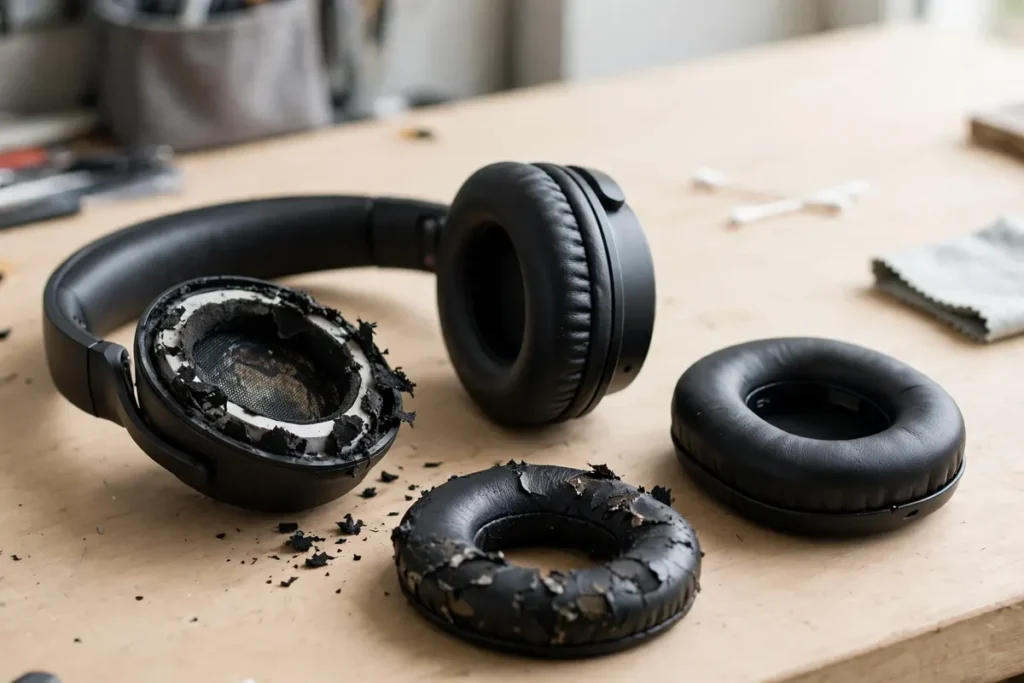
Earpads rarely fail in one moment. They fade: the leather surface starts flaking onto your ears and shoulders, the foam stays flat after you take the headphones off instead of springing back, and the seal goes soft enough that familiar flights sound louder and the bass thins out. That last symptom is the one owners misread as the headphones dying, when it is only the pads. Our Bose QuietComfort 35 review scores the headphone’s comfort at 9.4 with healthy pads, and a worn set gives much of that away. If the surface is intact, the foam springs back and the seal still grips, leave them alone. If two of the three signs are present, replace them.
What to buy, and the pad we recommend
Buy by exact model name, not by appearance. QC35 and QC35 II pads are the same part; QC45 pads are a different part that will not fit, despite looking identical in photos. Bose sells its own cushion kit, and the aftermarket is strong for this model because so many QC35s are still in daily use. The pad our guide to the best replacement earpads recommends for the QC35 is the WC PadZ by Wicked Cushions: thicker memory foam in softer leather than stock, which buys comfort and a slightly deeper channel for glasses stems at the cost of a small shift in tuning, a touch more bass from the extra distance. It is an accessory, so it carries no score; the card below is the buying summary.

WC PadZ QC35 by Wicked Cushions
Why you: thicker memory-foam pads in softer leather than the stock cushions, made specifically for the QuietComfort 35 and 35 II, with the scrims included in the pack.
Trade-off: the extra thickness moves your ear slightly further from the driver, which reads as a touch more bass and a little less of the factory tuning. Most owners prefer it; purists should buy Bose’s own kit.
Fits Bose QC35 and QC35 II only · Memory foam, PU leather · Scrims included · Snaps onto the stock ten tabs
The swap, step by step
Step 1: remove the old cushion. Pinch the edge of the cushion and pull it firmly away from the earcup, working around the rim. Bose’s own support instructions describe exactly this: the cushion’s rigid mounting flange sits under ten small tabs around the inside rim, and steady pulling releases them one by one. Do not yank from a single point hard enough to bend the flange; a slow work-around frees every tab cleanly.
Step 2: remove the old scrim. Under the cushion sits a fabric scrim marked L or R. Grab its top edge and peel it away gently. Scrape any adhesive residue off the cup with a fingernail or the edge of a coin, so the new scrim sits flat.
Step 3: fit the new scrim. Peel the backing from the tape strips on the new scrim, match the L or R marking to the correct earcup, place it, and press gently around the tape strips. Bose cautions against pressing down on the centre of the scrim, and the caution is worth following: work the edges only.
Step 4: snap the new cushion on. Align the cushion’s oval with the earcup, slide the mounting flange under one tab, then press around the edge, working the flange under each remaining tab until it snaps in. Pulling the cushion slightly toward the centre of the cup helps the last tabs engage.
Step 5: check all ten tabs. Bose’s instruction ends on the check that matters: once the perimeter is seated, confirm all ten tabs are visible above the mounting flange. A pad held by eight tabs feels fitted and leaks like a sieve, which costs you the cancellation and bass you replaced the pads to restore. Run a finger around the rim, then repeat steps 1 to 5 on the other side.
Mistakes that make new pads disappoint
Three errors account for nearly every bad outcome. The first is buying by photograph: QC45 pads on a QC35 never seat properly, and no amount of pressing fixes a wrong part. The second is skipping the scrim because the old one looked clean; the scrim is part of the acoustic path and protects the driver, and the new kit includes it for a reason. The third is judging the result in the first minute. New foam is firmer than the worn set you removed, and both the fit and the sound settle over the first few sessions as the pads shape to your head. Give it two or three days before deciding the swap changed the tuning, and if the bass still sounds thin after that, recheck the ten tabs before blaming the pads.
What you get back
A correctly fitted set restores the QC35 to its factory behaviour: the seal that its noise cancelling is tuned around, the bass that the seal supports, and the comfort that made this headphone a travel standard. It is the cheapest meaningful upgrade available for an older pair, and it is reversible in minutes if you ever want the stock feel back. If your QC35’s problems go beyond pads, weak battery, tired headband, the headphone’s own verdict and specs are in the review linked above, the wider pad market for other models is covered in the replacement earpads guide, and our best headphones for airplane travel roundup shows what a modern replacement would get you if the headphone itself is done.
Two habits keep the new set fresh for longer. Wipe the pads down after sweaty or sunscreen-heavy use, because the leather surface breaks down fastest where skin oils and cosmetics sit on it. And store the headphones on a stand or in their case rather than compressed in a bag, since foam that spends its life squashed ages into the flat shape you just replaced. Neither habit takes effort, and together they are most of the difference between pads that last eighteen months and pads that last three years.
Frequently asked questions
How often should Bose QC35 earpads be replaced?
When they tell you to: the surface flaking or cracking, foam that stays compressed instead of springing back, or a seal that has gone loose enough to weaken the noise cancelling and thin the bass. For a daily-worn pair that is typically every couple of years. There is no fixed schedule, and a pad that looks tired but seals well can stay.
Do Bose QC45 earpads fit the QC35?
No. The QC35, QC35 II and QC45 look near-identical and use the same ten-tab mounting idea, but the pads are different parts and are not interchangeable. Buy a kit whose listing names the QuietComfort 35 and 35 II exactly, and be suspicious of any listing that claims one pad fits every QuietComfort model.
Will new earpads change the sound of my QC35?
A fresh set usually restores sound rather than changing it: a worn pad leaks, and the leak costs bass and cancellation, so new pads bring back what the headphone sounded like before the foam gave up. Thicker aftermarket pads such as the WC PadZ add a small change of their own, a touch more bass and distance, because your ear sits slightly further from the driver.
Do I need any tools to replace QC35 earpads?
No. The cushions are held by ten small tabs around the inside rim of each earcup and release with a firm pull, and the new pads snap in by hand. A fingernail or a coin helps scrape off old adhesive from the scrim, and that is the closest this job gets to a tool.
Should I buy Bose’s own cushion kit or a third-party pad?
Bose’s kit is the like-for-like choice and guarantees the factory fit and tuning. A good third-party pad such as the WC PadZ QC35 trades a little of that exactness for thicker foam and softer leather, which many owners, especially glasses wearers, prefer. Either is a sound buy; the ones to avoid are unbranded pads whose listings do not name the QC35 at all.

I am the founder of Sound Mavericks, where I provide the polite truth about audio equipment. I started this site because consumer electronics reviews are often too technical. Instead of using a silent lab, I test headphones, earbuds, and Bluetooth speakers in the real world – like on a noisy subway or in a busy coffee shop.
To stay independent, I buy my own review units (mostly from the United States) rather than accepting free gifts from brands. Once I finish testing a product, I sell it locally to our community. My goal is to help you understand sound quality, active noise cancellation (ANC), and battery life without the marketing hype.