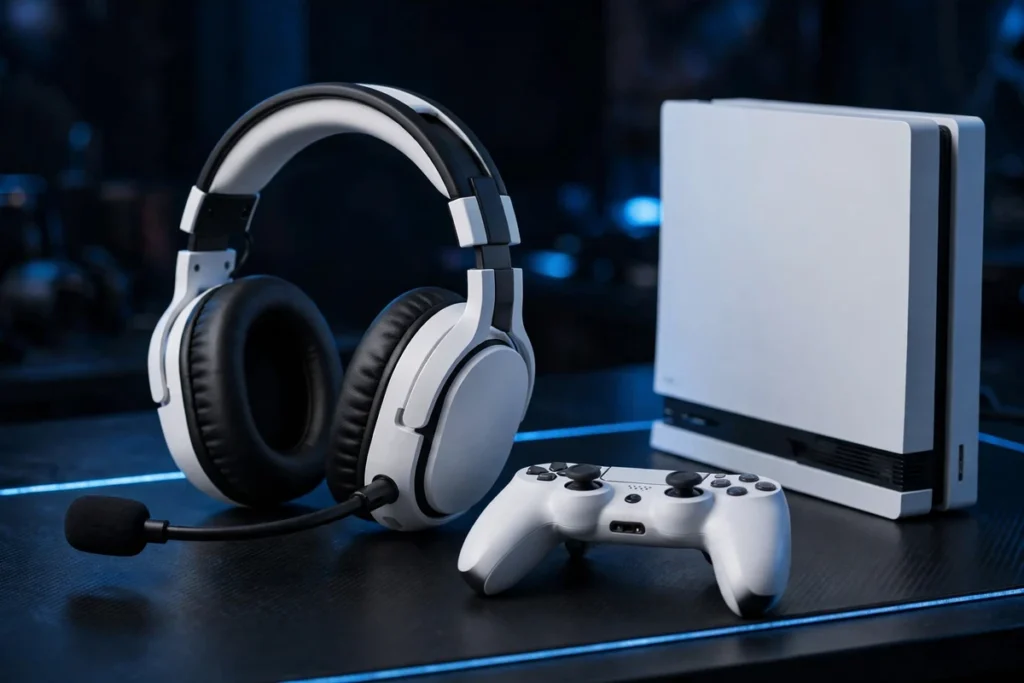
Finding the best headphone for PS5 play is really a connection question before it is a sound question. The PS5 and PS5 Pro do not pair with ordinary Bluetooth headphones, so the headsets that work best use PlayStation Link, a low-latency USB dongle, or a cable into the DualSense controller — and each route changes what you get for Tempest 3D Audio, party chat and PlayStation Portal use. This guide covers over-ear headsets only. If you would rather have something small in your ears, our guide to the best PS5 earbuds is the alternative; here, every pick is a full-size headset built for long sessions on the couch.
Our verdict: The Sony PULSE Elite is the best headphone for PS5 owners overall — planar magnetic drivers, a true PlayStation Link connection for PS5 and PS Portal, and simultaneous Bluetooth for your phone. Want the best pure sound? Step up to the Audeze Maxwell for PlayStation. Want the easiest wireless value? The SteelSeries Arctis Nova 7P Gen 2 is the pick.
The best PS5 headsets at a glance
| Headset | Best for | Connection to PS5 | Battery | Portal wireless? | Buy |
|---|---|---|---|---|---|
| Sony PULSE Elite | Best overall / Portal | PlayStation Link + Bluetooth | Up to 30 hours | Yes — PlayStation Link | Check Price |
| Audeze Maxwell (PlayStation) | Best sound quality | USB dongle + Bluetooth + wired | 80+ hours | No — use 3.5mm cable | Check Price |
| SteelSeries Arctis Nova Pro Wireless | Premium, ANC, multi-system | Base station + Bluetooth | Hot-swappable batteries | No | Check Price |
| SteelSeries Arctis Nova 7P Gen 2 | Best wireless value | USB-C dongle + Bluetooth | 50+ hours | No | Check Price |
| Turtle Beach Stealth 700 Gen 3 (PlayStation) | Battery life, two systems | Dual USB transmitters + Bluetooth | Up to 80 hours | No | Check Price |
| Razer BlackShark V2 Pro (PlayStation) | Competitive play, mic | 2.4GHz dongle + Bluetooth | 48–70 hours | No | Check Price |
| Sony PULSE 3D | Budget official wireless | USB dongle + 3.5mm | Up to 12 hours | No — use 3.5mm cable | Check Price |
| Razer BlackShark V2 X (PlayStation) | Budget wired, DualSense | 3.5mm wired | None — wired | Yes — wired 3.5mm | Check Price |
How PS5 headset connections actually work
PlayStation Link, USB dongle, or the DualSense jack?
There are three honest ways in. PlayStation Link is Sony’s own lossless, ultra-low-latency wireless system, and the only wireless route that also works natively with the PlayStation Portal. USB dongle headsets — most SteelSeries, Razer and Turtle Beach models — use their own 2.4GHz link: latency suits competitive play, Tempest 3D Audio still works, and the dongle usually serves a PC too. Wired into the DualSense is simplest: plug into the controller for zero charging, zero pairing and full 3D audio, at the cost of a cable. Our explainer on wired vs wireless gaming headsets weighs that trade-off in full.
Can you use Bluetooth headphones with a PS5?
Not directly. The PS5’s Bluetooth is for controllers and accessories, not audio, which is why your everyday wireless headphones will not appear in the pairing menu. When a gaming headset lists Bluetooth, that Bluetooth is for a second device — your phone — at the same time as the dongle or Link connection to the console. That dual connection is genuinely useful for calls and Discord, but it is not how game audio reaches the headset.
What is Tempest 3D Audio, and does PS5 Pro change anything?
Tempest 3D AudioTech is the PS5’s spatial audio engine. In supported games it places sounds above, below and behind you rather than simply left and right, and every headset in this guide can reproduce it, because the processing happens on the console, not in the headset. Enable it under Settings > Sound > 3D Audio for Headphones and run the profile setup once. The PS5 Pro uses the same audio system, the same controllers and the same headset connections as the standard PS5, so nothing in this list needs a separate Pro version — buy for your PS5 and it carries over.
1. Sony PULSE Elite — best overall, and the Portal pick
- Connection: PlayStation Link (USB adapter included) + simultaneous Bluetooth
- Drivers: Planar magnetic
- Battery: Up to 30 hours; 10-minute charge gives up to 2 hours
- Mic: Retractable, AI-enhanced noise rejection
- Extras: Charging hanger and carrying case included
The PULSE Elite is the headset SoundMavericks recommends first because it removes every PlayStation-specific friction point. PlayStation Link connects it losslessly to a PS5, PS5 Pro, PC or Mac with the included adapter, and — uniquely in this guide — directly to a PlayStation Portal with no adapter at all, because the Portal has Link built in. While that connection runs, Bluetooth can hold your phone at the same time, so a call does not cost you game audio.
Sound comes from planar magnetic drivers rather than conventional dynamic drivers, keeping distortion low and detail high in the busy scenes where Tempest 3D Audio earns its keep. New to planar technology? Our guide to dynamic vs planar magnetic drivers explains why it matters. The trade-offs are honest: no active noise cancellation, mid-pack battery life, and less app EQ control than the SteelSeries picks below. For a PlayStation-first setup, nothing else is this complete.
2. Audeze Maxwell (PlayStation version) — best sound quality
- Connection: Low-latency USB dongle + Bluetooth + USB and 3.5mm wired
- Drivers: 90mm planar magnetic
- Battery: 80+ hours
- Mic: Detachable boom with AI noise filtering, plus built-in mics
- Note: Buy the PlayStation version, not the Xbox version
If sound quality outranks everything else, the Maxwell is the step up. Its 90mm planar magnetic drivers are far larger than a typical gaming headset’s, and the result is the kind of separation and bass control that makes single-player games sound closer to a good hi-fi headphone than a gaming accessory. Battery life above 80 hours means charging becomes a monthly habit rather than a weekly one, and the detachable boom mic uses AI filtering that keeps party chat clear in noisy rooms.
Two cautions, both important. First, platform matters: the PlayStation version is the one tuned for Tempest 3D Audio here, and our Audeze Maxwell PlayStation vs Xbox comparison breaks down the differences before you order. Second, it is a heavy, premium-built headset, and its wireless dongle does not make it a wireless Portal headset — on the Portal you will use the included 3.5mm cable. Judged purely as a PS5 headset, though, it is the best-sounding pick in this guide.
3. SteelSeries Arctis Nova Pro Wireless — premium pick with ANC
- Connection: Base station (dual USB) + simultaneous Bluetooth
- Drivers: Premium neodymium magnetic (current listing)
- Battery: Dual hot-swappable batteries — swap instead of stopping
- Mic: Retractable ClearCast Gen 2
- Extras: Active noise cancellation with transparency mode
The Nova Pro Wireless is the feature-maximalist choice. Its base station connects two systems at once and lets you toggle between, say, a PS5 and a PC without touching a cable, while on-headset controls and the station’s dial handle game and chat balance directly. Active noise cancellation is the headline the Sony picks lack: in a shared living room or a noisy flat, it is the difference between hearing the game and hearing the game plus everything else.
The dual-battery system solves the other wireless annoyance — one battery charges in the base station while the other runs, so a flat battery is a ten-second swap, not the end of a session. Add simultaneous Bluetooth for your phone and full Tempest 3D Audio support, and this is the pick for players whose PlayStation shares a desk with other machines. It is not a Portal wireless headset, and it is the most elaborate setup here, but as a multi-system flagship it justifies its place.
4. SteelSeries Arctis Nova 7P Gen 2 — best wireless value
- Connection: USB-C dongle (2.4GHz) + simultaneous Bluetooth
- Drivers: Neodymium magnetic
- Battery: 50+ hours, USB-C fast charge
- Mic: Retractable ClearCast Gen 2 with noise rejection
- Extras: 200+ game EQ presets via the companion app
The Nova 7P Gen 2 is where most players should look if the flagship picks feel like overkill. The “P” matters — it marks the PlayStation version, with a USB-C dongle that plugs straight into a PS5 or PS5 Pro and the console’s ChatMix-style balance handled the PlayStation way. Battery life jumps to over 50 hours in this generation, and simultaneous Bluetooth means your phone stays connected while you play.
Its party trick is software: the companion app carries more than 200 game-specific EQ presets you can apply in real time, which is the fastest route to clearer footsteps in a shooter or fuller dialogue in a story game without learning to EQ yourself. Comfort follows the familiar Arctis pattern of a suspension-style fit and memory foam cushions, and the retractable mic disappears completely when you just want headphones. No ANC and no Portal wireless — but as a PS5-and-PC wireless all-rounder, it is the value benchmark in this list.
5. Turtle Beach Stealth 700 Gen 3 (PlayStation) — best for battery and two systems
- Connection: Two USB transmitters (CrossPlay) + simultaneous Bluetooth 5.2
- Drivers: 60mm Eclipse dual drivers
- Battery: Up to 80 hours; 15-minute quick charge
- Mic: Flip-to-mute with AI noise reduction
- Extras: Swarm II app with 10-band EQ, glasses-friendly cushions
The Stealth 700 Gen 3 solves a specific problem elegantly: two wireless transmitters stay plugged into two machines — a PS5 and a PC, for example — and a button on the headset switches between them. No dongle swapping, no re-pairing. Choose the PlayStation version; Turtle Beach also sells an Xbox-licensed variant.
Up to 80 hours of battery matches the Maxwell at the top of this guide, and the big 60mm dual drivers split woofer and tweeter duties for strong bass without swamping detail. The flip-to-mute mic is the most intuitive mute in gaming — raise it and you are silent — and the app adds proper EQ and mic controls for players who like to tune. It is a substantial headset rather than a light one, and like the other dongle picks it does not connect wirelessly to a Portal, but for a two-machine desk it is hard to beat.
6. Razer BlackShark V2 Pro (PlayStation) — best for competitive play
- Connection: HyperSpeed 2.4GHz dongle + Bluetooth
- Drivers: 50mm TriForce Titanium
- Battery: 48–70 hours depending on platform and use
- Mic: Detachable HyperClear Super Wideband boom
- Extras: Pro-tuned FPS audio profiles
Competitive players ask two things of a headset: hear the cue first, and be heard clearly. The BlackShark V2 Pro for PlayStation is built around both. Its detachable Super Wideband boom mic is the standout — a proper broadcast-style boom rather than a stub, capturing a wider, more natural slice of your voice for party chat and streamed matches. Choose the PlayStation version specifically; Razer sells platform variants, and this one is tuned for Tempest 3D Audio on PS5.
The 50mm titanium-coated drivers and FPS-focused tuning favour cue clarity — footsteps, reloads, directional callouts — over cinematic warmth, which is the right priority for ranked play. Battery life is quoted across a 48-to-70-hour range depending on platform and settings, comfortably multi-day either way. It carries no ANC and no Portal wireless connection, and single-player-first players may prefer the Maxwell or PULSE Elite voicing, but for shooters this is the sharpest tool here.
7. Sony PULSE 3D — budget official wireless
- Connection: USB wireless adapter + 3.5mm wired
- Drivers: Dynamic
- Battery: Up to 12 hours, USB-C charging
- Mic: Dual hidden microphones with noise cancelling
- Extras: On-headset game/chat balance and mic monitoring controls
The PULSE 3D remains the simplest budget route into proper PS5 wireless. It was designed alongside the console, tuned specifically for Tempest 3D Audio, and it connects with a single USB adapter — no menus, no apps, no setup beyond plugging in. On-headset controls cover volume, mute, mic monitoring and the game-to-chat balance, which is more hands-on control than many newer headsets offer.
Set expectations by its tier: battery life of up to 12 hours is the shortest here, the built-in microphones are serviceable for party chat rather than a rival for Razer’s boom, and there is no Bluetooth second-device connection. It can also run wired over 3.5mm, which is how you would use it with a PlayStation Portal. As a first headset, a second headset for the spare room, or the official option that simply works, it still earns its place — with the PULSE Elite as the clear upgrade path in the same family.
8. Razer BlackShark V2 X (PlayStation) — best wired budget pick
- Connection: 3.5mm wired into the DualSense
- Drivers: 50mm TriForce
- Battery: None — wired, nothing to charge
- Mic: Bendable cardioid boom
- Weight: 260g
Every wireless convenience in this guide disappears the moment a battery dies mid-session — which is why a good wired headset still belongs here. The BlackShark V2 X for PlayStation plugs straight into the DualSense controller’s 3.5mm jack, delivers full Tempest 3D Audio, and never needs charging, pairing or firmware. The same cable plugs into a PlayStation Portal’s 3.5mm jack, making this the cheapest headset in the guide that genuinely serves both machines.
You get Razer’s 50mm TriForce drivers and a bendable cardioid mic that focuses on your voice, in a light frame designed for long sessions. What you give up is freedom of movement beyond the controller cable and any wireless or app features. For younger players, a spare-room setup, or anyone who would rather spend on games than headsets, that is an entirely sensible trade.
Which headset works with PlayStation Portal?
The rule is plain: the Portal has no Bluetooth audio at all. Wireless audio on a Portal means PlayStation Link, and in over-ear headsets that means the PULSE Elite. Everything else here is PS5-first on the Portal — the PULSE 3D, Maxwell and BlackShark V2 X can serve it through the Portal’s 3.5mm jack, while the dongle-based SteelSeries, Turtle Beach and BlackShark V2 Pro models should be bought for console and PC, not wireless Portal play. Decide how much Portal time you really play before paying for Link.
How to get the best sound from your PS5 headset
Three settings matter more than any spec sheet. First, turn on 3D Audio for Headphones in Settings > Sound and complete the listening profile with the headset you actually play in. Second, set the game and chat balance before a session, not during one. Third, check mic monitoring once; hearing a little of your own voice stops the shouting that closed-back headsets otherwise cause in party chat.
Frequently asked questions
What is the best headphone for PS5 overall?
The Sony PULSE Elite is our best overall pick for PS5 and PS5 Pro. Its planar magnetic drivers, PlayStation Link wireless for both the console and the PlayStation Portal, simultaneous Bluetooth for a phone, and AI-enhanced retractable mic cover more PlayStation use cases in one headset than any rival here.
Can I use regular Bluetooth headphones with a PS5?
No. The PS5 does not support ordinary Bluetooth audio pairing. You need a headset that connects by PlayStation Link, by a USB wireless dongle, by USB, or by a 3.5mm cable into the DualSense controller. Bluetooth on gaming headsets is for connecting a phone as a second device, not for game audio from the console.
Do PS5 headsets also work on PS5 Pro?
Yes. The PS5 Pro uses the same Tempest 3D AudioTech system, the same DualSense controller and the same headset connections as the standard PS5. Every headset in this guide works on both consoles with no separate Pro version needed.
Which PS5 headset works wirelessly with PlayStation Portal?
Of the over-ear headsets here, only the Sony PULSE Elite connects wirelessly to the PlayStation Portal, because the Portal uses PlayStation Link and has no Bluetooth audio. Other headsets can be used with a Portal through its 3.5mm headphone jack with a wired connection, where the headset supports one.
Is a wired headset better than wireless for PS5?
Wired into the DualSense is the simplest and cheapest route, with no battery or pairing and full Tempest 3D Audio. Wireless dongle and PlayStation Link headsets add freedom of movement and, on many models, simultaneous phone connection and app EQ. Sound quality is decided more by the headset itself than by the cable, so choose on budget, comfort and how you play.
Does Tempest 3D Audio work with any PS5 headset?
Yes, in supported games. Tempest 3D AudioTech is processed by the PS5 itself, so any headset connected by Link, USB dongle, USB or the DualSense 3.5mm jack can reproduce it. Enable 3D Audio for Headphones in the PS5 sound settings and run the profile setup for the best result.

I am the founder of Sound Mavericks, where I provide the polite truth about audio equipment. I started this site because consumer electronics reviews are often too technical. Instead of using a silent lab, I test headphones, earbuds, and Bluetooth speakers in the real world – like on a noisy subway or in a busy coffee shop.
To stay independent, I buy my own review units (mostly from the United States) rather than accepting free gifts from brands. Once I finish testing a product, I sell it locally to our community. My goal is to help you understand sound quality, active noise cancellation (ANC), and battery life without the marketing hype.