This iFi Uno review covers the smallest DAC in iFi’s range: a USB-C DAC and headphone amplifier, built around an ESS Sabre chip, that sits between your computer or phone and your headphones. It exists for one job. It replaces the weak, noisy headphone output built into most laptops with clean conversion, a proper volume knob and enough power for the headphones people actually use at a desk.
A note on how this review was put together. It is a research review, built from iFi’s published specifications, the verified Amazon US listing and independent coverage of the Uno. We have not had a unit on the desk, so there is no hands-on claim anywhere on this page, and there is no score. We do not score source gear from a spec sheet.

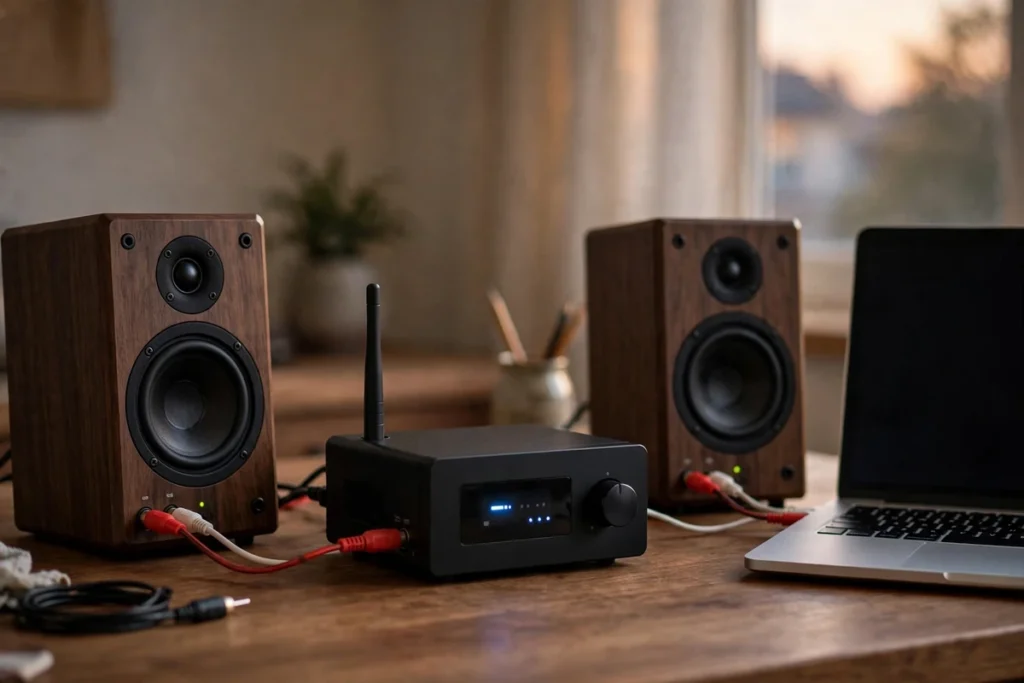
Why you: It replaces the weakest part of a laptop setup. An ESS Sabre DAC does the conversion, a real analog volume knob sets the level, and the output drives sensitive IEMs and most full-size headphones without strain. When the headphones come off, the RCA outputs feed powered speakers from the same little box.
Trade-off: USB-C is the only way in and the host device is the only power source: no Bluetooth, no battery, no balanced output. One gaming roundup also reported hiss from the Movie and Game presets, so treat the sound modes as seasoning rather than the main event.
iFi Uno specifications
| Product | iFi Uno USB-C DAC and headphone amplifier |
| DAC chip | ESS ES9219 Sabre, 32-bit HyperStream III architecture |
| Formats | PCM up to 32-bit/384kHz, DSD256 (native), DXD 384kHz, MQA renderer |
| Input | USB-C (audio and power) |
| Headphone output | 3.5mm S-Balanced |
| Output power | ≥211 mW into 32 Ω; 39 mW into 300 Ω |
| Output impedance | Under 1 Ω |
| Line output | Stereo RCA, up to 2 V |
| Gain | PowerMatch button, low and high (+6 dB) |
| Sound modes | Music, Movie and Game analog presets |
| Power supply | USB bus power, 5 V / 0.5 A. No battery, no power brick |
| Dimensions | 88 x 81 x 26 mm |
| Weight | 92 g |
| Where to buy | iFi Uno on Amazon US |
What the Uno is for
Most laptops convert digital audio as an afterthought. The headphone jack on a typical work machine hisses with sensitive earphones, runs out of volume with anything harder to drive than a bundled earbud, and shares its circuitry with everything else in the chassis. The usual fixes sit at two extremes: a thumb-sized dongle that dangles from a cable, or a full desktop DAC amp that takes over the desk.
The Uno is the middle option. It is a small, light box that lives on the desk permanently, close enough to reach the volume knob without thinking. Plug it into a computer once and the headphone problem is handled: IEMs stop hissing, full-size headphones get real drive, and the same box feeds a pair of powered speakers through its RCA sockets. It also travels well. At 92 grams it can ride in a laptop bag and set up at a second desk in seconds, powered entirely by whatever it is plugged into.
Who should skip it? Anyone whose listening happens away from a screen, because the Uno has no battery and no Bluetooth. It is a desk device, and it is honest about that.
Design: a small curved box with a proper knob
The shell is mineral-filled polymer with an aluminium faceplate, curved on every side, and small enough to disappear next to a laptop stand. The control layout is the point. Front and centre sits a large analog volume knob, the control you touch most, and it beats dragging a software slider or poking at keyboard keys every time a call starts. Analog control also keeps its resolution at low listening levels, where digital volume in an operating system can throw away detail.
Two buttons do the rest. One cycles the three sound modes, the other toggles PowerMatch gain. An LED indicator reports the format of the incoming stream, so a glance tells you whether the source is sending standard PCM or something higher. There is nothing to configure and no app to install. The Uno draws 5 volts over USB-C from the host, sips roughly a watt in use, and never needs charging, which is exactly the behaviour you want from something that lives on a desk.
The DAC inside: ESS Sabre, with the full format list
Conversion is handled by the ESS ES9219, a Sabre chip with 32-bit HyperStream III processing. On paper it covers the formats a streaming-era listener will meet: PCM up to 32-bit/384kHz, native DSD up to DSD256, and DXD at 384kHz. Bit-perfect DSD handling matters to a small but real audience with SACD rips in their library, and the Uno serves them without asking for a bigger box.
MQA support comes as a renderer rather than a full decoder. In practice that means a source that performs the first unfold, such as a streaming app with MQA support, hands the Uno a signal it can finish rendering. Listeners who never touch MQA lose nothing; the PCM and DSD paths are complete on their own.
The practical benefit of a chip like this is less about exotic formats than about the floor underneath ordinary ones. A Spotify stream or a video call still passes through the same clean conversion and the same quiet output stage, and that is where a DAC at this level earns its place: the noise and hash of a built-in jack are simply not there.
Power: enough for IEMs and most headphones
The headphone stage delivers at least 211 mW into 32 ohms and 39 mW into 300 ohms, with up to 3.5 volts available for high-impedance loads. Read plainly: efficient portable headphones and IEMs are driven with room to spare, and classic high-impedance models in the Sennheiser HD 600 family get proper volume with headroom left over. The very thirsty end of the planar magnetic world is where the Uno runs out of road, and no box this small changes that.
Output impedance stays under 1 ohm, which is the spec that quietly decides whether IEMs sound as their maker intended. A high output impedance reshapes the frequency response of multi-driver earphones; under an ohm, the Uno leaves the tuning alone. The 3.5mm socket uses iFi’s S-Balanced layout, which cuts noise and crosstalk on single-ended connections.
PowerMatch is the gain button, and it solves the two ends of the headphone drawer. Sensitive IEMs stay on low gain, where the noise floor stays down and the knob has usable travel. Full-size headphones that sound thin and quiet switch to high gain, which adds 6 dB. If you want more power, balanced outputs and a bigger feature set than this, our guide to the best DACs maps out the step-up options.
Music, Movie, Game: the three sound modes
Three analog presets reshape the sound without software. Music is the reference setting. Movie pushes dialogue forward so speech stays clear at modest volumes, the classic late-night problem. Game emphasises spatial cues and positioning, the footsteps and ambient detail that competitive players listen for.
One caution, reported rather than invented: a gaming-DAC roundup found audible hiss when using the Movie and Game modes. Presets that lift quiet detail can lift the noise floor with it, and sensitive IEMs will show that up first. Our advice is to treat the modes as tools for specific content, not defaults, and to do serious music listening in Music mode. Gamers comparing dedicated options should also read our guide to the best DAC amps for gaming, where the Uno’s rivals are laid out side by side.
The RCA output turns it into a speaker DAC
Plenty of small DAC amps stop at a headphone socket. The Uno adds a stereo RCA output delivering up to 2 volts, and that changes its job description. Run it into powered desktop speakers, or into an amplifier driving passive speakers, and the same box that runs your headphones becomes the front end for the whole desk. The front knob controls the level, so volume for speakers and headphones is managed in one place.
For a home office or a bedroom setup, that dual duty is the strongest argument for the Uno over a plain dongle. One USB cable from the computer, and both ways of listening are covered.
What the Uno leaves out
The omissions define the product as much as the features do. There is no Bluetooth receiver, so wireless sources need not apply. There is no battery, which rules out pocket use with a phone on the move. The headphone output is single-ended 3.5mm only; owners of balanced cables will not use them here. And there is no optical or coaxial input, so a TV or a game console cannot feed it directly.
iFi’s own range covers some of those gaps. The iFi ZEN DAC 3 is the bigger desktop sibling, with more power and a balanced output for a fixed desk setup. The iFi hip-dac 3 adds a battery and balanced output in a pocketable body for listening away from the desk. The Uno is the one you buy when the desk is the whole brief.
Verdict
The Uno makes sense because it refuses to be three products at once. It converts well, it drives the headphones most people own, it hands its output to powered speakers when asked, and it asks for nothing in return beyond a USB port. Buy it for a laptop desk with wired headphones and speakers, and it will quietly do that job for years. Skip it if you need Bluetooth, a battery, or balanced drive, because it offers none of them and does not pretend to.
Frequently asked questions
Does the iFi Uno work with a phone?
Yes. Any phone or tablet with USB-C and USB audio output works directly, and the Uno draws its power from the phone at 5 V and 0.5 A, so there is nothing to charge. An iPhone with a Lightning port needs Apple’s USB camera adapter between the phone and the Uno.
Can the iFi Uno drive demanding headphones like the Sennheiser HD 600?
Yes, within reason. It delivers 39 mW into 300 ohms with up to 3.5 V on tap, and the PowerMatch high-gain setting adds 6 dB for insensitive headphones. Very power-hungry planar magnetic models are better served by a larger desktop amplifier.
Does the iFi Uno have Bluetooth?
No. USB-C is the only input and there is no battery, so the Uno stays tethered to a computer, phone or tablet. If you need wireless input or listening away from a host device, a battery-powered portable DAC amp is the right category instead.
Can I connect the iFi Uno to speakers?
Yes, if they are powered speakers or you have an amplifier. The stereo RCA outputs deliver up to 2 V, and the front knob controls the level, so the Uno can sit between a computer and a pair of active desktop speakers.
Does the iFi Uno support MQA and DSD?
It plays PCM up to 32-bit/384kHz and native DSD up to DSD256, plus DXD. For MQA it works as a renderer: the source app or player performs the first unfold, and the Uno completes the rendering.

I am the founder of Sound Mavericks, where I provide the polite truth about audio equipment. I started this site because consumer electronics reviews are often too technical. Instead of using a silent lab, I test headphones, earbuds, and Bluetooth speakers in the real world – like on a noisy subway or in a busy coffee shop.
To stay independent, I buy my own review units (mostly from the United States) rather than accepting free gifts from brands. Once I finish testing a product, I sell it locally to our community. My goal is to help you understand sound quality, active noise cancellation (ANC), and battery life without the marketing hype.