Our Top Picks for Nintendo Switch & Switch 2
Best overall: the Soundcore VR P10 — its USB-C dongle delivers under-30ms low-latency audio on Switch and Switch 2, sidestepping Bluetooth lag entirely, with pass-through charging so you can play and charge at once. Best premium: the ASUS ROG Cetra True Wireless SpeedNova, with a 2.4GHz dongle, adaptive ANC and hi-res audio. Best wired: the HyperX Cloud Earbuds II — zero latency, a working microphone and no battery to manage, straight into the 3.5mm jack.
The best Nintendo Switch earbuds are not simply the best earbuds you own. The Switch and Switch 2 handle audio in ways that catch buyers out: both consoles support Bluetooth audio natively, but neither supports a microphone over Bluetooth, and plain Bluetooth on the original Switch carries enough latency to make rhythm games and fast shooters feel subtly wrong. That is why this roundup is organised by connection type, not just sound quality. Every pick below was verified against a live Amazon US listing, and each one solves a specific Switch problem — a USB-C dongle for low-latency wireless, a smart case that doubles as a transmitter, or a simple 3.5mm cable that never lags, never pairs and never runs flat.
SoundMavericks assessed these seven earbuds from manufacturer specifications, Nintendo’s support documentation and the published review record — verified specs and honest trade-offs, with a clear recommendation for each kind of Switch player.
How Nintendo Switch Audio Actually Works: Bluetooth, Dongles and the 3.5mm Jack
Understanding three platform facts will save you from the most common Switch earbud mistakes. First, native Bluetooth audio exists but is limited. The original Switch gained Bluetooth audio in a 2021 system update, and Switch 2 supports it too. On the original Switch the connection uses the basic SBC codec, and Nintendo itself warns that you may experience audio latency depending on your device. In practice that delay is easy to ignore in turn-based games and very noticeable in rhythm titles, platformers with tight sound cues, and competitive shooters. Switch 2 uses a newer Bluetooth generation and handles the connection more efficiently, but Nintendo still flags possible delay — Bluetooth is the convenience option on both consoles, not the low-latency one.
Second, Bluetooth microphones do not work on either console. Nintendo’s Switch 2 support pages state it plainly: microphone input via Bluetooth is not supported, so a Bluetooth headset lets you hear other players but not talk back. On Switch 2, GameChat relies on the console’s built-in microphone, a wired headset, or a USB microphone. On the original Switch, voice chat runs through the Nintendo Switch Online phone app for supported games, or through a wired 3.5mm headset in games with native chat. Any earbud claiming easy Switch voice chat over plain Bluetooth is glossing over this.
Third, there are two ways around both limits. A USB-C dongle using 2.4GHz wireless — the approach taken by the Soundcore VR P10, ROG Cetra SpeedNova, Razer Hammerhead Pro HyperSpeed and EPOS GTW 270 Hybrid below — bypasses the console’s Bluetooth stack entirely and cuts latency to a fraction of Bluetooth’s. And the humble 3.5mm headphone jack, present on both Switch and Switch 2 (and on the Switch 2 Pro Controller), gives wired earbuds zero latency and a working microphone path. There are also practical Bluetooth quirks worth knowing: while Bluetooth audio is active you can only connect two wireless controllers, and Bluetooth audio disconnects during local wireless multiplayer sessions.
Best Earbuds for Nintendo Switch at a Glance
| Pick | Connection | Best For | Check Price |
|---|---|---|---|
| Soundcore VR P10 | 2.4GHz USB-C dongle + Bluetooth | Best overall for Switch & Switch 2 | Check Price on Amazon |
| ASUS ROG Cetra True Wireless SpeedNova | 2.4GHz USB-C dongle + Bluetooth 5.3 | Best premium, ANC and hi-res audio | Check Price on Amazon |
| Razer Hammerhead Pro HyperSpeed | 2.4GHz USB-C dongle + Bluetooth 5.3 | Best for multi-platform players | Check Price on Amazon |
| EPOS GTW 270 Hybrid | USB-C dongle (aptX low latency) + Bluetooth 5.1 | Best sound-first dongle earbuds | Check Price on Amazon |
| GENKI Waveform | Bluetooth 5.3 aptX Adaptive + SmartCase transmitter | Best for game audio + phone chat together | Check Price on Amazon |
| HyperX Cloud Earbuds II | Wired 3.5mm | Best wired value, working mic | Check Price on Amazon |
| Razer Moray | Wired 3.5mm, detachable MMCX cable | Best wired sound quality and isolation | Check Price on Amazon |
1. Soundcore VR P10 — Best Overall Earbuds for Nintendo Switch

The VR P10 is the easiest recommendation on this list because it was designed around exactly the Switch’s weaknesses. Instead of relying on the console’s Bluetooth, it connects through an included USB-C dongle running 2.4GHz wireless with Soundcore’s LightningSync technology and the LC3 codec, rated at under 30ms of latency — low enough that audio and action stay in sync even in fast games. The dongle plugs into the bottom of a Switch or Switch 2 in handheld mode, and it supports pass-through charging, so the dongle occupying your only USB-C port does not mean playing on a dying battery.
Dual connection is the other headline feature: the earbuds can stay connected to your phone over Bluetooth 5.2 while the dongle handles the console, so a call does not mean pausing the game and re-pairing. The 11mm drivers with BassUp tuning deliver the punchy, effects-forward sound most Switch games reward, and the same dongle system works with Steam Deck, PS5, PS4 and PC, with extra dongles available if you want to hop between machines. Battery life is the honest trade-off: the earbuds are rated for shorter sessions than big over-ear headsets, with the case providing recharges between plays. For Switch-first players who also game elsewhere, it remains the most complete low-latency package here. Budget-focused shoppers can compare it against our best budget gaming earbuds guide.
2. ASUS ROG Cetra True Wireless SpeedNova — Best Premium Pick

The SpeedNova is the flagship route to Switch earbuds. Its 2.4GHz SpeedNova dongle (USB-C, with a USB-A adapter in the box) provides the low-latency connection for Switch, Switch 2, PC and PlayStation, while Bluetooth 5.3 covers phones — and Hybrid Multipoint lets both stay connected at once, so your phone remains paired while the dongle runs the game. In 2.4GHz mode it steps up to 24-bit/96kHz audio with Dirac Opteo tuning, the highest-fidelity wireless signal of any pick here; our explainer on Bluetooth codecs — AAC vs LDAC vs aptX covers why the connection mode changes what you hear.
Adaptive ANC adjusts cancellation to your ear shape and surroundings without the pressure sensation cheaper ANC can cause, and the bone-conduction AI microphones are designed to isolate your voice from background noise — remembering, of course, that on Switch itself chat still runs through the console’s own microphone arrangements, not Bluetooth. Battery is rated at up to 46 hours in total with the case in Bluetooth mode, with less in 2.4GHz gaming mode, and the buds themselves are light at around 4 grams each, which suits long handheld sessions. Published reviews note real-world battery falls short of the headline figure and that the companion app is heavy, but for players who want one premium pair for Switch, PC and phone, the SpeedNova is the most capable option in this roundup.
3. Razer Hammerhead Pro HyperSpeed — Best for Multi-Platform Players

Razer’s Hammerhead Pro HyperSpeed follows the same dongle logic: a 2.4GHz HyperSpeed USB-C dongle (with USB-A adapter) for near-lag-free audio on Switch, PlayStation, PC and Steam Deck, plus Bluetooth 5.3 with a Gaming Mode for phones and native Switch pairing when the dongle is not handy. Where it differentiates is polish. ANC is adjustable through the Razer Audio app, so you can dial cancellation up for a flight or down to hear a platform announcement, and a Do Not Disturb mode can silence phone interruptions while you are dual-connected to a console and a handset.
The case supports fast wireless charging as well as USB-C and holds up to 30 hours of total playback. Razer Chroma RGB lighting can be turned down or off, and the underlying package is serious: 10mm drivers, a secure gaming fit and some of the lowest wireless latency available in earbud form. One platform note: buy this PlayStation/PC/Switch edition for Nintendo use — the separate Xbox-licensed version is not the model listed here.
4. EPOS GTW 270 Hybrid — Best Sound-First Dongle Earbuds

EPOS comes from the Sennheiser gaming lineage, and the GTW 270 Hybrid is the audiophile-leaning entry among the dongle picks. It pairs Bluetooth 5.1 with a USB-C low-latency dongle using the aptX low-latency codec, giving Switch and Switch 2 players lag-reduced audio for handheld play, plus a USB-C to USB-A adapter for PC and PlayStation use. The closed acoustic design and bespoke EPOS driver tuning aim for the rich mids and controlled bass the brand is known for, rather than the exaggerated effects tuning of typical gaming buds.
The details suit travel: IPX5 water resistance, an aluminium charging case, around five hours of playtime from the buds and up to 20 hours in total with the case — modest next to the SpeedNova, so frequent flyers should note it. The important caveat is the microphone: the GTW 270’s dual mics work over the Bluetooth connection, not through the dongle, which lines up with the Switch’s own no-Bluetooth-mic rule but is worth knowing if you planned to chat through the dongle on PC. As a pure listening tool for Switch gaming, though, it is one of the most refined-sounding options here.
5. GENKI Waveform — Best for Hearing Your Game and Your Phone at Once

GENKI built the Waveform specifically for Switch players, and its party trick directly attacks Nintendo’s voice-chat workaround. DualStream mixes audio from two sources simultaneously — not switching, mixing — so you can hear your Switch game and your phone’s Nintendo Switch Online voice chat (or a Discord call) in the same earbuds at the same time. Anyone who has played Splatoon or Mario Kart online with one earbud in and one ear on a phone will understand immediately why this matters.
The hardware backs it up. Bluetooth 5.3 with aptX Adaptive keeps latency as low as around 50ms, and the SmartCase doubles as an aptX transmitter: cable it to a console by USB or 3.5mm and it streams to the buds, with a microphone built into the case itself. A hybrid driver setup — 10mm dynamic driver plus a balanced armature — adaptive ANC with a transparency mode, and up to 30 hours of total battery with the case round out a genuinely Switch-native design. The listing verified for this roundup is the Bridges Blue colourway; check the listing carefully for colour and availability, as GENKI’s Amazon stock has historically been intermittent.
6. HyperX Cloud Earbuds II — Best Wired Earbuds for Nintendo Switch

Sometimes the best Switch earbud is a cable. The HyperX Cloud Earbuds II plug straight into the 3.5mm jack on the Switch, Switch 2 or Switch 2 Pro Controller and deliver what no wireless option can guarantee: zero latency and a microphone that actually works for in-game chat on supported titles and GameChat-adjacent wired setups. No pairing, no charging, no dongle sticking out of the console — and no two-controller limit, because Bluetooth audio is never switched on.
HyperX tuned the large 14mm drivers for gaming, and the package is thoughtfully portable: four ear-tip sizes to get the seal right, a low-profile 90-degree plug that resists snags in handheld play, a built-in microphone with a multifunction button for calls and media, and a hard-shell carrying case that survives being thrown in a bag with the console. Sound is not as refined as the Razer Moray below, and a cable will always be a cable, but as a dependable, travel-proof Switch companion the Cloud Earbuds II are hard to argue with. More options in this style live in our best wired earbuds guide.
7. Razer Moray — Best Wired Sound Quality and Isolation

The Moray is Razer’s first in-ear monitor, built for streamers who wear earbuds all day — and that brief translates beautifully to long Switch sessions. Its hybrid dual-driver design pairs a balanced armature driver for treble with a dynamic driver for bass, THX-certified and deliberately tuned to be non-fatiguing rather than hyped. The low-profile ergonomic shell, memory-foam and silicone tips in three sizes each, and passive isolation rated to block up to -36dB of noise make it the quietest and most comfortable wired option here — ideal for flights and shared rooms, and a natural step up for players browsing our best IEMs for gaming guide.
Two honest limitations. The detachable braided MMCX cable (1.6m, 3.5mm plug) carries no microphone, so the Moray is for listening — chat needs the Switch 2’s built-in console mic or another solution. And its flatter, reference-leaning tuning will sound less immediately exciting in effects-heavy games than bass-forward gaming buds. What you get instead is the best outright sound quality and isolation in this roundup, with a replaceable cable that extends the product’s life well beyond a sealed wireless bud’s battery.
Bluetooth vs Dongle vs Wired: Which Connection Should You Choose?
Choose plain Bluetooth if convenience rules and your games are forgiving: almost any earbuds you already own will pair with Switch and Switch 2 for listening, and casual, turn-based or story-driven play hides the latency well. Accept that your microphone will not work and that local wireless multiplayer disables Bluetooth audio. Choose a USB-C dongle if you play rhythm, fighting or competitive games wirelessly, or you simply notice lip-sync and effects lag — the VR P10, SpeedNova, Hammerhead Pro HyperSpeed and GTW 270 Hybrid cut latency dramatically and free you from the console’s Bluetooth limits, at the cost of a small dongle in the USB-C port (look for pass-through charging if you play long handheld sessions). Choose wired if you want guaranteed zero latency, a working mic path, and nothing to charge: the HyperX Cloud Earbuds II for value and chat, the Razer Moray for sound quality and isolation. For Switch 2 GameChat specifically, remember the console’s built-in microphone works regardless of which earbuds handle the game audio, which makes dongle and wired picks equally chat-friendly in handheld mode.
Frequently Asked Questions
Do Bluetooth earbuds work with Nintendo Switch and Switch 2?
Yes. Both consoles support Bluetooth audio natively — the original Switch via a system update, Switch 2 out of the box. You can pair most Bluetooth earbuds for game audio, but you may notice latency, you can only use two wireless controllers while Bluetooth audio is active, and the earbuds’ microphone will not work on either console.
Why can’t I use my earbuds’ microphone on Nintendo Switch?
Nintendo does not support microphone input over Bluetooth on Switch or Switch 2 — Nintendo’s own Switch 2 support pages confirm you can hear other players through a Bluetooth headset but cannot use its microphone. Use the Switch 2’s built-in microphone for GameChat, a wired 3.5mm headset, a USB microphone, or the Nintendo Switch Online phone app on the original Switch.
How do I reduce audio delay with wireless earbuds on Switch?
The reliable fix is to bypass Bluetooth: use earbuds with a 2.4GHz USB-C dongle such as the Soundcore VR P10 or ASUS ROG Cetra SpeedNova, which cut latency to a small fraction of Bluetooth’s, or go wired through the 3.5mm jack for zero latency. Keeping the console updated and the earbuds close to the console also helps on a native Bluetooth connection.
Can I use earbuds with the Nintendo Switch 2 Pro Controller?
Yes. The Switch 2 Pro Controller has a 3.5mm headset jack, so wired earbuds like the HyperX Cloud Earbuds II and Razer Moray can plug into the controller for docked play — a practical route to a working wired microphone and zero-latency audio from the sofa.
Are AirPods good earbuds for Nintendo Switch?
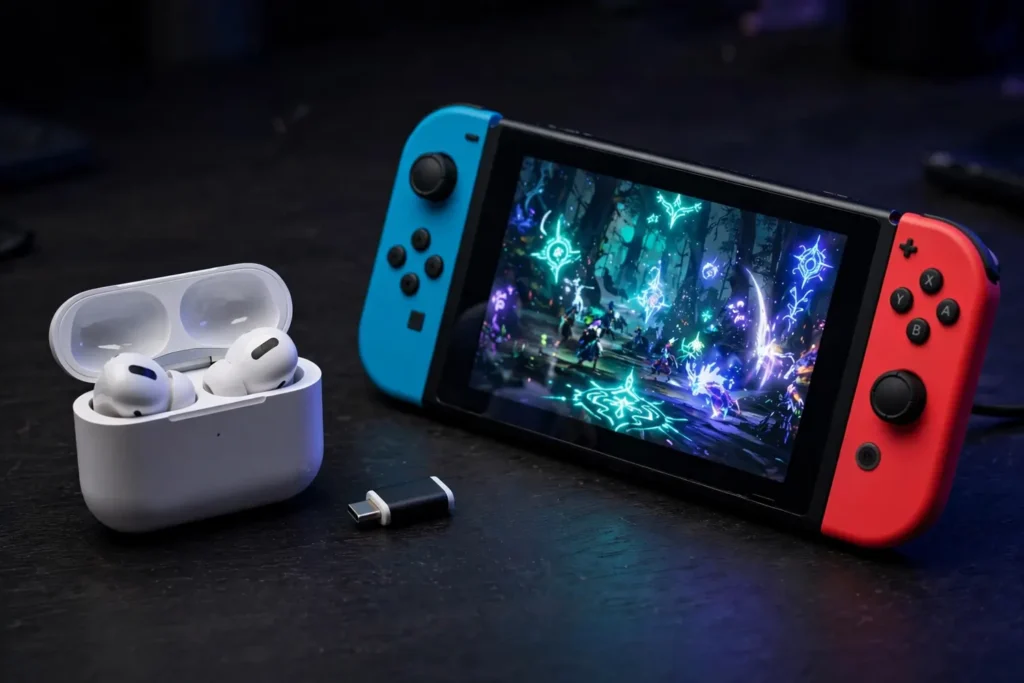
AirPods pair with both consoles as Bluetooth audio devices and are fine for casual listening, but they inherit every native-Bluetooth limitation: noticeable latency in fast games, no microphone support, and no low-latency gaming mode on Switch. Dedicated gaming earbuds with a USB-C dongle, or a wired pair, are better buys for regular Switch play.

I am the founder of Sound Mavericks, where I provide the polite truth about audio equipment. I started this site because consumer electronics reviews are often too technical. Instead of using a silent lab, I test headphones, earbuds, and Bluetooth speakers in the real world – like on a noisy subway or in a busy coffee shop.
To stay independent, I buy my own review units (mostly from the United States) rather than accepting free gifts from brands. Once I finish testing a product, I sell it locally to our community. My goal is to help you understand sound quality, active noise cancellation (ANC), and battery life without the marketing hype.