Buried in your phone’s accessibility settings sits a toggle most people scroll past, so it is worth asking what is mono audio and why it exists. Mono means one channel. Instead of sending a left signal to your left ear and a different right signal to your right ear, mono merges both channels into a single mix and plays that same mix on both sides. Nothing is assigned to an ear you are not using. That one change matters a great deal to some listeners, costs others the sense of space in their music, and explains a few odd listening experiences in between.
Stereo first, so mono makes sense
Most music, film and games are mixed in stereo. Producers place sounds across two channels on purpose: a guitar leans left, a backing vocal sits right, a film effect sweeps from one side to the other. With two working ears and two working earbuds, that placement creates width and depth. It also creates a dependency. The mix assumes both channels reach you. Take one channel away and you do not get a quieter version of the whole thing. You get half of it, with whatever was panned to the missing side simply gone.
Mono removes the dependency by collapsing the two channels into one before playback. Every instrument, voice and effect is present in the single mix, and both earbuds, or the one earbud you are wearing, play all of it.
Why phones offer it
Mono audio lives in accessibility settings because its main job is access. As iMore’s accessibility guide puts it, the feature makes sure that even if you are hard of hearing or deaf in one ear, you never miss a word, note or sound when listening with a headset. SolveYourTech’s iPhone walkthrough describes the same mechanic from the other side: turn Mono Audio on and your phone plays the same sound in both ears, which helps if you listen with one earbud or hear better on one side.
The toggle sits next to a balance slider, and the two do different jobs. Mono decides what each side plays: the full mix. Balance decides how loud each side plays it. Used together, a listener with one stronger ear gets the complete recording, weighted toward the ear that can use it.
Who it helps beyond accessibility
The everyday cases are more common than the settings menu suggests. Anyone who works with one earbud in, keeping the other ear on traffic, a child or a warehouse floor, is hearing stereo wrong by default: half the mix is playing into an earbud sitting in a pocket or a case. Mono fixes that instantly. The same applies to sharing one pair of earbuds between two people, to a pair with one dead side that you have not replaced yet, and to badly panned old recordings where a singer was parked entirely in one channel by an engineer with strong opinions.
Podcasts and calls barely change, because speech is usually recorded centered anyway. Listeners exploring the hearing side further can read our piece on earbuds as hearing aids, which covers where consumer buds help and where proper devices take over. Music and film change the most, which is exactly where the trade off below bites.
What mono costs you
Stereo separation is not decoration. It is how a mix keeps crowded arrangements readable, how a film tells you a car approaches from the left, and how games signal direction. Merge the channels and that information flattens. A wide chorus narrows to the middle. Instruments that were kept apart by placement now sit on top of each other, and dense mixes can sound congested rather than clear.
There is a subtler cost when a downmix is done badly. If left and right carry similar content slightly out of phase, summing them can cancel parts of the sound, thinning bass or hollowing a vocal. Good system level mono modes handle the summing sensibly, which is one reason to use the phone’s own toggle rather than a cheap adapter or a single earbud’s improvised mono mode. If you mostly listen with both ears in quiet places, leave mono off. It solves a problem you do not have.
Earbuds that handle one-ear listening well
Any earbuds work with a phone’s mono setting, since the merge happens in the phone. These three earn their place for single ear use: light, secure, and clear enough that a merged mix still reads well.
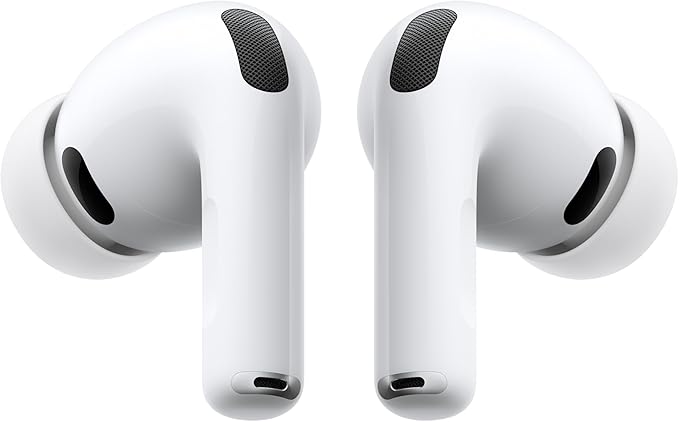


Whichever pair you use, the setting does the heavy lifting. Hardware cannot merge channels the phone insists on sending separately, which is why the toggle, not the earbud, is the fix.
Mono recordings and single speaker devices
Mono is also where audio started. Decades of recordings were made for a single channel, and they lose nothing in a mono setting because there was never a second channel to merge. Plenty of modern devices are effectively mono too: a single smart speaker, a phone’s built in speaker, one earbud from a shared pair. Play a stereo mix through one small speaker and the device performs its own rough downmix, which is why a song can sound thinner on a kitchen speaker than the same song through two earbuds with the phone’s mono mode on.
There is a testing use hiding here as well. Switching to mono is a quick diagnostic: if an instrument vanishes in stereo but appears in mono, the problem is placement or a dead channel, not the recording. If a vocal sounds hollow in both, suspect the mix itself. Engineers have used the mono check for generations to catch exactly these faults before a record ships.
How to turn it on
On an iPhone the path is Settings, then Accessibility, then Audio and Visual, then Mono Audio. On most Android phones it is Settings, then Accessibility, then the audio or hearing section, where the toggle may be labelled Mono audio; Samsung places it under Hearing enhancements. The change applies system wide and instantly, to music, video, calls and games, and it reverses just as fast. Nothing about your files changes. Your library stays stereo; only the playback mix changes.
A practical test takes ten seconds. Play a song you know well, one with obvious panning, with a single earbud in. Toggle mono on and listen for the instruments that were missing a moment ago. If parts of the arrangement step forward, you have found the setting you will use every time you listen one eared. Our roundup of the best Bluetooth earbuds notes which models also offer a proper single bud mode, and our guide to earbuds for hearing dialogue covers the speech side of one-sided listening.
Frequently asked questions
What is mono audio?
Audio carried on a single channel. On a phone, the mono setting merges the left and right channels of stereo content into one mix and plays that mix through both sides, so the full recording reaches whichever ear or earbud you are using.
Is mono audio worse than stereo?
For two-ear listening, stereo sounds wider and more detailed, and mono flattens that sense of space. For one-ear listening, mono is strictly better, because stereo quietly withholds whatever was mixed into the channel you cannot hear.
Why does my phone have a mono audio setting?
It is an accessibility feature. It makes sure listeners who hear better on one side, or who are deaf in one ear, still get the complete recording rather than half of a stereo mix. It also helps anyone who regularly listens with a single earbud.
Does mono audio affect phone calls?
Barely. Calls are effectively mono already, with the voice centered and sent to both sides. The setting makes its difference in music, films and games, where content is deliberately placed in separate left and right channels.
Should I leave mono audio on all the time?
Only if you usually listen with one ear or hear much better on one side. If you listen with both ears, stereo gives you the placement and space the mix was built with, so keep mono as a tool for one-ear situations.

I am the founder of Sound Mavericks, where I provide the polite truth about audio equipment. I started this site because consumer electronics reviews are often too technical. Instead of using a silent lab, I test headphones, earbuds, and Bluetooth speakers in the real world – like on a noisy subway or in a busy coffee shop.
To stay independent, I buy my own review units (mostly from the United States) rather than accepting free gifts from brands. Once I finish testing a product, I sell it locally to our community. My goal is to help you understand sound quality, active noise cancellation (ANC), and battery life without the marketing hype.