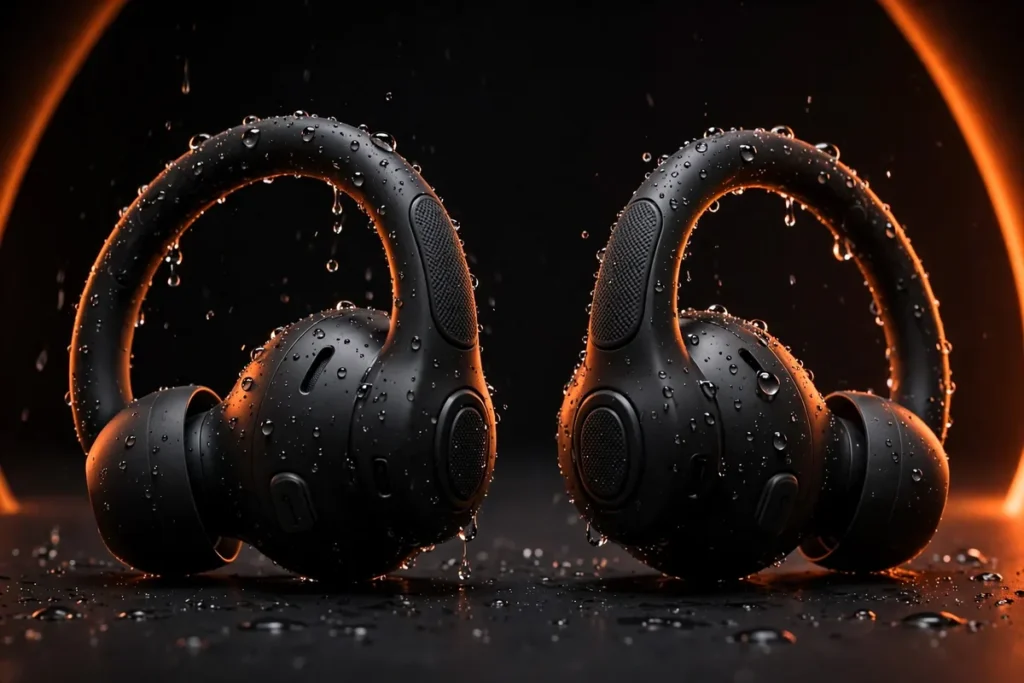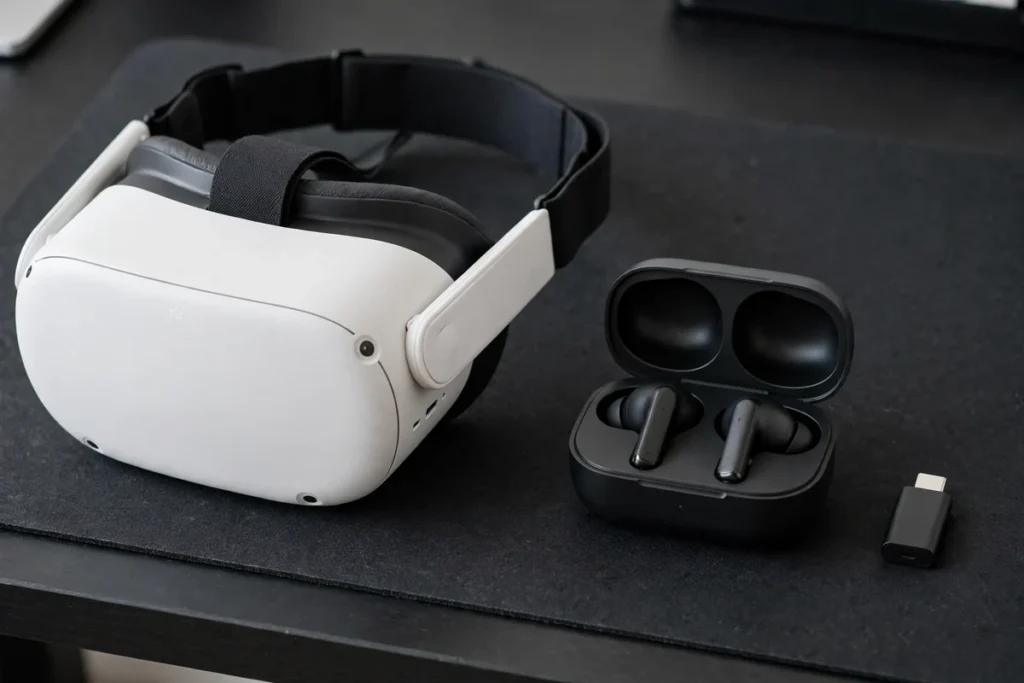
The built-in speakers on the Meta Quest 3 are better than most people expect, but they leak sound to everyone in the room, thin out bass, and never fully close you into a game. The obvious fix — pairing the Bluetooth earbuds you already own — runs into the Quest 3’s biggest audio weakness: standard Bluetooth latency is high enough that gunshots, rhythm-game notes, and dialogue land visibly late. The best headphones for Meta Quest 3 solve that sync problem first, with a 2.4GHz USB-C dongle or a short wired connection, and only then worry about sound quality. Every pick below also works for PSVR2 owners, whose headset routes audio very differently, and the same logic carries over to handhelds like the ROG Ally and Steam Deck.
Best overall for Quest 3: PRISMXR Vega T1. Its USB-C dongle delivers a manufacturer-rated 25ms latency, and its 27W passthrough charging means the dongle never costs you your battery strap. Best premium pick: SteelSeries Arctis GameBuds for PlayStation — proper ANC, transparency mode, and one dongle that covers Quest 3, PS5 for PSVR2, and handhelds.
Quick Comparison: The Best Headphones for Meta Quest 3 and PSVR2
| Pick | Connection | Published Latency | Battery | Best For | Price |
|---|---|---|---|---|---|
| PRISMXR Vega T1 | 2.4GHz USB-C dongle + Bluetooth | 25ms (manufacturer) | 6 hrs / 24 hrs with case | Quest 3 overall | Check Price |
| SteelSeries Arctis GameBuds (PlayStation) | 2.4GHz USB-C dongle + Bluetooth 5.3 | 2.4GHz — no ms figure published | 10 hrs / 40 hrs with case | Premium, Quest 3 + PSVR2 | Check Price |
| Sony PULSE Explore | PlayStation Link USB adapter + Bluetooth | PlayStation Link — no ms figure published | 5 hrs / 15 hrs with case | PSVR2 first | Check Price |
| Logitech G PRO Gaming Headset for Quest | Wired 3.5mm | Wired — effectively zero | No battery | Wired over-ear sound | Check Price |
| Logitech G333 VR | Wired 3.5mm | Wired — effectively zero | No battery | Wired earbuds, short cable | Check Price |
| Globvanx V2 | 2.4GHz USB-C dongle + Bluetooth 5.4 | Under 20ms (listing claim) | Charging case included | Budget wireless | Check Price |
Why Latency Matters More Than Sound Quality in VR
VR is unforgiving about delayed audio. When you turn your head, the image updates almost instantly; if the sound of a door slamming or an enemy reloading arrives a fraction of a second later, your brain registers the mismatch, even if you cannot name it. In rhythm games it is worse — notes are hit on the beat you hear, not the beat you see, so lag quietly destroys your scores.
Here is the honest breakdown of your three connection options on Quest 3. Wired audio through the 3.5mm jack or USB-C has effectively no delay and remains the benchmark everything else is judged against — our wired vs wireless gaming headset breakdown covers the same trade-off for flat gaming. 2.4GHz dongle earbuds bypass the Quest’s Bluetooth stack entirely: the dongle presents itself as a USB audio device and runs a private, gaming-tuned radio link, which is how the Vega T1 reaches its manufacturer-rated 25ms. Standard Bluetooth is the problem child. The Quest 3 supports Bluetooth audio, but Meta has not built it around low-latency gaming codecs, and the delay is plainly noticeable in fast games. It is fine for movies, browsing, and slow puzzlers — just do not buy ordinary Bluetooth earbuds expecting them to game well. Our explainer on Bluetooth codecs like AAC, LDAC, and aptX shows why the codec, not the Bluetooth version number, decides delay.
How Quest 3 and PSVR2 Handle Audio Differently
These two headsets need different shopping lists, because their audio plumbing is nothing alike. The Quest 3 is a standalone computer: built-in speakers, a 3.5mm jack, a USB-C port that accepts dongles, and Bluetooth. Plug or pair something into the headset itself and you are done. One warning for Quest 3S owners: the 3S dropped the 3.5mm jack, so the wired picks below do not apply — a dongle is your only private-audio route.
PSVR2 has no built-in speakers at all. Sony includes a basic pair of wired earbuds that plug into the 3.5mm jack on the underside of the headset’s headband, and any wired headphone with a 3.5mm plug works the same way. Wireless is where it gets specific: the PS5 does not pair with ordinary Bluetooth headphones, so wireless PSVR2 audio always runs through the console — either a PlayStation Link adapter or a gaming headset’s USB dongle plugged into the PS5, with the headset sending audio to wherever you are sitting. That is why the PULSE Explore below is a PSVR2 pick and not a Quest pick: its low-latency Link adapter has nothing to plug into on a Quest. The dongle earbuds, by contrast, move between both worlds — dongle in the Quest 3 for VR at one end of the room, dongle in the PS5 when you switch to PSVR2.
Will Headphones Fit With Your Head Strap?
The second buying factor most roundups skip is physical clearance. A Quest 3 with a halo-style battery strap is a wide rig, and a traditional over-ear headset puts a second headband directly on top of it. Sometimes the two stack comfortably; sometimes the headset’s band fights the strap’s crown, earcups collide with the halo’s side arms, and the whole stack gets hot and heavy within twenty minutes. Earbuds sidestep all of it — nothing competes for the space around your ears and strap, which is why four of our six picks are in-ear.
If you prefer over-ear sound, choose the pick designed around a VR strap (the Logitech G PRO below), keep sessions shorter, and expect to experiment with strap angle. Finally, think about awareness: fully sealed earbuds plus a VR headset is total sensory isolation. For roomscale games in a shared house, a transparency mode — offered by the Arctis GameBuds — or the Quest’s own passthrough view is a genuine safety feature, not a gimmick.
The Best VR Headphones for Quest 3 and PSVR2, Pick by Pick
1. PRISMXR Vega T1 — Best Overall for Meta Quest 3
Connection: 2.4GHz USB-C dongle + Bluetooth | Latency: 25ms (manufacturer) | Battery: 6 hours, 24 hours with case
The Vega T1 is the pick we would buy first for a Quest 3, because it solves the two problems Quest owners actually have. Problem one is latency: its USB-C dongle runs PrismXR’s ZeroDrag link at a manufacturer-rated 25ms, close enough to wired that fast games feel in sync. Problem two is the Quest’s single USB-C port. The dongle carries 27W passthrough charging, so your battery head strap keeps feeding the headset at full speed while you play — most rival dongles force you to choose between audio and charge.
Sound is tuned big and bass-forward, which suits VR: explosions and soundtracks get real weight, and positional cues stay clear. You can also hold a Bluetooth connection to your phone at the same time for calls or Discord without dropping game audio. For PSVR2, move the dongle to the PS5’s USB-C port and it works as a console audio device. The honest downsides: there is no ANC and no IP rating, so look below if either matters.
2. SteelSeries Arctis GameBuds for PlayStation — Best Premium Pick for Quest 3 and PSVR2
Connection: 2.4GHz USB-C dongle + Bluetooth 5.3 | Features: 4-mic hybrid ANC, transparency mode, 100+ app presets | Battery: 10 hours, 40 hours with case
The GameBuds are the most complete gaming earbuds here. The 2.4GHz dongle works in the Quest 3, in a PS5 for PSVR2, and in handhelds and the Switch, and a triple-tap quick-switches to Bluetooth 5.3 for your phone. SteelSeries does not publish a millisecond latency figure, and we will not invent one — in practice this class of 2.4GHz link is built for exactly the sync-sensitive gaming this article is about, and it is the connection to use instead of Bluetooth.
What earns the premium is everything around the audio: real ANC with a transparency mode, more than 100 game-specific EQ presets in the companion app, 360° spatial audio support, IP55 resistance for fitness games, and a Qi wireless charging case. Buy the PlayStation version linked here — there is a separate Xbox version, and the PlayStation one is the right match for PSVR2 and Quest alike. Flat-screen PS5 players should also see our best PS5 earbuds roundup.
3. Sony PULSE Explore — Best for PSVR2
Connection: PlayStation Link USB adapter + Bluetooth | Drivers: Planar magnetic | Battery: 5 hours, 15 hours with case
For PSVR2 owners, this is Sony’s own answer and the wireless option Sony itself names for the headset. The included PlayStation Link USB adapter plugs into your PS5 and delivers lossless, ultra-low-latency audio — Sony does not publish a millisecond figure — while the earbuds’ planar magnetic drivers, a driver type borrowed from studio headphones, give PSVR2’s Tempest 3D audio an unusually detailed presentation. Two hidden microphones with AI-enhanced noise rejection handle voice chat, and a simultaneous Bluetooth connection lets your phone stay paired for calls.
Be clear about the boundary, though: the PULSE Explore earns its place here as a PSVR2 pick only. PlayStation Link has no receiver on a Quest 3, so Quest owners should buy the Vega T1 or GameBuds instead. Battery life is also the shortest on this list, so the charging case will live near your PS5. Within its one job — wireless PSVR2 audio done properly — nothing else here is as purpose-built.
4. Logitech G PRO Gaming Headset for Quest — Best Wired Over-Ear
Connection: Wired 3.5mm, custom-length Quest cable plus full console/PC cable | Drivers: 50mm PRO-G | Build: Steel and aluminum, memory foam leatherette pads
Sometimes the best answer is a cable. The G PRO for Quest is a proper over-ear gaming headset — 50mm PRO-G drivers with the precise imaging the G PRO line is known for, passive noise isolation from its leatherette pads, and a steel-and-aluminum build — reworked for VR with a short custom-length cable that plugs into the headset’s 3.5mm jack without leaving a metre of wire to swing into your arms. A longer cable with inline controls and a detachable microphone are in the box for PC and console use; in VR itself, plan on the headset’s built-in microphones for voice chat.
It was designed in the Quest 2 era, and it works with the Quest 3 and PSVR2 for the simplest of reasons: both have a 3.5mm jack, and wired audio does not care which generation it is plugged into. The caveat is the two-headband problem from our fit section — it stacks best with slimmer elite-style straps and can fight bulky halo straps. If your strap cooperates, no earbud here matches its soundstage and isolation. See our best in-ear gaming headphones guide for the opposite approach.
5. Logitech G333 VR — Best Wired Earbuds
Connection: Wired 3.5mm, custom-length cable with straps | Drivers: Dual drivers — one for highs and mids, one for bass | Build: Aluminum housing, three tip sizes
The G333 VR takes the same wired logic as the G PRO and shrinks it to almost nothing. Dual dedicated drivers — one handling highs and mids, a second just for bass — give these earbuds a fuller, more separated sound than single-driver budget buds, and the aluminum housings feel a class above the price bracket. The cable is the real VR-specific thinking: it is cut to Quest length and ships with small straps to route it along the head strap, so there is no dangling loop to catch your elbow in a boxing game.
Like its over-ear sibling, it launched for the Quest 2 and carries that branding, but the 3.5mm plug makes it equally at home in a Quest 3 or the PSVR2’s headband jack — and in a Steam Deck or phone, for that matter. There is no battery to charge, no pairing, and no latency, ever. What you give up is wireless freedom and any noise cancelling beyond the passive seal of the tips. As a zero-fuss, buy-it-once audio upgrade, it is hard to argue with.
6. Globvanx V2 — Best Budget Wireless
Connection: 2.4GHz USB-C dongle + Bluetooth 5.4 | Latency: Under 20ms (listing claim) | Drivers: 11mm, ENC microphone, IPX5
Not everyone wants to spend premium money on VR audio, and the Globvanx V2 is the budget route into the dongle world. On paper the spec sheet is startling for the bracket: a 2.4GHz USB-C dongle with a claimed sub-20ms latency, Bluetooth 5.4 for your phone, 11mm drivers, an environmental-noise-cancelling microphone for voice chat, and IPX5 sweat resistance that suits fitness titles. The dongle moves between Quest 3, a PS5 for PSVR2, PC, Switch, and Steam Deck exactly like the pricier picks.
Our honest framing: that latency figure is the listing’s claim, not a number from a major manufacturer’s lab, and Globvanx is a lesser-known brand — fit, finish, and support will not match SteelSeries or Logitech. Buy it as an inexpensive way to find out whether wireless VR audio is for you, and keep the returns window in mind. If it clicks, you have saved real money; if not, the Vega T1 is the step up.
Do These Headphones Work With Handhelds Like the ROG Ally and Steam Deck?
Yes — and this is where dongle earbuds quietly become the best-value audio in your whole setup. The Steam Deck, ROG Ally, and Switch all accept USB-C audio devices, so the Vega T1, Arctis GameBuds, and Globvanx V2 treat a handheld exactly like they treat a Quest 3: plug in the dongle, get low-latency 2.4GHz audio, and keep Bluetooth free for a phone. Handheld gaming has the same latency sensitivity as VR in rhythm and competitive titles, and standard Bluetooth is just as laggy there.
The wired picks travel too — the Deck and Ally both keep a 3.5mm jack, so the G333 VR and G PRO work with zero setup. The exception is the PULSE Explore: PlayStation Link covers PS5, PC, Mac, and PlayStation Portal, but not Steam Deck or Ally gaming. Buy one set of dongle earbuds and you have covered headset, console, and handheld in a single purchase.
Frequently Asked Questions
Can you use Bluetooth earbuds with Meta Quest 3?
Yes, the Quest 3 pairs with standard Bluetooth earbuds and headphones, but the audio latency is noticeable in fast games because Meta has not tuned its Bluetooth audio for low-latency gaming codecs. Bluetooth is fine for movies and browsing; for gaming, use a 2.4GHz dongle or a wired connection instead.
Does the Meta Quest 3 have a headphone jack?
Yes, the Quest 3 has a 3.5mm headphone jack as well as a USB-C port, so any wired headphones work with effectively zero latency. Note that the cheaper Quest 3S dropped the 3.5mm jack, so 3S owners need a USB-C dongle for private audio.
What headphones work with PSVR2?
Any wired headphones with a 3.5mm plug work in the jack on the PSVR2 headset itself. Wireless options run through the PS5 rather than the headset: PlayStation Link earbuds like the PULSE Explore, or gaming earbuds and headsets whose USB dongle plugs into the PS5. Ordinary Bluetooth headphones cannot pair with a PS5.
Can you use AirPods with Meta Quest 3 or PSVR2?
AirPods pair with the Quest 3 over Bluetooth, but with the same noticeable latency as any standard Bluetooth earbuds, so they are a poor fit for fast VR games. They cannot pair with a PS5 for PSVR2 at all. A 2.4GHz dongle or a wired connection is the better route on both headsets.
Are earbuds or over-ear headphones better for VR?
Earbuds suit most VR players: they add no second headband to fight your strap, stay cooler, and work with every strap style including halo straps. Over-ear headphones give bigger sound and stronger passive isolation, but the extra headband and weight can clash with bulky straps and get hot in active games.
The Bottom Line
Buy for latency first and VR audio stops being a compromise. Quest 3 owners should start with the PRISMXR Vega T1, step up to the Arctis GameBuds for ANC and one-dongle-everywhere convenience, or go wired with the Logitech pair and never think about delay again. PSVR2 owners get their cleanest wireless answer from the PULSE Explore, with the dongle earbuds as the flexible alternative — and whichever route you take, the same pick will very likely cover your handheld too.

I am the founder of Sound Mavericks, where I provide the polite truth about audio equipment. I started this site because consumer electronics reviews are often too technical. Instead of using a silent lab, I test headphones, earbuds, and Bluetooth speakers in the real world – like on a noisy subway or in a busy coffee shop.
To stay independent, I buy my own review units (mostly from the United States) rather than accepting free gifts from brands. Once I finish testing a product, I sell it locally to our community. My goal is to help you understand sound quality, active noise cancellation (ANC), and battery life without the marketing hype.