Best gaming headsets for Xbox Series X 2026: our top picks
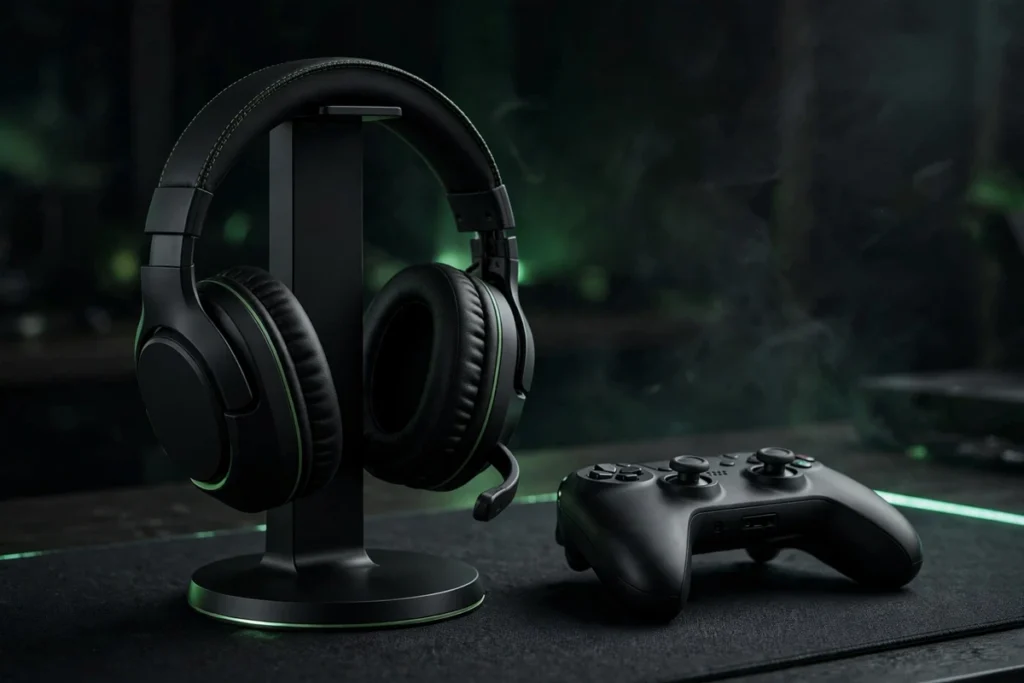
Xbox is the pickiest console for headset shopping: it uses a proprietary Xbox Wireless protocol, it won’t carry game audio over Bluetooth, and many headsets come in separate Xbox and PlayStation versions — buy the wrong SKU and it simply won’t connect. After analyzing the current Xbox-compatible lineup, our verdict is clear: the Xbox Wireless Headset is the best gaming headset for Xbox Series X for most players — it pairs directly to the console like a controller with no dongle, supports Dolby Atmos and Windows Sonic spatial audio, and the rotating earcup dials make volume and chat-mix adjustments effortless. Competitive players should look at the SteelSeries Arctis Nova Pro Wireless, marathon gamers at the Turtle Beach Stealth 700 Gen 3, and tight budgets at the HyperX CloudX Stinger Core Wireless.
Every pick below is confirmed Xbox-compatible — what each one does best, and the Xbox-specific buying guide that keeps you from buying the wrong version.
Best Xbox Series X headsets at a glance
| Headset | Best for | Xbox connection | Battery (mfr rating) |
|---|---|---|---|
| Xbox Wireless Headset | Best overall for Xbox | Xbox Wireless direct | Up to 15 hours |
| SteelSeries Arctis Nova Pro Wireless (Xbox) | Best premium / features | 2.4 GHz base station | Hot-swap dual batteries |
| Turtle Beach Stealth 700 Gen 3 (Xbox) | Best battery life | 2.4 GHz CrossPlay | Up to 80 hours |
| Razer BlackShark V3 Pro (Xbox) | Best for competitive play | HyperSpeed dongle | Up to 70 hours |
| HyperX CloudX Stinger Core Wireless | Best budget wireless | Xbox Wireless direct | Up to 20 hours |
| Razer BlackShark V2 X (Xbox) | Best wired budget pick | 3.5mm via controller | None needed |
Specs are manufacturer ratings; actual battery life varies with volume, EQ and ANC use.
How to choose a headset for Xbox Series X
Xbox Wireless is the gold standard. Microsoft’s proprietary protocol pairs a headset directly to the console — exactly like pairing a controller — with no dongle, no base station and very low latency. Headsets with native Xbox Wireless (like Microsoft’s own and the HyperX below) are the simplest wireless experience on Xbox.
Bluetooth does not carry game audio on Xbox. This trips up more buyers than anything else: you can pair a Bluetooth headset to your phone, but the Xbox console itself won’t send game audio over Bluetooth. Wireless on Xbox means Xbox Wireless or a 2.4 GHz USB dongle — never Bluetooth alone.
Buy the Xbox version, not just the headset. Razer, SteelSeries and others sell separate Xbox and PlayStation SKUs with different wireless chips. The PlayStation version of a headset will not work wirelessly on Xbox. Check the listing title for “Xbox” explicitly before buying — every pick below is the Xbox variant.
Dolby Atmos is a license, not a headset feature. Xbox supports Windows Sonic (free), Dolby Atmos for Headphones and DTS Headphone:X (paid app licenses). Any decent stereo headset can use them — the spatial processing happens on the console, so prioritize driver quality and comfort over surround-sound badges. Prefer in-ears for competitive play? See our best IEMs for gaming.
1. Xbox Wireless Headset — best overall for Xbox Series X

Microsoft’s own headset is the path of least resistance: it pairs straight to your Series X|S with the Xbox Wireless radio — no dongle, no base station — and even turns the console on like a controller does. Spatial audio support covers Windows Sonic, Dolby Atmos and DTS Headphone:X, while auto-mute and voice isolation keep chat clear. The rotating earcup dials are genuinely brilliant — twist the right cup for volume, the left for game/chat balance, without ever opening a menu. Simultaneous Bluetooth lets you take a phone call or run Discord mobile while still hearing game audio, and the Xbox Accessories app adds EQ presets, bass boost and mic monitoring. Reviewers consistently call it the value sweet spot of Xbox audio.
SoundMavericks’ verdict: the default Xbox headset — if you just want something that works perfectly with your console, start and end here.
2. SteelSeries Arctis Nova Pro Wireless (Xbox version) — best premium pick

The Nova Pro Wireless is the feature king of Xbox headsets: active noise cancelling, a base station that doubles as a system hub and spare-battery charger, simultaneous 2.4 GHz and Bluetooth, and a hot-swappable dual-battery system that effectively means unlimited wireless play. The Xbox version works across Xbox, PC and PlayStation from the same base station. Sound is clean and detailed with strong positional cues, and the retractable ClearCast mic is among the best in class. It’s the priciest pick here — but nothing else matches the feature set, and the ANC is a genuine advantage in noisy rooms. Want ANC in a music-first design instead? See our noise-cancelling gaming headphones guide.
SoundMavericks’ verdict: the no-compromise Xbox setup — buy it if you want every feature and never want to think about charging.
3. Turtle Beach Stealth 700 Gen 3 (Xbox) — best battery life

The Stealth 700 Gen 3 is built for players who never want to see a low-battery warning: Turtle Beach rates it up to 80 hours per charge, the best in its class, with quick-charge for fast top-ups. The 60mm Eclipse dual drivers — a separate woofer and tweeter per ear — deliver deep bass and clear spatial audio, and the redesigned flip-to-mute mic uses AI noise reduction for clean team chat. The CrossPlay wireless system includes dual USB transmitters so you can switch between Xbox and PC at the press of a button, with simultaneous Bluetooth 5.2 for phone audio. It’s officially licensed for Xbox Series X|S, and the Swarm II app unlocks deep EQ customization.
SoundMavericks’ verdict: the marathon pick — charge it monthly, game daily.
4. Razer BlackShark V3 Pro (Xbox) — best for competitive play

Razer’s flagship takes the competitive slot: HyperSpeed Wireless Gen-2 with latency as low as 10 ms, Gen-2 50mm bio-cellulose drivers tuned for positional clarity, hybrid active noise cancelling, and a detachable HyperClear 12mm full-band mic with excellent background suppression. The clever bit is the dongle’s Xbox/USB switch — Xbox mode for the console, USB mode for PC or PlayStation 5 — so one headset covers every platform you own. On-headset FPS EQ profiles tuned with esports pros mean you don’t need the app mid-match — here in the proper Xbox variant.
SoundMavericks’ verdict: the competitive player’s headset — esports-grade audio with true multi-platform flexibility.
5. HyperX CloudX Stinger Core Wireless — best budget wireless for Xbox

The CloudX Stinger Core Wireless is the cheapest way to get proper Xbox Wireless: it’s officially licensed, pairs directly to the console with no adapter, and brings the Cloud line’s famous comfort — memory foam ear cushions in smooth leatherette on a lightweight frame. The 40mm drivers deliver clean, focused game audio with Windows Sonic spatial support, the swivel-to-mute mic has noise cancelling for clear chat, and onboard controls handle game/chat balance. It skips the premium extras (no ANC, no Bluetooth mixing), but for players who want wireless freedom on a budget, nothing else at this level pairs this simply.
SoundMavericks’ verdict: the budget wireless sweet spot — official Xbox Wireless pairing without the premium price. Shopping with a hard ceiling? Check our best gaming headsets under 400.
6. Razer BlackShark V2 X (Xbox) — best wired budget pick
Sometimes the smartest Xbox headset is the simplest: the BlackShark V2 X plugs straight into your controller’s 3.5mm jack — zero latency, zero charging, zero pairing, and it works the instant you plug it in. You still get Razer’s 50mm drivers with clear positional audio and the HyperClear cardioid mic for clean team chat, plus on-headset volume and mic-mute controls. It’s light, comfortable for long sessions, and the most affordable route to genuinely good Xbox game audio. The trade-off is the cable — but for players who sit near their console anyway, that’s barely a trade-off.
SoundMavericks’ verdict: the value champion — wired simplicity that just works. Still deciding between a headset and headphones? Our headset vs headphones guide breaks down when the boom mic is worth it.
Best gaming headsets for Xbox Series X 2026: final verdict
For most Xbox Series X|S players, the Xbox Wireless Headset is the right buy — native pairing, spatial audio support and brilliant earcup controls at a sensible outlay. Step up to the SteelSeries Arctis Nova Pro Wireless for the ultimate feature set, the Turtle Beach Stealth 700 Gen 3 for marathon battery life, or the Razer BlackShark V3 Pro for competitive play. On a budget, the HyperX CloudX Stinger Core Wireless gets you proper Xbox Wireless cheaply, and the wired BlackShark V2 X proves you don’t need wireless at all.
Xbox Series X headset FAQs
Do I need an Xbox-specific headset for Xbox Series X?
For wireless, effectively yes. Xbox uses a proprietary Xbox Wireless protocol, so a wireless headset must either support Xbox Wireless natively or ship in an Xbox-specific version with the right wireless chip. Wired 3.5mm headsets work with any controller regardless of branding.
Can I use a Bluetooth headset with Xbox Series X?
Not for game audio. The Xbox console does not transmit game audio over Bluetooth — wireless headsets need Xbox Wireless or a 2.4 GHz USB dongle. Bluetooth on Xbox headsets is only useful for simultaneous phone audio alongside the game connection.
What is Xbox Wireless?
Microsoft’s proprietary wireless protocol that pairs headsets (and controllers and accessories) directly to the console with no dongle — hold the pair buttons on both devices, like pairing a controller. It offers low latency and lets the headset power the console on.
Is Dolby Atmos free on Xbox?
Windows Sonic spatial audio is free on Xbox. Dolby Atmos for Headphones and DTS Headphone:X require paid licenses through their Xbox apps — but they work with any decent stereo headset, including every pick on this list.
Can I plug any headset into the Xbox controller?
Yes — any headset with a 3.5mm plug and CTIA wiring works through the controller’s headphone jack, including mic and basic chat. It’s the universal fallback when wireless isn’t needed.
What’s the difference between the Xbox and PlayStation version of a headset?
The wireless hardware. Xbox versions contain the Xbox Wireless chip (or an Xbox-compatible dongle mode); PlayStation versions use standard 2.4 GHz USB. A PlayStation-version headset will not connect wirelessly to an Xbox — always buy the Xbox SKU.

I am the founder of Sound Mavericks, where I provide the polite truth about audio equipment. I started this site because consumer electronics reviews are often too technical. Instead of using a silent lab, I test headphones, earbuds, and Bluetooth speakers in the real world – like on a noisy subway or in a busy coffee shop.
To stay independent, I buy my own review units (mostly from the United States) rather than accepting free gifts from brands. Once I finish testing a product, I sell it locally to our community. My goal is to help you understand sound quality, active noise cancellation (ANC), and battery life without the marketing hype.