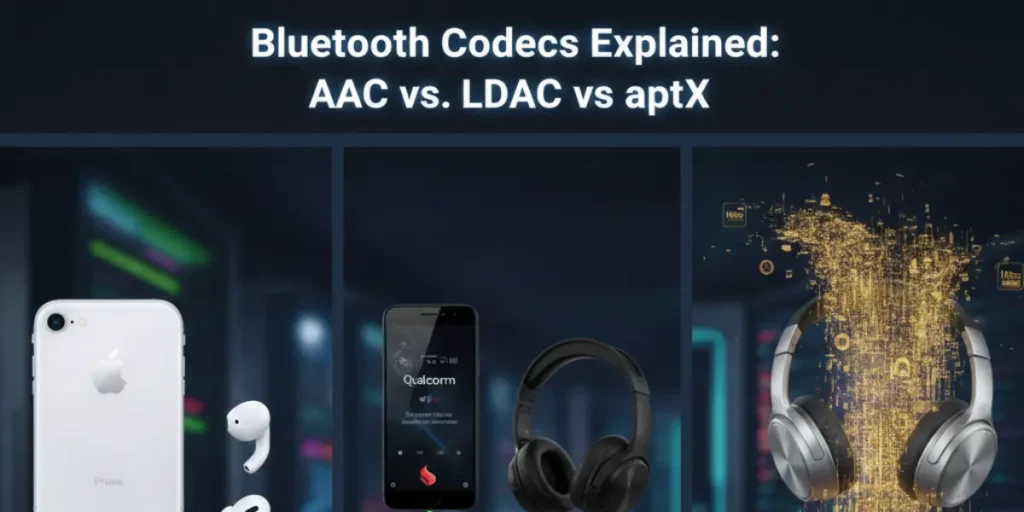
If you’ve ever looked at the back of a headphone box and felt like you were staring at a bowl of alphabet soup, you’re not alone. Between AAC, LDAC, and the various flavors of aptX, the world of wireless audio is full of jargon. But these acronyms actually dictate how good your music sounds and how much lag you experience during a movie.
In short, A codec (short for Coder-Decoder) is the digital language your phone and headphones use to talk to each other. Think of it like a shipping box. The music is the product inside. If the box is too small, you have to fold and cram the music to make it fit. If the box is high-quality, the music arrives at your ears looking—and sounding—exactly like it did when it left the studio. If your phone and headphones don’t speak the same language, they’ll fall back to a basic one, and your ears will notice the difference.
The Main Difference in Simple Terms
Before we get into the details, here is the cheat sheet version. Your choice usually depends on what device you own and what you are doing.
| Codec | Best For… | Ecosystem | The Verdict |
| AAC | iPhones & YouTube | Apple (Best), Android (Okay) | The gold standard for Apple users. |
| aptX | Gaming & Movies | Android / Windows | Great for “syncing” sound with video. |
| LDAC | Audiophile Listening | Android (Sony/Premium) | The “Firehose” of data; best for high-quality files. |
If you use an iPhone, stop reading here: you need AAC. If you use an Android and want the best sound, look for LDAC. If you play mobile games and hate it when the sound is late, get aptX.
The Deep Dive: How the Language Works
When you hit play, your phone has to shrink a massive audio file to fit through the narrow pipe of a Bluetooth connection. How it shrinks that file is where the magic (or the mess) happens. Imagine trying to send a large painting through the mail. You could fold it up (which leaves creases), or you could take it apart and put it back together perfectly on the other side.
AAC: The Efficient Specialist
Advanced Audio Coding (AAC) is the heart of the Apple ecosystem. While it doesn’t move the most data, it is incredibly smart about which parts of the music it keeps.
- The Apple Edge: iPhones are built to handle AAC with very little power. This means your battery lasts longer and the sound is clean.
- The Android Trap: On Android, AAC performance is hit or miss. Some Android phones handle it poorly, which can make your music sound flat or fuzzy. If you are an Android user, AAC should be your last resort.
aptX: The Low-Latency Workhorse
Owned by Qualcomm, aptX was designed to solve the Bluetooth lag problem. Have you ever watched a video where the person’s lips move, but the sound comes a second later? That is latency.
- aptX HD: This version focuses on pure sound quality. It’s like a bigger shipping box that fits more details.
- aptX Adaptive: This is the smart version. If you are gaming, it shrinks the box to make sure the sound is fast. If you are sitting still listening to music, it expands the box to give you better quality. It changes based on what you are doing.
LDAC: The Audiophile Firehose
Developed by Sony, LDAC is the heavy hitter. It is the only one here that can handle “Hi-Res” audio.
- The Bitrate King: It can push nearly three times more data than standard Bluetooth. Think of it like a massive firehose. It pours a huge amount of information into your ears.
- The Trade-off: Because it uses so much data, the connection is fragile. If you walk too far from your phone or stand near a microwave, the music might stutter. It’s a Ferrari: fast and beautiful, but it doesn’t like bumpy roads.
Scenario Tests: Real-World Performance
We put these codecs through three common environments to see who actually wins. Specs are fine on paper, but how do they work when you are actually using them?
1. The Morning Commute (High Interference)
Imagine you are on a train. There are hundreds of people with phones, tablets, and smartwatches all fighting for the same airwaves.
- Winner: aptX Adaptive or AAC.
- Why: In a crowded place, LDAC’s firehose approach often fails. You will hear skips and jumps in your music. aptX Adaptive is better because it sees the traffic and automatically lowers its data usage to keep the music playing smoothly. If you want a connection that never breaks, choose these.
2. The Late-Night Gaming Session
You are playing a fast-paced shooter on your phone. You need to hear the enemy’s footsteps the moment they happen.
- Winner: aptX Low Latency (LL).
- Why: LDAC and AAC have a “lag” you can actually feel. If you use them for gaming, you will hear the sound of your gun firing after you’ve already seen the muzzle flash. It’s annoying and makes you play worse. aptX LL cuts that delay so the sound feels instant.
3. The Quiet Living Room (Pure Listening)
You are home alone, sitting in your favorite chair, and you want to hear every breath the singer takes.
- Winner: LDAC.
- Why: This is where LDAC wins. With a stable connection and a high-quality music app (like Tidal), the extra detail is clear. You’ll hear the “ring” of the cymbals and the deep texture of the bass. If you are a purist who stays in one spot, get LDAC.
The Buying Guide: Matching Gear to Your Life
You should not buy headphones based on a codec alone, but you must ensure your phone supports what your headphones offer. Think of it like a key and a lock. If they don’t match, you aren’t getting in.
- For iPhone Users: Stick to AAC. Don’t spend extra money on LDAC-ready headphones unless you plan to switch to Android soon. Your iPhone will ignore those high-end features and use AAC anyway.
- For Android Power Users: If you own a flagship phone (like a Galaxy S-series or a Pixel), look for LDAC. You have the power to use it, so you might as well get the best sound possible.
- For Gamers and Video Lovers: Ensure your headphones and phone both support aptX Adaptive. It is the most versatile choice for everyday life.
Note: Both the “Source” (your phone) and the “Sink” (your headphones) must support the codec. If your headphones have LDAC but your phone only supports AAC, you are stuck in the slow lane. Always check your phone’s specs before buying expensive gear.
FAQ: Frequently Asked Questions
No. Codecs are usually tied to the hardware inside. It’s like the engine in a car. You can’t just download a V8 engine into a four-cylinder car. If your headphones don’t have the right chip, they can’t speak that language.
This usually happens because of Multipoint. Many headphones let you connect to two devices at once (like your phone and your laptop). LDAC uses so much space that it usually can’t work while you are connected to two things. You have to choose: the best sound quality or the convenience of two devices.
Not quite yet. New tech like aptX Lossless is starting to appear, but for now, even the best codecs like LDAC still toss out some tiny bits of data to make the file fit. It’s like a high-quality photocopy of a photo. It looks perfect to most people, but if you look with a magnifying glass, you can see it’s not the original.
Yes, absolutely. Think of a codec like a high-speed highway. If you are driving a slow, beat-up car (a low-quality music file) on a 10-lane highway (LDAC), you won’t get to your destination any faster.
If you use Spotify on its standard setting, you are listening to compressed files. In that case, using LDAC won’t make the music sound much better because the “detail” was never there to begin with. To really hear the benefits of LDAC or aptX HD, you need to use high-quality services like Tidal, Apple Music, or Qobuz, which provide “Lossless” files.
This is a common frustration. When you activate the microphone on your Bluetooth headphones, the pipe that carries the audio has to be split in two: one half for the sound coming in and one half for your voice going out.
To handle this, Bluetooth switches to a very old, basic codec (usually called HSP or HFP). It’s like trying to have a conversation through a walkie-talkie.
This is why even $500 headphones will sound like a telephone from the 90s the moment you join a call. Currently, there is no High-Def way to use both a high-quality codec and the microphone at the same time over standard Bluetooth.
If you are hooking up your TV to wireless headphones, you have one main enemy: Latency. If the codec is slow, the actor’s lips will move, but the sound will hit your ears a split second later. This makes watching movies almost impossible.
You should look for a transmitter and headphones that both support aptX Low Latency (LL) or aptX Adaptive. These are specifically built to keep the lag so low that your brain can’t tell the difference. Avoid using AAC or standard SBC for TV watching, as the delay is often very noticeable.

I am the founder of Sound Mavericks, where I provide the polite truth about audio equipment. I started this site because consumer electronics reviews are often too technical. Instead of using a silent lab, I test headphones, earbuds, and Bluetooth speakers in the real world – like on a noisy subway or in a busy coffee shop.
To stay independent, I buy my own review units (mostly from the United States) rather than accepting free gifts from brands. Once I finish testing a product, I sell it locally to our community. My goal is to help you understand sound quality, active noise cancellation (ANC), and battery life without the marketing hype.