A Bluetooth upgrade kit for Apple iPod Classic 5th/6th is the only way to make a Classic-era iPod wireless: Apple never built Bluetooth into the 5th-generation iPod Video or the 6th/7th-generation iPod Classic, and never will. The good news is you have three real routes to Bluetooth audio — an internal rear-housing mod kit that hides the Bluetooth module inside the iPod, a plug-in 30-pin Bluetooth transmitter, or a battery-powered 3.5mm transmitter in the headphone jack. This guide explains what the actual “upgrade kit” product is, compares the specs that matter, and flags the compatibility traps (especially for 5th-gen owners) so you buy the right one the first time.
Our verdict: Most iPod Classic owners should skip the soldering-iron project and buy a plug-in 30-pin Bluetooth transmitter — it takes ten seconds to install and leaves the iPod untouched. The 5th-generation iPod Video needs a 3.5mm transmitter instead, because many 30-pin adapters list pre-2007 iPods as incompatible. The internal rear-housing kit is the cleanest-looking result, but only if you are already comfortable opening your iPod.
What Is a Bluetooth Upgrade Kit for iPod Classic?
Search results for “Bluetooth upgrade kit for iPod Classic 5th 6th” converge on one specific thing: a replacement rear housing for the iPod that has a Bluetooth transmitter module and a bigger battery built in. The best-known version comes from Parts Plus Pods (partspluspods.com.au), an iPod-modding specialist whose kit is a complete rear housing assembly — you remove your iPod’s existing back cover and fit this one in its place. No soldering, no cutting. The housing carries a Bluetooth module and a 3000mAh battery, so your iPod gains wireless audio and longer battery life at the same time, in colors the factory never offered.
How it works day to day: the iPod’s lock switch is rewired to act as the Bluetooth module’s power and pairing button. Push the lock switch to power the module, put your earbuds or speaker in pairing mode, then press the switch again to pair. The trade-off is that you lose the lock-switch function — a real ergonomic cost on a device with a click wheel in your pocket.
Fitment matters: the slim housing fits only with an iFlash Quad flash board; the thick version covers the iFlash Solo and Quad, the Green mSATA and CF adapters, and the slim original hard drive. On 6th/7th-generation Classics you also remove the metal shield behind the LCD. The module is a Bluetooth 4.1 board with stereo audio — fine for music, but don’t expect aptX-class latency or multipoint pairing.
Credit where due: the rear-housing Bluetooth mod is clever aftermarket engineering, and Parts Plus Pods documented the whole thing publicly on YouTube. But the kit is a niche-modder product sold direct and on auction sites — not on Amazon, not returnable, and it asks you to open a fifteen-plus-year-old device. If that sounds like a weekend project rather than a Tuesday purchase, the adapter route below is the sane alternative.
How to Add Bluetooth to an iPod Classic 5th or 6th Gen: Three Ways
Every iPod Classic Bluetooth solution taps one of the iPod’s two audio exits — the 30-pin dock connector or the 3.5mm headphone jack — or gets built inside the case. Pick your route:
1. Internal Bluetooth mod kits (the “upgrade kit” proper)
The rear-housing kit above, plus mail-in services that wire a Bluetooth board into your iPod for you. Pros: nothing hangs off the iPod, and you get a battery upgrade in the same job. Cons: you open the iPod, lose the lock switch, and pay modder-shop pricing and shipping.
2. Plug-in 30-pin Bluetooth transmitters
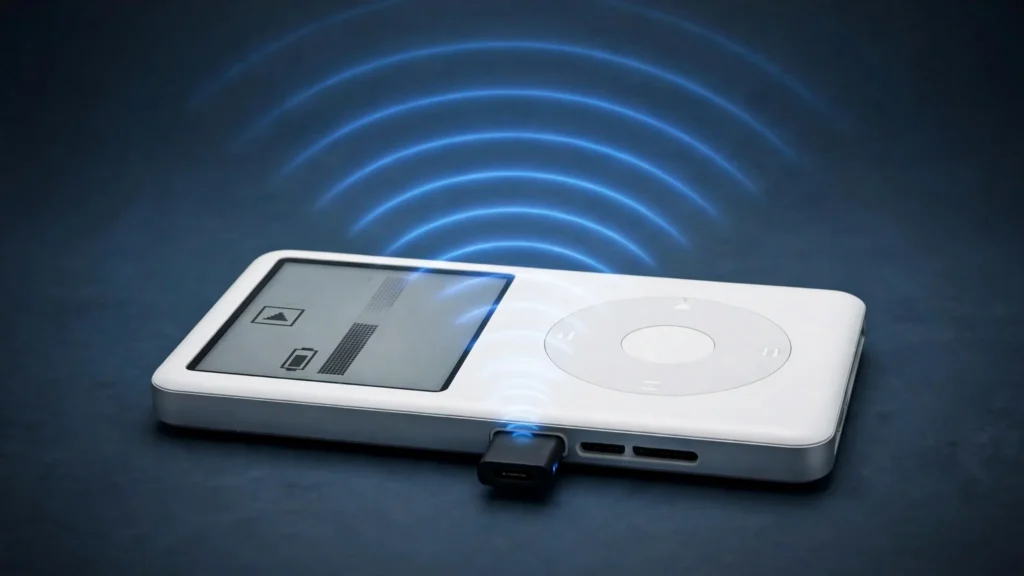
A small dongle that plugs into the 30-pin dock connector, draws power from the iPod, and beams audio to your Bluetooth headphones, earbuds, speakers, or car. Auto-pairing, no apps, no second device to charge. The cheapest and least invasive route — try this first.
3. 3.5mm Bluetooth transmitters
A rechargeable transmitter that plugs into the headphone jack. Bulkier and a second thing to charge, but it works with every iPod ever made, and newer ones run Bluetooth 5.x with aptX-class codecs — a generation ahead of the budget 30-pin dongles.
Best Bluetooth Upgrade Options for iPod Classic 5th/6th Gen in 2026
We looked for real, buyable Amazon listings — not wish-list products — and verified each one against the live listing. Here are the three worth your money.
SETHDA 30-Pin Bluetooth Transmitter — Best Plug-and-Play Pick

The SETHDA is the closest thing to a default answer for iPod Classic Bluetooth: a thumb-sized black dongle that plugs into the 30-pin connector, draws power from the iPod, and auto-pairs with your headphones or speaker. Pair once and it remembers your device forever. It supports A2DP and AVRCP profiles, reaches about 33 feet (10m), and carries a 12-month warranty — it ranks #41 in Bluetooth Network Adapters, respectable for this forgotten corner of Amazon.
Honest flags: the compatibility copy is a mess — it claims iPod Classic support in one breath and posts contradictory “not compatible” lists for older models in the next. Volume works only on the iPod itself, and the transmitter drains the battery faster than wired listening. 5th-gen Video owners should check the listing’s current compatibility note before checkout.
VR-robot 30-Pin Bluetooth Transmitter — Budget Alternative

The VR-robot plays the same tune as the SETHDA: plug-and-play 30-pin dongle, A2DP plus AVRCP, auto-pairing with permanent memory, no batteries, no software, powered by the iPod. Same small, discreet form factor and 12-month warranty — and it holds a solid sales rank (#91 in MP3 Player Bluetooth Transmitters).
Buy this if the SETHDA is out of stock or you want a spare for the car. The listing contradicts itself on older-model support (page title vs. bullets), so lean on the returns window if your exact model is in the gray zone.
Avantree Voyager — Best 3.5mm Transmitter (for iPod Classic 5th Gen)

The Avantree Voyager is marketed as an airplane adapter, but it’s just a very good portable Bluetooth 5.4 transmitter with a 3.5mm input — and the iPod’s headphone jack doesn’t care what it was marketed for. It’s the pick for 5th-gen iPod Video owners, since it bypasses the dock connector entirely. Specs run a generation ahead of the 30-pin dongles: Bluetooth 5.4 with aptX-Adaptive, aptX-HD, aptX, SBC and LC3, up to 65 ft (20m) of range, about 15 hours of battery on a two-hour USB-C charge, an OLED pairing display, and 22g of weight. It ranks #25 in MP3 Player Bluetooth Transmitters.
Downsides: it’s a second device to keep charged, and a 3.5mm plug sticking out of your iPod is less elegant than a dock-connector nub. But for codec quality and guaranteed compatibility across all Classic generations, it wins on merit.
Bluetooth Upgrade Specs at a Glance
| Specification | SETHDA 30-Pin | VR-robot 30-Pin | Avantree Voyager |
|---|---|---|---|
| Install type | Plug-in 30-pin dongle | Plug-in 30-pin dongle | Plug-in 3.5mm, rechargeable |
| Bluetooth version | Bluetooth (version not stated) | Bluetooth (version not stated) | Bluetooth 5.4 |
| Audio profiles / codecs | A2DP, AVRCP | A2DP, AVRCP | aptX-Adaptive, aptX-HD, aptX, SBC, LC3; A2DP, AVRCP |
| Range | Up to 33 ft (10m) | Not specified (typical ~33 ft) | Up to 65 ft (20m) |
| Power | Drawn from iPod, no battery | Drawn from iPod, no battery | Built-in rechargeable, ~15 hrs playback, ~2 hr USB-C charge |
| Pairing | Auto-pair, remembers device | Auto-pair, remembers device | Manual pairing, OLED status display |
| Size / weight | 40 x 32 x 8mm | Compact (not specified) | 118 x 31.8 x 12.5mm, 22g |
| Warranty | 12 months | 12 months | Avantree standard (check listing) |
| Best for | 6th/7th-gen Classic, zero-hassle setup | Backup pick, same use case | 5th-gen iPod Video, best codec support |
iPod Classic 5th Gen vs 6th Gen: Which Bluetooth Adapter Works?
This is where most buyers get burned, so read this before you click. The iPod Classic 5th generation (sold as the iPod Video, 2005–2006) predates 2007, and a surprising number of 30-pin Bluetooth adapters list “iPods made before 2007” as incompatible — even while the same listing claims to support the “iPod Video” two lines up. The copy on these generic listings is unreliable. Our read: if you own a 5th-gen Video, a 3.5mm transmitter like the Avantree Voyager is the safe buy — it uses the headphone jack and sidesteps the whole question.
The 6th and 7th generations (the silver/black iPod Classic, 2007–2014, 80/120/160GB) are the models these 30-pin dongles were effectively made for: 2007-and-later, 30-pin, plenty of clearance around the dock connector. A plug-in 30-pin transmitter is the right call here.
Universal notes: any transmitter draws power, so battery life drops versus wired listening; 30-pin adapters adjust volume only on the iPod; and the dongles don’t pass through charging, so pull the adapter to dock or sync. Check clearance if your case has a tight dock opening.
How to Pair Bluetooth Headphones with an iPod Classic
Setup is genuinely simple on the adapter route:
- Put your Bluetooth headphones, earbuds, or speaker into pairing mode — and make sure they aren’t still connected to your phone.
- Plug the transmitter in (30-pin connector, or the headphone jack for a 3.5mm unit). The LED should start flashing to indicate pairing mode.
- Wait a few seconds. Most 30-pin dongles auto-pair with the first available device and remember it permanently — you only do this dance once.
- Press play, and adjust volume on the iPod itself.
If pairing fails, power-cycle the adapter and confirm nothing else is holding the headphones’ connection. One known quirk: 30-pin adapters usually won’t talk to car-stereo Bluetooth, and they can be finicky around Sonos-style speakers — headphones and portable speakers are the sweet spot.
Once you’re wireless, the next upgrade is the listening end. Our roundup of the best Bluetooth noise-cancelling earbuds covers the current top picks, and if calls matter, see the best earbuds for phone calls. For pure sound-per-dollar, the best wired earbuds still beat Bluetooth — no transmitter needed.
SoundMavericks Verdict: Which Bluetooth Upgrade Kit Should You Buy?
“Bluetooth upgrade kit for iPod Classic 5th/6th” means two different products: a niche rear-housing mod kit from modders like Parts Plus Pods, or (much more commonly on Amazon) a plug-in Bluetooth transmitter. For most people, the transmitter is the right product — same wireless result, zero disassembly, and you can return it.
Get the SETHDA if you have a 6th/7th-gen Classic and want the cheapest, fastest route to Bluetooth. Get the Avantree Voyager for a 5th-gen iPod Video — or if you want Bluetooth 5.4, aptX-class codecs, and the longest range. Consider the internal rear-housing kit only if you’re already opening the iPod for a flash upgrade and value the dongle-free look enough to sacrifice the lock switch.
Frequently Asked Questions
Does the iPod Classic 5th or 6th generation have Bluetooth?
No. No iPod Classic — 5th, 6th, or 7th generation — has built-in Bluetooth. Apple never added it. A Bluetooth upgrade kit, 30-pin transmitter, or 3.5mm transmitter is required for wireless audio.
Can you add Bluetooth to an iPod Classic 160GB?
Yes. The 160GB iPod Classic (6th/7th gen) works with plug-in 30-pin Bluetooth transmitters and with 3.5mm transmitters, or you can fit an internal rear-housing Bluetooth mod kit (thick housing version) after removing the metal shield behind the LCD.
Will a 30-pin Bluetooth adapter work on the iPod Classic 5th generation (iPod Video)?
Maybe, but listings are unreliable — many 30-pin adapters exclude pre-2007 iPods while also claiming iPod Video support. For the 5th generation, a 3.5mm Bluetooth transmitter is the safer choice because it uses the headphone jack.
Does a Bluetooth transmitter drain the iPod Classic battery faster?
Yes. 30-pin adapters draw power from the iPod (up to about 40mA), and sellers themselves warn that battery life will drop. Keep the iPod charged, or use a battery-powered 3.5mm transmitter to take the load off.
Can I use AirPods with an iPod Classic Bluetooth adapter?
Yes, if your adapter supports the A2DP profile — both 30-pin picks above and the Avantree Voyager do. Put the AirPods in pairing mode (case open, hold the back button) and pair normally. Volume is controlled on the iPod.
Is the internal Bluetooth mod kit better than an adapter?
It looks cleaner — no dongle — and adds a 3000mAh battery in the same job. But you must open the iPod, it fits only with certain flash-storage boards (or a slim original drive), and you lose the lock-switch function. Adapters are cheaper, reversible, and returnable.

I am the founder of Sound Mavericks, where I provide the polite truth about audio equipment. I started this site because consumer electronics reviews are often too technical. Instead of using a silent lab, I test headphones, earbuds, and Bluetooth speakers in the real world – like on a noisy subway or in a busy coffee shop.
To stay independent, I buy my own review units (mostly from the United States) rather than accepting free gifts from brands. Once I finish testing a product, I sell it locally to our community. My goal is to help you understand sound quality, active noise cancellation (ANC), and battery life without the marketing hype.