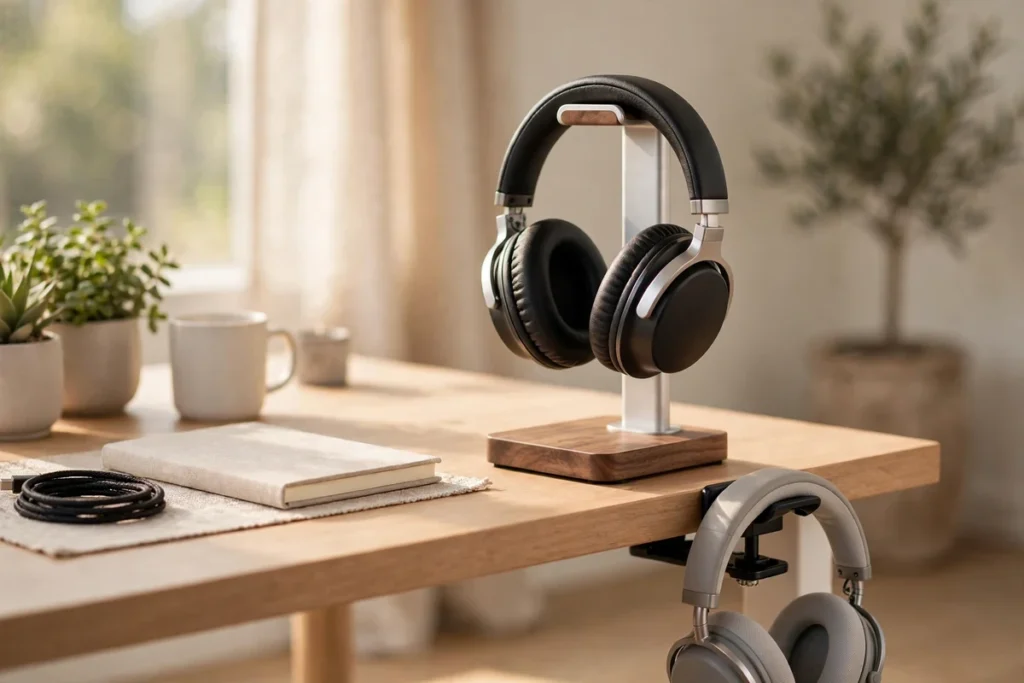
A good pair of headphones deserves better than being dumped on the desk, balanced on a monitor, or left in a tangle of cable next to your keyboard. The best headphone stands and mounts do three jobs at once: they protect the headband and ear pads from dents and desk-edge scuffs, they keep your headphones in the same grab-and-go spot every day, and they give a setup a finished, deliberate look. The catch is that “headphone stand” covers at least five very different products — desktop stands in wood and metal, under-desk clamp mounts, adhesive under-desk hooks, wall hangers, and stands that double as USB hubs — and the right one depends on your desk, your headphones, and how heavy those headphones are.
We compared the leading options across every format using manufacturer specifications and the factors that decide whether a stand works long-term: base weight and stability, cradle shape and headband pressure, mounting method, and cable management. Here are the ten worth your money.
Best overall desktop stand: Avantree TR902 — tall, stable wood-and-aluminum design with a cable tray, built for bigger, heavier headphones.
Best under-desk mount: Elevation Lab The Anchor Pro — holds two pairs under the desk, with screws included if you do not trust adhesive alone.
Best stand with a USB hub: Corsair ST100 RGB — two USB ports, a 3.5mm jack with virtual 7.1 surround, and a heavy aluminum build.
Quick Comparison: All 10 Picks at a Glance
| Product | Type | Best For | Check Price |
|---|---|---|---|
| Avantree TR902 | Desktop stand | Heavy, tall headphones | Check Price |
| SAMDI Wood Headphone Stand (Walnut) | Desktop stand | Wood-desk setups | Check Price |
| New bee Headphone Stand (Z1) | Desktop stand | Simple, compact desks | Check Price |
| Elevation Lab The Anchor Pro | Under-desk mount | Two pairs, zero desk footprint | Check Price |
| Elevation Lab The Anchor | Under-desk mount | Minimal, hidden storage | Check Price |
| EURPMASK Rotating Headphone Stand | Clamp mount | Renters, no adhesive or screws | Check Price |
| 6amLifestyle All Aluminum Dual Hanger | Under-desk mount | Two headsets, metal build | Check Price |
| Corsair ST100 RGB | Stand + USB hub | PC gaming desks | Check Price |
| Razer Base Station V2 Chroma | Stand + USB hub | Razer setups, taller headsets | Check Price |
| KDD 4-in-1 Wall Mount Holder | Wall hook | Headphones plus controllers | Check Price |
Headphone Stand Types: Which Format Fits Your Desk?
Freestanding desktop stands are the classic choice. They display your headphones, keep them in easy reach, and need no installation — but they take up roughly a hand-sized patch of desk and can be knocked over if the base is light. Under-desk mounts reclaim that space entirely: adhesive and screw-in hooks hang your headphones underneath the desktop, while clamp mounts grip the desk edge with no adhesive or drilling at all, which makes them the renter-friendly option. Wall hooks move storage off the desk completely and suit multi-headphone collections and gaming rooms. Finally, stands with USB hubs earn their larger footprint by adding front-facing ports for dongles, cables, and charging — genuinely useful on a PC desk, pointless on a bedside table.
What to Look for in a Headphone Stand
Stability and base weight come first
Modern flagships are top-heavy. Large wireless over-ears and planar magnetic models carry most of their weight in the ear cups, and a tall, light stand with a small base will walk or tip the first time you grab your headphones one-handed. Look for a wide base, a low center of gravity, and — on desktop stands — enough listed weight to stay planted. If your headphones are unusually heavy, an under-desk mount removes the tipping question entirely, because gravity works with the hook instead of against a stand.
Headband pressure: wide curved cradles beat narrow posts
This is the point most roundups skip. A stand supports your headphones by the headband, and a narrow post concentrates all that weight on a small strip of padding. Over weeks and months, that can leave a visible dent or crease in foam and leatherette headbands. A wide, curved cradle that follows the headband’s natural arc spreads the load across a much larger area and is the safer long-term home for padded headbands. If a stand uses a narrower rest, a flexible or padded contact surface — TPU rubber or silicone — is the next best thing. Whatever you choose, avoid sharp-edged metal rests on expensive headphones.
Cable management and desk space
A stand that holds your headphones but leaves the cable pooling on the desk only solves half the problem. Trays, hooks, and built-in cable clips keep wired cables coiled and off the floor, and they matter just as much for the charging cable of a wireless pair. On space, be honest about your desk: a full-size stand needs a permanent footprint, while an under-desk or wall mount gives that space back to your keyboard, mouse, and monitor.
Material and finish
Wood stands (walnut, bamboo) warm up a desk and pair naturally with wood desktops; aluminum matches metal-and-glass setups and shrugs off knocks; ABS plastic keeps clamp mounts light but feels less substantial. Matching the finish to your setup is what makes a stand look intentional rather than added-on. If your headphones are a work tool first, our guide to the best noise cancelling headphones for work and call centers covers the desk-ready pairs worth storing properly.
The Best Headphone Stands and Mounts, Reviewed
1. Avantree TR902 — Best Overall Desktop Stand

The Avantree TR902 gets the fundamentals right for bigger headphones. At 12 inches (30.5 cm) tall, it clears large ear cups that bottom out on shorter stands, and Avantree rates it for headbands up to 1.97 inches (5 cm) wide. The construction pairs wood with solid aluminum alloy, and the large wooden base doubles as a cable holder tray — drape or coil the cable there instead of on the desk, and the tray’s weight doubles as ballast that keeps the stand planted. Its look suits home offices as well as gaming desks, and for anyone whose headphones live next to a monitor all day, this is the desktop stand we would buy first.
2. SAMDI Wood Headphone Stand (Walnut) — Best Wooden Stand

The SAMDI Wood Headphone Stand is the pick for a natural-wood desk. It is a one-piece walnut design in the classic omega shape — no assembly, no wobbling joints — measuring about 10.24 inches tall and weighing just over a pound, enough to feel solid without dominating the desk. The smooth, curved top follows the headband’s arc rather than propping it on a post, which is exactly the shape we recommend for padded headbands. It is a display piece as much as a storage tool: if your headphones are design objects in their own right, this is the stand that does them justice. Walnut is one of several finishes SAMDI offers, so matching an existing desk tone is straightforward.
3. New bee Headphone Stand (Z1) — Best Simple Budget Stand

The New bee Z1 is the long-running budget answer: an aluminum supporting bar, a solid ABS base roughly 3.7 inches square, and a flexible TPU headrest, at about 8.85 inches tall. The flexible headrest is its quiet strength — it gives under the headband instead of digging into it, which softens the pressure-point problem that hard narrow rests create. The trade-off is height and presence: very tall headphones sit closer to the desk, and the design is functional rather than decorative. For a first stand, a student desk, or a second pair of headphones, it covers the essentials without fuss.
4. Elevation Lab The Anchor Pro — Best Under-Desk Mount

If desk space is the problem, the Elevation Lab Anchor Pro is the fix we recommend most. It mounts under the desk and holds two pairs of headphones on a glass-reinforced composite body, with an adhesive pad roughly twice the area of the original Anchor’s — and, importantly, screw-mounting hardware in the box for anyone who wants a mechanical fixing instead. Built-in cord management with a strap keeps cables tucked along the underside of the desk rather than dangling onto your knees. Two honest caveats apply to every adhesive mount, this one included: the surface must be clean, smooth, and finished (raw, unfinished wood is a poor bonding surface), and the adhesive needs its full curing time before you hang anything from it. Follow those two rules and under-desk storage is the tidiest option in this entire roundup.
5. Elevation Lab The Anchor — Best Minimal Under-Desk Hook

The original Elevation Lab Anchor remains a smart buy for a single-desk, minimal setup. Its body pairs thick silicone with a steel core, mounts with European-made 3M adhesive in seconds, and still holds two sets of headphones despite its smaller footprint. The silicone contact surface is gentle on headbands, and because it lives entirely under the desk, your desktop stays completely clear. Choose the Pro above if your headphones are especially heavy or you want the screw option; choose the original if you want the simplest, least visible mount and your headphones are a standard weight.
6. EURPMASK Rotating Headphone Stand — Best Clamp-On Mount

The EURPMASK Rotating Headphone Stand is the mount for anyone who cannot — or will not — stick or screw anything to a desk. Its spring clamp fits desk edges from about 0.31 to 1.57 inches thick, installs and removes in seconds, and the hook rotates a full 360 degrees, so you can swing your headphones out for access and tuck them back under the desk when you are done. A built-in cable clip keeps the cord from trailing, and rubber pads protect both the desk edge and the headband. The honest trade-off is material: the ABS construction is light and practical, but it is not the mount we would choose for the heaviest studio headphones — check your desk thickness and your headphones’ weight, and it is a superbly flexible everyday hanger. Gamers building out a full desk should pair it with a headset from our best PC gaming headset roundup.
7. 6amLifestyle All Aluminum Dual Hanger — Best Dual Under-Desk Mount

Two headsets, one mount, no plastic: the 6amLifestyle All Aluminum Hanger uses two aluminum arms to hold two headphones under the desk at once, sized for headbands up to about 1.57 inches wide. It installs with strong adhesive, screws, or both — using the screws turns it into one of the most secure under-desk options here, and the smooth, rounded arm ends are shaped to avoid scratching headbands. Aluminum also means it will not flex or creep under a heavy pair the way thin plastic hooks can. If you split your desk time between a work headset and a listening pair, this is the two-up storage we would fit and forget.
8. Corsair ST100 RGB — Best Stand with a USB Hub

The Corsair ST100 RGB is the stand that earns its desk space twice over. Beyond holding one headset on an aluminum frame with a rubberized, stay-put base, it adds two USB 3.0 ports — the natural home for a wireless headset dongle, which also shortens the dongle’s path to your headset — plus a 3.5mm jack that delivers virtual 7.1 surround sound to a wired headset through Corsair’s iCUE software. The nine-zone RGB lighting is customizable and can be switched off if your desk is not a light show. It is a PC-desk specialist: the hub and audio features only make sense connected to a computer, so music-only listeners should save toward the simpler stands above.
9. Razer Base Station V2 Chroma — Best Hub Stand for Tall Headsets

Razer’s Base Station V2 Chroma follows the same hub-stand formula with a taller frame: at 278 mm (about 10.94 inches) high, Razer rates it for headphones up to 278 mm tall, which covers large gaming headsets that crowd shorter stands. You get two USB 3.1 ports, a 3.5mm combo port with a built-in DAC for 7.1 surround, Chroma RGB that syncs with other Razer gear, an aluminum build, and a high-friction rubber base. At roughly 460 g it is lighter than the Corsair, so place it where it will not get elbowed — but for an existing Razer setup, it is the natural pick. It also makes an easy desk-upgrade gift; see our headphone gifts for remote workers and students for more ideas at every level.
10. KDD 4-in-1 Wall Mount Holder — Best Wall Hook for Headphones and Controllers

When the desk itself is full, go vertical. The KDD 4-in-1 Wall Mount Holder hangs one pair of headphones alongside two game controllers, with anti-slip pads on the contact points and a detachable storage section for a remote, phone, or small speaker. It installs with adhesive or screws — for anything beyond a lightweight headset, we recommend the screws, into a stud or proper wall anchors, because a wall hook’s strength is only ever the strength of its fixing. Wall mounting is also the best answer for collections: line up two or three hooks and every pair gets its own visible, dust-light home off the desk entirely.
Clamp, Adhesive, or Screws: Which Mounting Method Should You Trust?
Each under-desk method fails differently, so choose by your situation. Clamps are fully reversible and renter-safe, but they need a desk edge within their thickness range and a lip free of bevels or cable trays. Adhesive mounts are invisible and strong on clean, smooth, finished surfaces — and unreliable on raw wood, textured finishes, or dusty undersides; surface prep and full curing time decide success more than the brand of tape. Screws are the strongest and most permanent option, and the right choice for heavy headphones, provided you own the desk and can drill into it. Several mounts in this roundup include both adhesive and screws, which is the configuration we rate highest: stick it first to test placement, then screw it once you are sure.
Frequently Asked Questions
Do headphone stands damage headbands?
They can, if the rest is narrow and hard: a small contact patch concentrates the headphone’s weight and can crease foam or leatherette padding over time. Wide, curved cradles and padded or flexible rests spread the load and are the safer choice for long-term storage of padded headbands.
Are under-desk headphone mounts safe for heavy headphones?
Yes, with the right fixing. Screw-mounted and dual-arm metal hooks handle heavy pairs comfortably, and reinforced adhesive mounts are rated for two pairs at once. For the heaviest headphones, prefer screws or a clamp over adhesive alone, and always let adhesive cure fully before loading it.
What size headphone stand do I need for large headphones?
Check two measurements: stand height (around 11–12 inches of clearance suits large over-ears whose cups must not rest on the base) and maximum headband width (many stands and hooks are sized for headbands up to roughly 2 inches wide). Tall hub stands and the taller wood-and-aluminum desktop stands are the safest fits for oversized models.
Can a headphone stand with a USB hub charge my headphones?
It can power the charge, yes: the hub’s USB ports supply power and data at the desk, so you can plug your headphone’s own charging cable into the stand instead of reaching behind a PC. The stand does not charge headphones by contact — the cable still does the work — but it makes topping up a wireless pair part of putting it away.
Is a wall hook better than a desk stand?
Neither is universally better. A wall hook frees the entire desk and suits collections and gaming rooms, but needs a sound fixing and puts headphones at arm’s length from your chair. A desk stand keeps headphones within instant reach and needs no installation. Many multi-headphone listeners end up with both: a stand for the daily pair, hooks for the rest.
Our Final Take
For most desks, the Avantree TR902 is the stand to start with: tall, stable, and kind to headbands and cables alike. If your desk surface is sacred, mount an Anchor Pro underneath it; if you rent, clamp on the EURPMASK instead. And if a stand can also solve your dongle reach, the Corsair ST100 and Razer Base Station V2 turn a simple holder into a genuine desk upgrade. Match the cradle to your headband and the fixing to your desk — that is the whole secret to a stand that still makes you happy a year from now.

I am the founder of Sound Mavericks, where I provide the polite truth about audio equipment. I started this site because consumer electronics reviews are often too technical. Instead of using a silent lab, I test headphones, earbuds, and Bluetooth speakers in the real world – like on a noisy subway or in a busy coffee shop.
To stay independent, I buy my own review units (mostly from the United States) rather than accepting free gifts from brands. Once I finish testing a product, I sell it locally to our community. My goal is to help you understand sound quality, active noise cancellation (ANC), and battery life without the marketing hype.