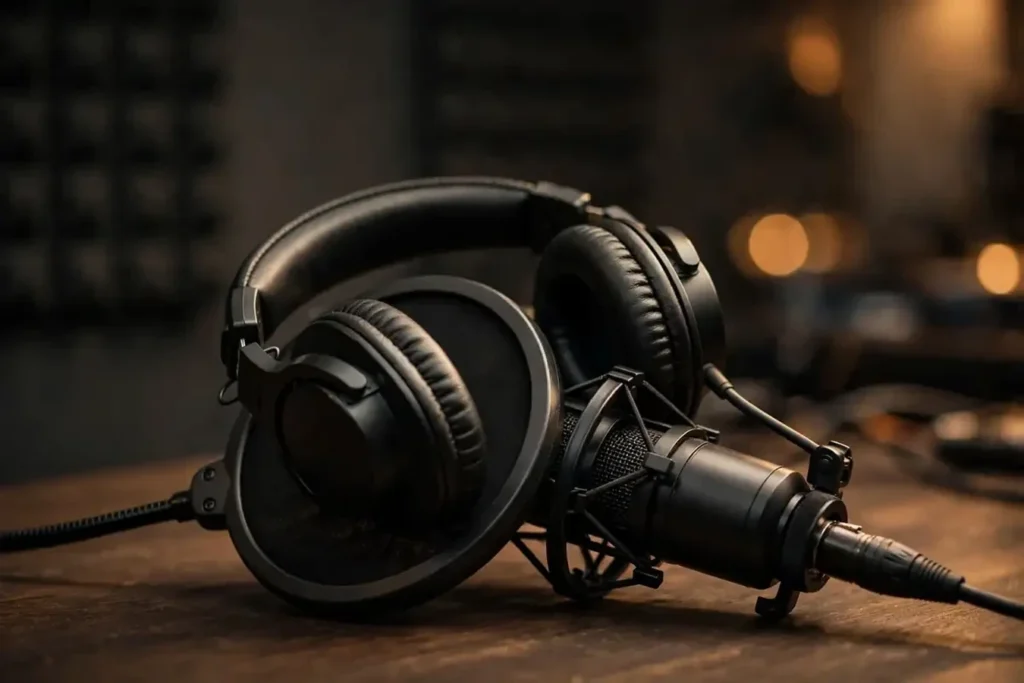
The wrong headphones can quietly wreck a podcast. Missed plosives, gain staged too hot, a guest’s audio leaking from your earcups back into your own microphone — all of it is preventable with the right pair on your head. The best headphones for podcasting are not the flashiest wireless flagships: they are closed-back, wired, comfortable enough for a two-hour session, and honest enough in the vocal midrange to catch problems before your listeners do.
Our verdict after comparing the consensus picks from studio and podcasting specialists: the Beyerdynamic DT 770 Pro (80 ohm) is the best all-round choice for podcasters — closed-back isolation, legendary long-session comfort, and detail that exposes recording flaws. The Sony MDR-7506 remains the best budget studio standard, and the Audio-Technica ATH-M50x is the pick for podcasters who record on location and need foldable, detachable-cable convenience.
Quick Comparison: The Best Headphones for Podcasting
| Model | Best For | Design | Cable | Standout Strength |
|---|---|---|---|---|
| Beyerdynamic DT 770 Pro (80 ohm) | Best overall | Closed-back, over-ear | Fixed, coiled | Velour comfort for marathon sessions |
| Sony MDR-7506 | Best budget studio classic | Closed-back, over-ear | Fixed, coiled | Revealing vocal midrange; folds flat |
| Audio-Technica ATH-M50x | Best for portable recording | Closed-back, over-ear | Detachable (3 included) | Swiveling, fold-flat cups for location work |
| Audio-Technica ATH-M40x | Best value monitor | Closed-back, over-ear | Detachable | Flatter tuning than the M50x for honest monitoring |
| Sennheiser HD 280 Pro | Best isolation on a budget | Closed-back, over-ear | Detachable, coiled | Strong passive isolation for untreated rooms |
| RØDE NTH-100 | Best comfort for creators | Closed-back, over-ear | Detachable | Designed for content creators; very low clamp fatigue |
| Audio-Technica ATH-M20x | Best entry-level | Closed-back, over-ear | Fixed, straight | Cheapest credible way to monitor while recording |
What to Look for in Podcasting Headphones
Before the picks, the five things that actually matter when a microphone is involved:
1. Closed-back design with real isolation
This is the non-negotiable. Open-back and semi-open headphones leak sound — and that leaked sound gets picked up by your microphone, doubling voices and adding an echoey smear to the recording. Every pick on this list is closed-back. If you ever record with guests in the same room, isolation also keeps their voices from bleeding into your mic.
2. Comfort for long sessions
Podcast recordings run long — a two-hour interview is normal. Look for soft, deep earpads, moderate clamping force, and weight that disappears on your head. Velour pads (like the DT 770 Pro’s) breathe better than leatherette for sweaty sessions.
3. Honest vocal reproduction
You want headphones that reveal problems, not hide them. An accurate, detailed midrange lets you hear mouth clicks, plosives, sibilance, and room noise while you can still fix them. Bass-heavy consumer tuning flatters voices and lets flaws slip through to the edit.
4. A cable that survives the desk
Detachable cables are a longevity feature: the cable is what breaks first, and replacing a cable beats replacing headphones. Wired also means zero latency (more on that below).
5. Easy to drive
Studio headphones in low impedances (around 32–80 ohms) reach comfortable volume straight from an audio interface, mixer, or laptop headphone jack. High-impedance models may need a dedicated headphone amp — an extra box podcasters don’t need. The 80-ohm DT 770 Pro is the sweet spot: detailed enough for critical monitoring, efficient enough for any interface.
The 7 Best Headphones for Podcasting
1. Beyerdynamic DT 770 Pro (80 ohm) — Best Overall

The DT 770 Pro is the closest thing podcasting has to a consensus pick: Riverside and multiple studio workflow guides rank it as the best all-round podcast headphone, and our own analysis agrees. The 80-ohm version runs happily off any interface or recorder without a separate amp, the closed-back cups isolate well enough to keep monitoring audio out of your mic, and the velour earpads are famously comfortable across multi-hour sessions. Sound-wise it’s detailed and revealing in the upper midrange — exactly where sibilance, mouth noise, and room hiss live — so you hear problems while the take is still alive. The cable is fixed and coiled rather than detachable, which is the one compromise: treat it well and these are decade-class headphones. German-made build quality means replacement pads and parts stay available for years.
Best for: hosts and producers who want one pair that records, monitors, and edits well.
| Vocal Clarity | 9.4 |
| Isolation | 9.0 |
| Comfort & Design | 9.5 |
| Build & Cable | 8.8 |
| Value | 9.2 |
2. Sony MDR-7506 — Best Budget Studio Classic

The MDR-7506 has been the default “what the engineer is wearing” headphone in broadcast and recording for decades, and podcasting is exactly the kind of job it was built for. Its tuning is brutally honest in the midrange and upper mids — voices sound a touch forward and bright, which makes it excellent at exposing sibilance, plosives, and background noise during a take. It folds flat for a bag, it’s light enough for long interviews, and decades of ubiquity mean replacement pads and parts are easy to find. Downsides: the coiled cable is fixed (not detachable), and the pleather pads get warm and flake with age — budget a few dollars for third-party replacement pads eventually. For a starter podcast setup, this is the safest money you can spend.
Best for: new podcasters who want the industry-standard monitoring sound on a tight budget.
| Vocal Clarity | 9.2 |
| Isolation | 8.2 |
| Comfort & Design | 8.4 |
| Build & Cable | 8.0 |
| Value | 9.5 |
3. Audio-Technica ATH-M50x — Best for Portable Recording

If your podcast involves recording anywhere other than your desk — guest interviews, field reporting, convention floors — the ATH-M50x is the practical pick. The earcups swivel and fold flat, and three detachable cables come in the box, so you can swap a damaged cable or switch between coiled and straight lengths in seconds. Sonically it’s clear and detailed with slightly more low-end energy than the flatter studio monitors on this list, which makes voices sound full and engaging while still revealing problems. Isolation is solid for location work. The one honest caveat: the slightly emphasized bass means it’s a touch less ruthlessly neutral than the M40x or DT 770 Pro for critical monitoring — but for a mobile recording kit, the durability and convenience more than compensate.
Best for: podcasters who record on location and need foldable, cable-swappable toughness.
| Vocal Clarity | 8.8 |
| Isolation | 8.5 |
| Comfort & Design | 8.4 |
| Build & Cable | 9.3 |
| Value | 8.7 |
4. Audio-Technica ATH-M40x — Best Value Monitor

The ATH-M40x is the quiet overachiever of the M-series: flatter and more neutral than the famous M50x, with the same practical virtues — closed-back isolation, swiveling earcups, detachable cables, and rugged build. For podcasters, that flatter tuning is arguably a feature, not a compromise: voices are rendered without the M50x’s extra low-end warmth, so what you hear during the take is closer to what your editor hears later. It costs notably less than the M50x while delivering the monitoring essentials. Comfort is good for medium-length sessions, though the pads are a step behind the DT 770 Pro’s velour for true marathons. If your budget sits between entry-level and the DT 770 Pro, this is the value sweet spot.
Best for: budget-conscious podcasters who want neutral, honest monitoring.
| Vocal Clarity | 8.9 |
| Isolation | 8.4 |
| Comfort & Design | 8.2 |
| Build & Cable | 9.0 |
| Value | 9.3 |
5. Sennheiser HD 280 Pro — Best Isolation on a Budget

Recording in an untreated room, a shared apartment, or anywhere with a noisy computer fan? The HD 280 Pro’s claim to fame is isolation — its clamping, seal-everywhere design blocks more ambient noise than anything else near its price, which serves two purposes at once: you hear your monitoring clearly, and less of your room reaches the microphone. The sound is clean and detailed in the mids with restrained bass, and the cable is detachable and coiled. The trade-off is right there in the strength: the firm clamp that seals so well can feel tight on larger heads during very long sessions, and the folding hinges are a known wear point over years of heavy use. For podcasters fighting their environment rather than their budget, it’s the right trade.
Best for: podcasters in noisy or untreated rooms who need maximum isolation per dollar.
| Vocal Clarity | 8.5 |
| Isolation | 9.4 |
| Comfort & Design | 7.8 |
| Build & Cable | 8.2 |
| Value | 9.0 |
6. RØDE NTH-100 — Best Comfort for Creators
RØDE built the NTH-100 specifically for content creators — podcasters, streamers, and video producers — and the design shows it. The headband uses a clever adjustable fitting system, the memory-foam pads are deep and breathable, and clamp force stays low across long recording days, which is exactly the comfort profile podcasters ask for. Sound is balanced and detailed with a natural midrange that flatters voices without hiding flaws, and the cable is detachable with locking connectors on both cups. Isolation is good for a creator-focused design. Note: we could not verify a current exact-model Amazon listing for the NTH-100, so the button below searches Amazon for it — confirm the listing matches the exact model before buying.
Best for: creators who prioritize all-day comfort and a modern, creator-focused design.
| Vocal Clarity | 8.7 |
| Isolation | 8.3 |
| Comfort & Design | 9.3 |
| Build & Cable | 8.8 |
| Value | 8.4 |
7. Audio-Technica ATH-M20x — Best Entry-Level

Starting a podcast on the thinnest possible budget? The ATH-M20x is the cheapest headphone we’d still call a real monitoring tool. It shares the M-series closed-back DNA — respectable isolation, clear mids, no bass bloat — in a simpler package: fixed straight cable, no folding cups, basic pads. It won’t flatter your voice and it won’t survive daily abuse the way the M50x will, but it gets the fundamentals right: hear yourself accurately, keep sound out of the mic, spend almost nothing. Buy this to start, upgrade to the M40x or DT 770 Pro when the show earns it. It’s also a sensible spare pair for guest chairs in a multi-host setup.
Best for: absolute beginners and guest-chair spares on a minimal budget.
| Vocal Clarity | 8.0 |
| Isolation | 7.8 |
| Comfort & Design | 7.6 |
| Build & Cable | 7.4 |
| Value | 9.2 |
Why Wired Still Wins for Podcast Recording
Bluetooth adds latency — typically a fraction of a second between your voice and what reaches your ears. That delay is disorienting when you’re trying to speak naturally, and it makes real-time monitoring unreliable. A wired connection has effectively zero latency: you hear yourself the instant you speak. Wired also means no batteries to die mid-interview, no pairing dropouts, and no codec compression between your interface and your ears. Wireless headphones have their place — editing on the couch, listening back on a walk — but the recording chain itself should be wired. If you’re building out a full wired monitoring setup, our wired earbuds guide covers in-ear options for discreet monitoring too.
What Is Mic Monitoring (Sidetone), and What Do Your Headphones Have to Do With It?
Mic monitoring — sometimes called sidetone — is hearing your own voice played back into your ears while you record. An important honest point: sidetone is provided by your audio interface, USB microphone, or recording software, not by the headphones themselves. None of the headphones on this list generate sidetone; what they do is reproduce the monitoring feed your interface sends them, clearly and without leaking it into your mic.
In practice, here’s what to do: if your interface or USB mic offers direct (zero-latency) monitoring, use it — it lets you hear yourself without the distracting delay of software monitoring. Keep the monitoring level modest: loud enough to catch problems, quiet enough that nothing bleeds through your closed-back cups into the recording. Good isolation plus restrained monitoring volume is the whole trick; no special headphone feature required.
Recording vs. Editing: Do You Need Two Pairs?
Not necessarily, but the jobs differ. Recording demands closed-back isolation above all — keeping sound out of the microphone. Editing and mixing reward accuracy and comfort over very long sessions. One good closed-back pair (like the DT 770 Pro or MDR-7506) handles both competently, and most podcasters start there. If you later add a second pair, make it a comfortable, neutral one for the edit bay rather than a second recording pair — and be aware that open-back headphones, while lovely for mixing, must never be worn while a live mic is open. Our airplane headphones guide is worth a look if isolation is your top priority in general, and our headphones-with-a-mic for calls guide covers options when your podcasting is mostly remote interviews over video calls.
Can You Use Noise Cancelling or Wireless Headphones for Podcasting?
For listening to podcasts, absolutely — noise cancelling is wonderful on a plane. For recording one, be cautious. Active noise cancelling adds a small amount of processing latency and subtly alters the sound (many ANC headphones also apply EQ you can’t fully defeat), which means what you hear isn’t exactly what’s being recorded. Wireless adds the latency problem described above. The practical split: wired closed-back studio headphones at the mic, and your favorite ANC wireless pair for everything else.
FAQ
Do you need special headphones for podcasting?
Not “special” — but specific. Closed-back, wired headphones with honest midrange reproduction are what podcast recording requires: they keep sound from leaking into your microphone and let you hear vocal problems while you can still fix them. Regular consumer earbuds or open-back headphones fail on one or both counts.
Can I use AirPods or Bluetooth headphones to record a podcast?
You can, but you shouldn’t monitor through them while recording. Bluetooth latency means you hear yourself with a noticeable delay, which is distracting and makes real-time monitoring unreliable. Record with wired closed-back headphones; save the AirPods for editing and listening back.
Why do podcasters wear headphones while recording?
Three reasons: to hear their own voice and the guest at a controlled level, to catch problems (plosives, sibilance, background noise, wrong gain) during the take instead of discovering them in the edit, and to confirm the recording chain is actually capturing audio. Recording “deaf” is how you discover an hour of silence.
What is mic monitoring or sidetone?
It’s hearing your own voice in your headphones while you record. The feature comes from your audio interface, USB mic, or software — not the headphones. Headphones just need to reproduce that monitoring feed clearly and keep it from leaking into the mic, which is why closed-back designs are standard.
Are open-back headphones bad for podcasting?
For recording, yes — they leak sound that your microphone picks up, causing echo and doubled audio. For editing and mixing in a quiet room, open-backs are fine and often pleasant. Just never wear them while a live mic is open.
What impedance should podcasting headphones be?
Low to medium — roughly 32 to 80 ohms — so they reach comfortable volume straight from an audio interface, mixer, or laptop without a separate headphone amplifier. The 80-ohm DT 770 Pro is a good example: detailed enough for critical monitoring, efficient enough for any interface’s headphone output.

I am the founder of Sound Mavericks, where I provide the polite truth about audio equipment. I started this site because consumer electronics reviews are often too technical. Instead of using a silent lab, I test headphones, earbuds, and Bluetooth speakers in the real world – like on a noisy subway or in a busy coffee shop.
To stay independent, I buy my own review units (mostly from the United States) rather than accepting free gifts from brands. Once I finish testing a product, I sell it locally to our community. My goal is to help you understand sound quality, active noise cancellation (ANC), and battery life without the marketing hype.