Best wired earbuds for iPhone 2026: our top picks
No iPhone has shipped with a headphone jack since the iPhone 7, which makes buying wired earbuds for an iPhone a connector question first and a sound question second. iPhone 15 and newer use USB-C; iPhone 14 and earlier use Lightning — and anything with a classic 3.5mm plug needs a DAC adapter in between. After analyzing the current options, our verdict is clear: the Apple EarPods with USB-C are the best wired earbuds for most iPhone owners in 2026 — they plug straight into modern iPhones, the inline remote fully controls calls and playback, and the fit works for more ears than typical in-ear designs. Still on a Lightning iPhone? Get the Lightning EarPods instead. Audiophiles with a favorite 3.5mm pair just need the right adapter.
Below: the earbuds actually worth buying for an iPhone right now, what each one does best, and the buying guide that sorts out the connector confusion once and for all.
Best wired earbuds for iPhone at a glance
| Earbuds | Connector | Best for | Mic / Remote |
|---|---|---|---|
| Apple EarPods (USB-C) | USB-C | iPhone 15 and newer | Yes |
| Apple EarPods (Lightning) | Lightning | iPhone 14 and older | Yes |
| Sony MDR-EX15AP | 3.5mm (adapter needed) | Budget in-ear pick | Yes |
| 1MORE Triple Driver E1001 | 3.5mm + USB-C adapter included | Best sound quality | Yes |
| Shure SE215 | 3.5mm (adapter needed) | Audiophile IEM | Optional cable |
| Apple Lightning to 3.5mm Adapter | Lightning to 3.5mm | Essential accessory | Passes through |
Which port does your iPhone have?
USB-C: iPhone 15, iPhone 16 and iPhone 17 families — buy USB-C earbuds or use a USB-C DAC adapter with 3.5mm earbuds. Lightning: iPhone 14 and everything older — buy Lightning earbuds or use Apple’s Lightning to 3.5mm adapter with 3.5mm earbuds. There is no headphone jack to fall back on, so the connector on the earbuds (or the adapter you pair them with) is the whole decision.
Why 3.5mm earbuds need a DAC adapter: Lightning and USB-C are digital-only ports. A passive plug adapter can’t work — the adapter must contain a tiny digital-to-analog converter (DAC). Apple’s own adapters are the safe default: they’re inexpensive, they handle calls and inline remotes properly, and they avoid the “accessory not supported” errors cheap third-party dongles can throw. If a 3.5mm pair is your endgame, our best wired earbuds roundup covers the wider field — then pair your pick with the right adapter below.
1. Apple EarPods with USB-C — best for iPhone 15 and newer

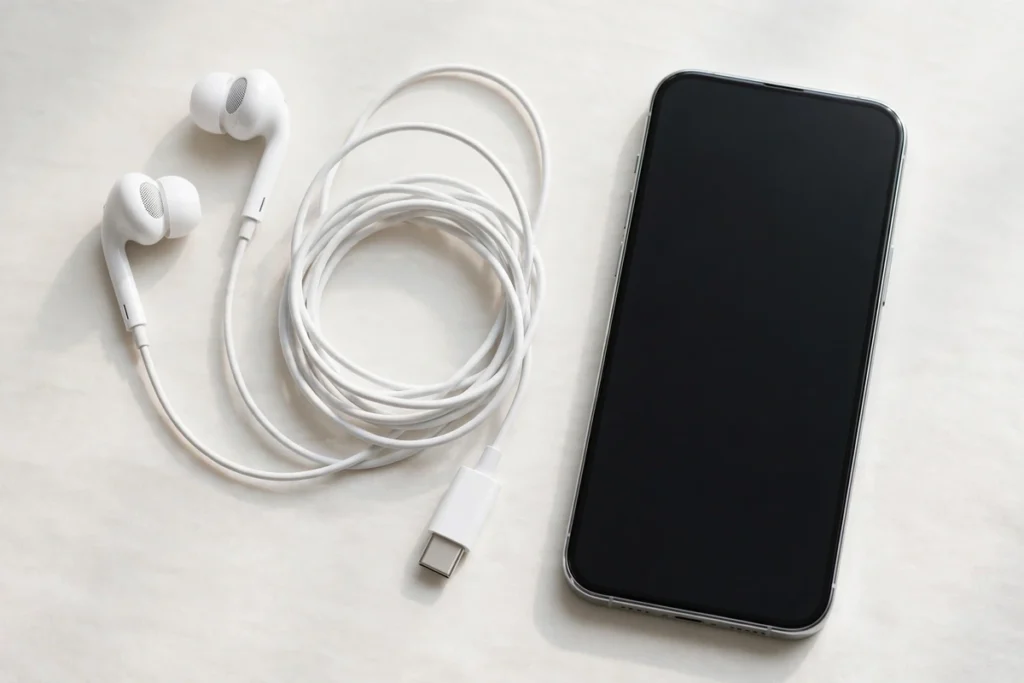
Apple’s own EarPods remain the benchmark for iPhone-specific wired audio, now with a USB-C plug for the iPhone 15/16/17 generation. The design is built around ear geometry rather than a generic round bud, which is why they fit comfortably for more people than typical in-ears. The speakers are engineered to maximize output while minimizing loss, and the inline remote handles volume, playback and calls — including Siri — with full iOS integration. No pairing, no charging, no compatibility guesswork.
SoundMavericks’ verdict: the default answer for modern iPhones — buy these unless you have a specific reason not to.
2. Apple EarPods with Lightning Connector — best for iPhone 14 and older

The same EarPods formula with a Lightning plug for the hundreds of millions of iPhones that still use Apple’s older port — iPhone 14, 13, 12, 11, X and back through the 7. Same ear-geometry design, same inline mic and remote with full call and playback control, same zero-fuss integration with iOS. If your iPhone has a Lightning port, this is the one-tap solution: no adapter to lose, no dongle dangling from your phone.
SoundMavericks’ verdict: the no-brainer for Lightning iPhones — the cheapest way to get reliable wired audio with working call controls.
3. Sony MDR-EX15AP — best budget wired earbuds for iPhone

Sony’s long-running budget in-ears are the classic “better than they have any right to be” pick: 9mm drivers with a balanced, bass-capable tuning, hybrid silicone tips in multiple sizes for a proper seal, an inline mic for calls, and a tangle-resistant Y-cord with a slider. The catch is the 3.5mm plug — you’ll need Apple’s Lightning or USB-C adapter (below) to connect to any iPhone. For a spare pair, a gym pair or a first upgrade from pack-in buds, the sound-per-dollar here is hard to argue with.
SoundMavericks’ verdict: the budget king — add Apple’s adapter and you have a complete iPhone setup for very little.
4. 1MORE Triple Driver E1001 — best sound quality

The 1MORE Triple Driver packs a hybrid setup — one dynamic driver plus two balanced armatures per ear — tuned with THX certification for a detailed, Hi-Res-capable presentation that embarrasses most earbuds near its class. The current E1001 revision even includes a 3.5mm-to-USB-C adapter in the box, so iPhone 15/16/17 owners can plug straight in with no extra purchase. The inline mic and remote cover calls and playback, and the aluminum build with the generous tip selection feels a class above the price.
SoundMavericks’ verdict: the sound-quality pick — triple-driver detail with a USB-C adapter included for modern iPhones. Lightning iPhone owners: pair it with Apple’s adapter below.
5. Shure SE215 — best audiophile wired earbuds for iPhone

The SE215 is the gateway IEM that has survived a decade of challengers: a single dynamic MicroDriver with Shure’s warm, easy house sound, up to 37 dB of passive isolation with the included foam and silicone tips, and a detachable MMCX cable you can swap for a mic/remote version. It’s an over-ear-worn stage monitor shrunk for the street — secure, isolating and built to last. You’ll need a DAC adapter for any iPhone (and the mic/remote cable if calls matter), but for pure listening quality on a phone, this is the enthusiast’s answer. New to IEM impedance and sources? Our impedance explainer covers what your phone can drive.
SoundMavericks’ verdict: the audiophile pick — buy it for the sound and isolation, budget for the adapter and mic cable.
6. Apple Lightning to 3.5mm Adapter — the essential accessory

This tiny dongle is what keeps every 3.5mm earbud you already own working with a Lightning iPhone. Apple’s own adapter contains a proper DAC, passes through mic and inline-remote signals for calls, and — critically — never throws the “accessory not supported” errors that plague cheap third-party dongles. It’s also the piece that unlocks the entire universe of 3.5mm audiophile earbuds for iPhone owners. Buy a spare; they’re small enough to lose and essential enough to miss.
SoundMavericks’ verdict: the most important ten-dollar-class accessory in wired iPhone audio — own one before you need one.
How to choose wired earbuds for your iPhone
Match the connector to your iPhone’s port. USB-C earbuds for iPhone 15 and newer; Lightning earbuds for iPhone 14 and older. Native-connector earbuds (the EarPods above) are always simpler than a 3.5mm pair plus an adapter — one less thing to lose.
If you go the 3.5mm route, buy Apple’s adapter. Third-party Lightning and USB-C audio dongles are a compatibility lottery; Apple’s own adapters contain real DACs, support calls and remotes, and work every time. The 1MORE E1001 above is a nice exception since it bundles its own USB-C adapter.
Check mic and remote compatibility. iPhones use the CTIA wiring standard — virtually all modern earbuds with inline mics follow it, but some older or region-specific models don’t, which breaks call controls. Apple’s EarPods and the Sony and 1MORE picks above are all confirmed CTIA-compatible.
Consider USB-C-native alternatives too. Sony’s IER-EX15C is a well-regarded USB-C-native budget option for iPhone 15/16/17 owners who want a direct plug-in without adapters — worth a look alongside the EarPods if you prefer a sealed in-ear fit. Smaller ears? Our best earbuds for small ears guide covers fit-first picks, and our Bluetooth codec explainer is useful if you’re weighing wired against wireless.
Best wired earbuds for iPhone 2026: final verdict
For iPhone 15 and newer, the Apple EarPods with USB-C are the simplest, most reliable wired option; Lightning iPhone owners should get the Lightning EarPods. Budget hunters should grab the Sony MDR-EX15AP plus Apple’s adapter, sound-quality seekers the 1MORE Triple Driver E1001, and budding audiophiles the Shure SE215 — with the Lightning to 3.5mm adapter unlocking everything else.
Best wired earbuds for iPhone FAQs
What wired earbuds work with iPhone 16?
The iPhone 16 uses USB-C, so you need USB-C earbuds like the Apple EarPods with USB-C, or 3.5mm earbuds paired with a USB-C DAC adapter. Lightning earbuds will not plug in directly.
Do wired earbuds need an adapter for iPhone?
Only 3.5mm earbuds do — they need a Lightning or USB-C DAC adapter depending on your iPhone. Earbuds with a native Lightning or USB-C plug connect directly with no adapter.
Can I use regular 3.5mm earbuds with an iPhone?
Yes, with the right adapter: Apple’s Lightning to 3.5mm adapter for iPhone 14 and older, or a USB-C DAC adapter for iPhone 15 and newer. The adapter must contain a DAC — passive plug adapters won’t work.
Do Apple EarPods work for phone calls?
Yes. Both the USB-C and Lightning EarPods have a built-in microphone and inline remote that handle calls, voice assistants and playback controls with full iOS integration.
Are wired earbuds better than AirPods for iPhone?
Wired earbuds win on simplicity (no charging, no pairing, no latency) and usually on sound-per-dollar. AirPods win on convenience features like ANC, spatial audio and wireless freedom. For calls and music on a budget, wired is hard to beat.
Why doesn’t my iPhone have a headphone jack?
Apple removed the 3.5mm jack starting with the iPhone 7 in 2016, moving all wired audio to the Lightning port — and later to USB-C on the iPhone 15 generation. That’s why modern wired iPhone earbuds terminate in Lightning or USB-C.

I am the founder of Sound Mavericks, where I provide the polite truth about audio equipment. I started this site because consumer electronics reviews are often too technical. Instead of using a silent lab, I test headphones, earbuds, and Bluetooth speakers in the real world – like on a noisy subway or in a busy coffee shop.
To stay independent, I buy my own review units (mostly from the United States) rather than accepting free gifts from brands. Once I finish testing a product, I sell it locally to our community. My goal is to help you understand sound quality, active noise cancellation (ANC), and battery life without the marketing hype.